



Prepare
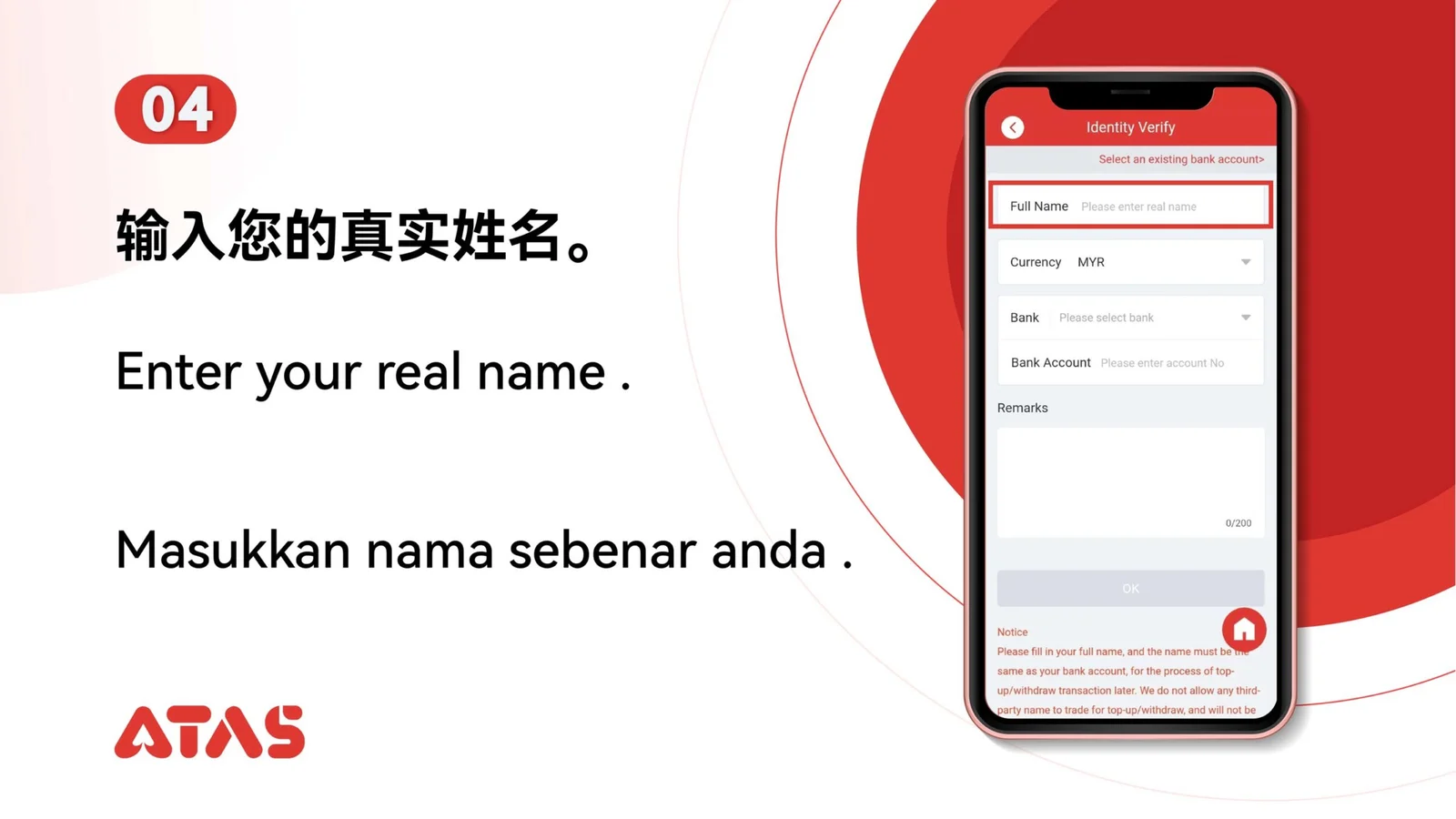
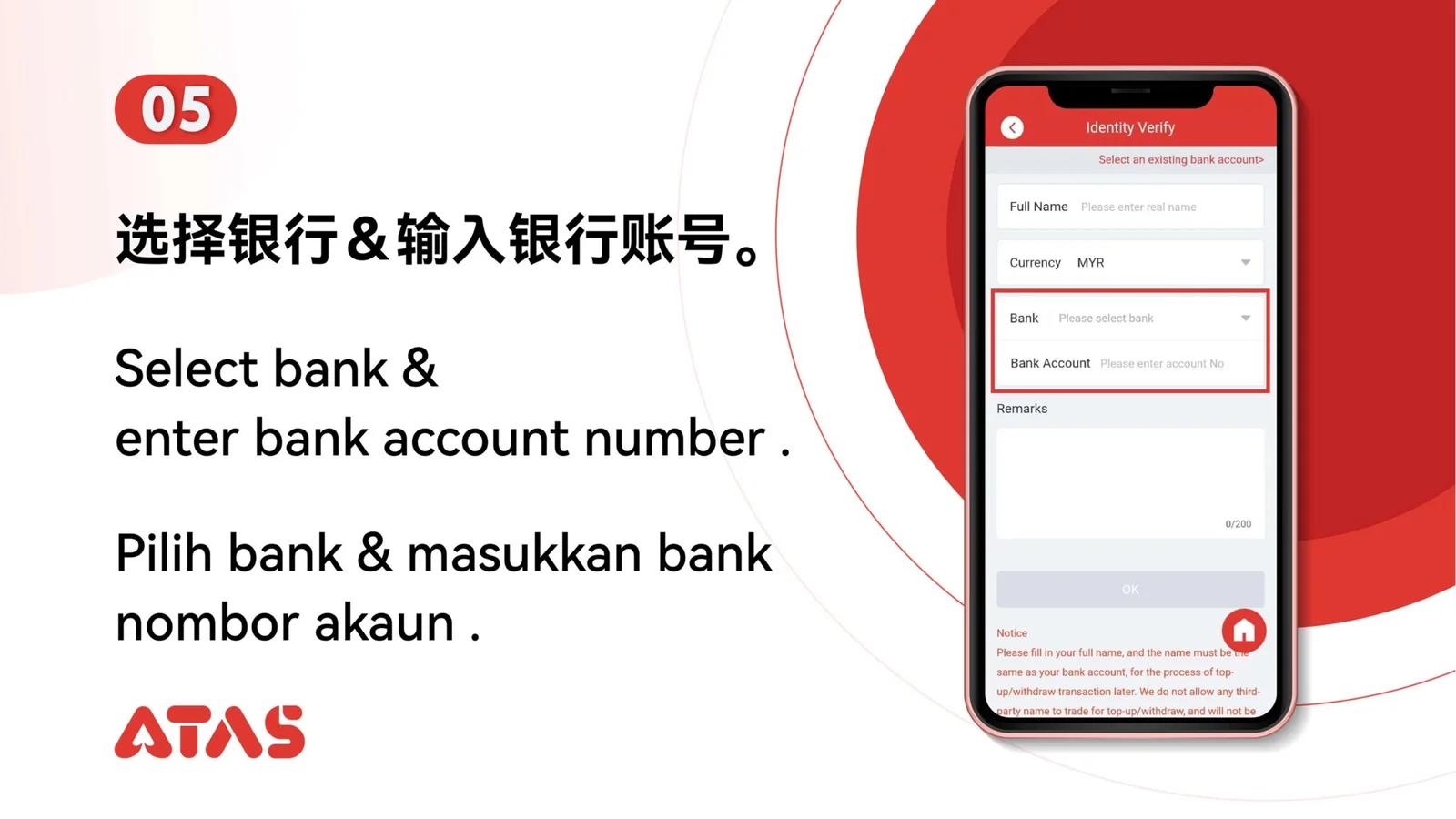
Use identity and contact details that belong to you and match the account.
ATAS3 / All Tutorials
Complete Account Authentication in 10 illustrated steps, with task-specific preparation, confirmation checks and a clear completion signal.
ILLUSTRATED ATAS3 GUIDE
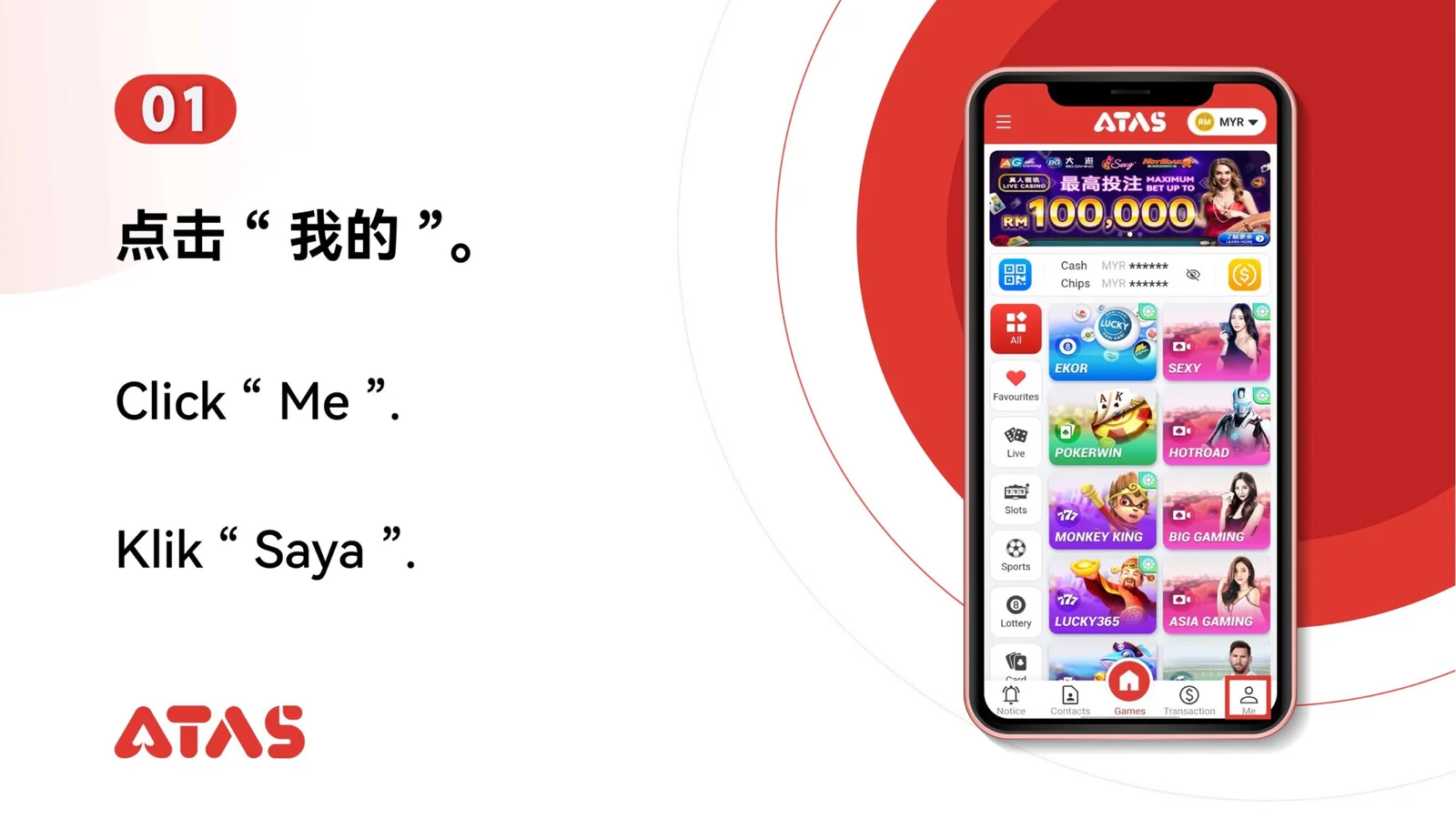
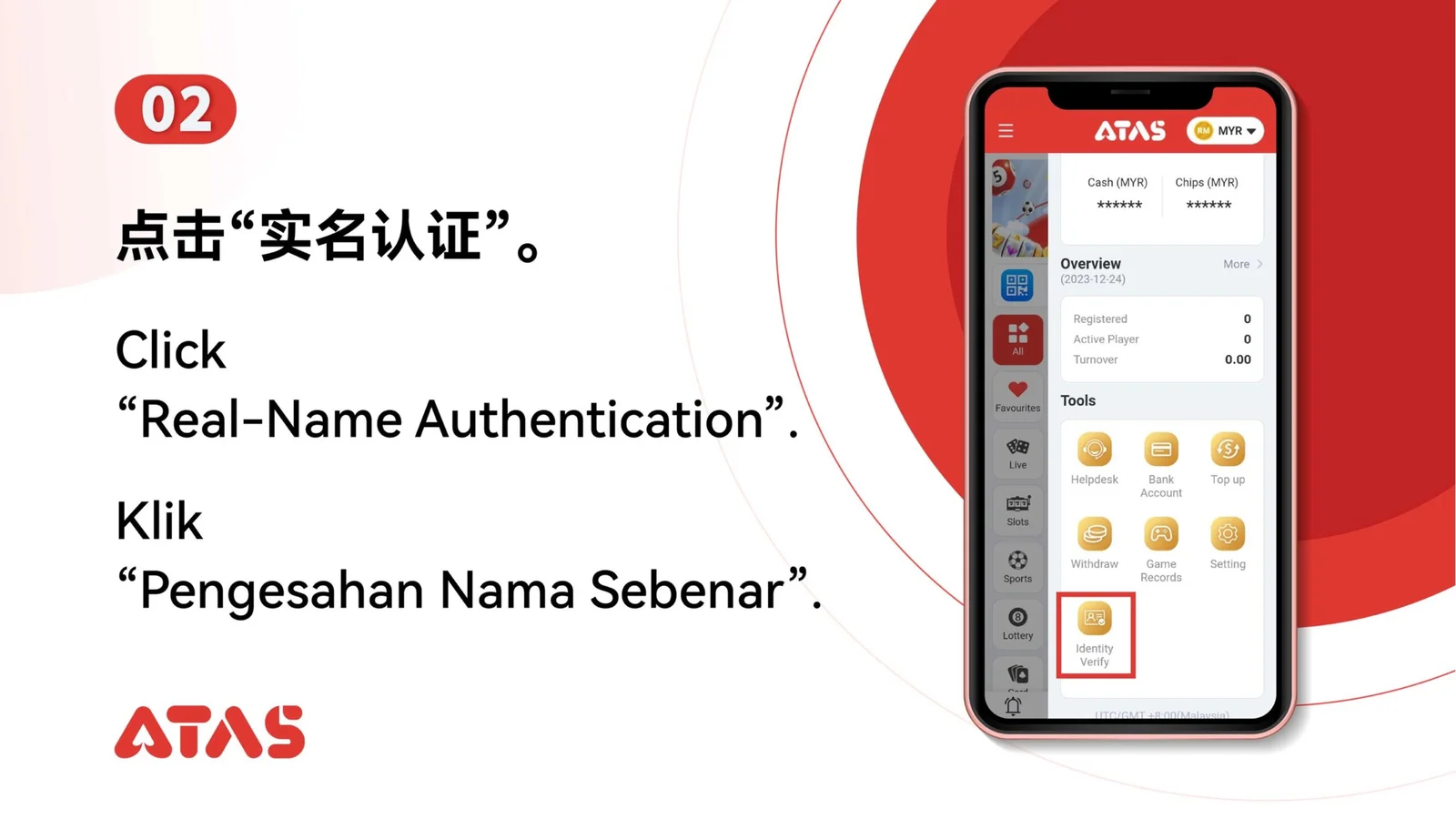
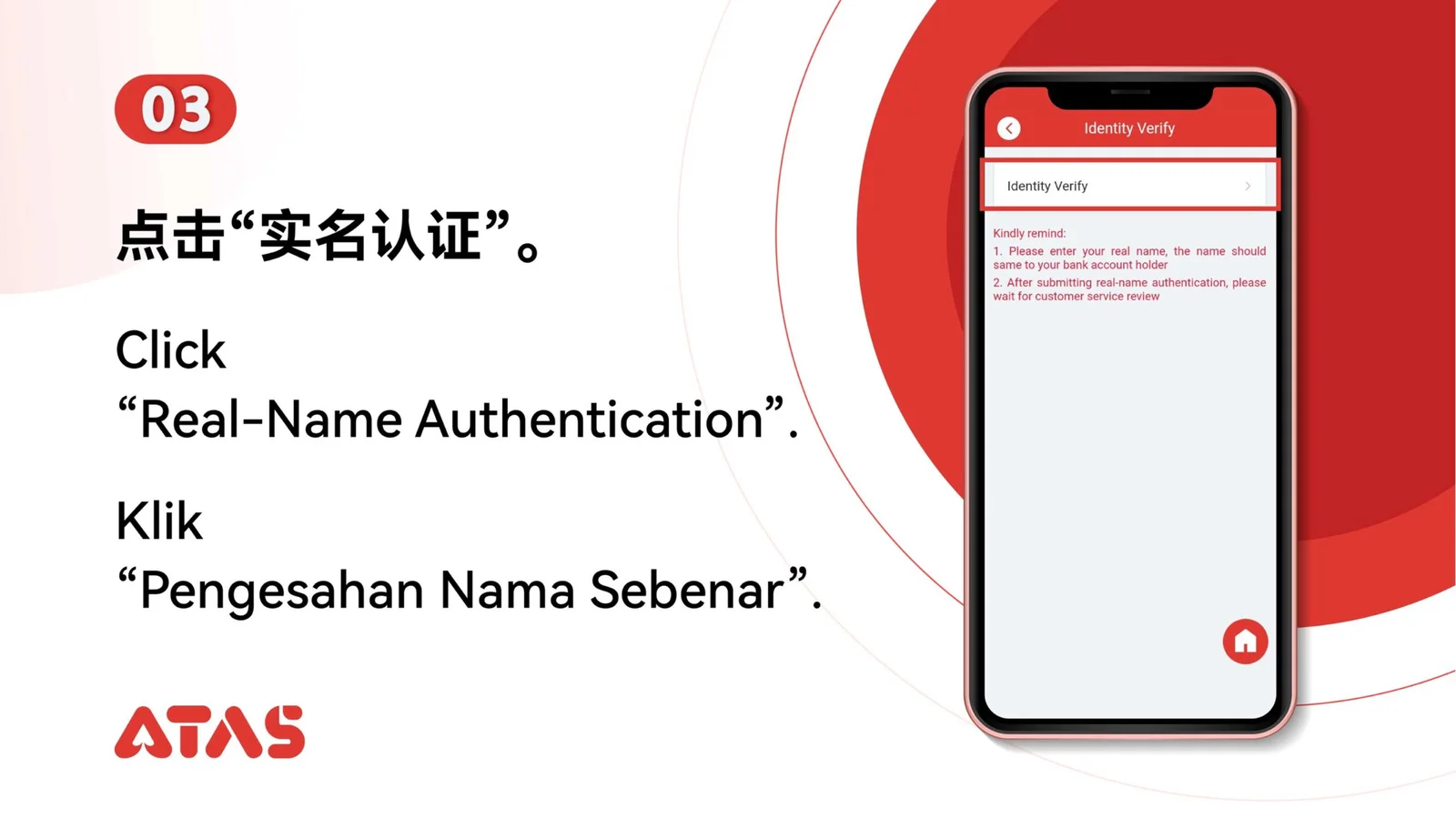
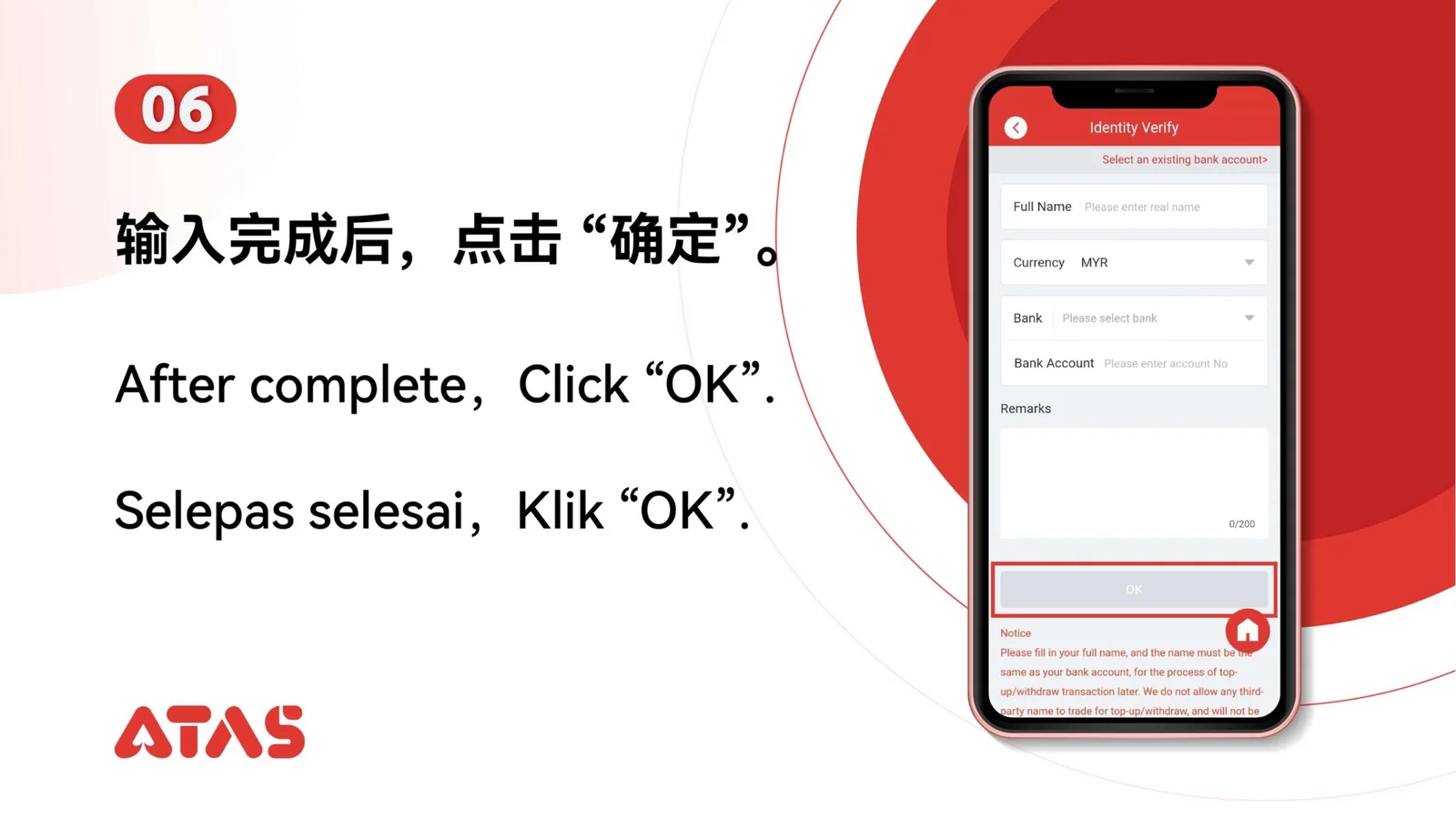
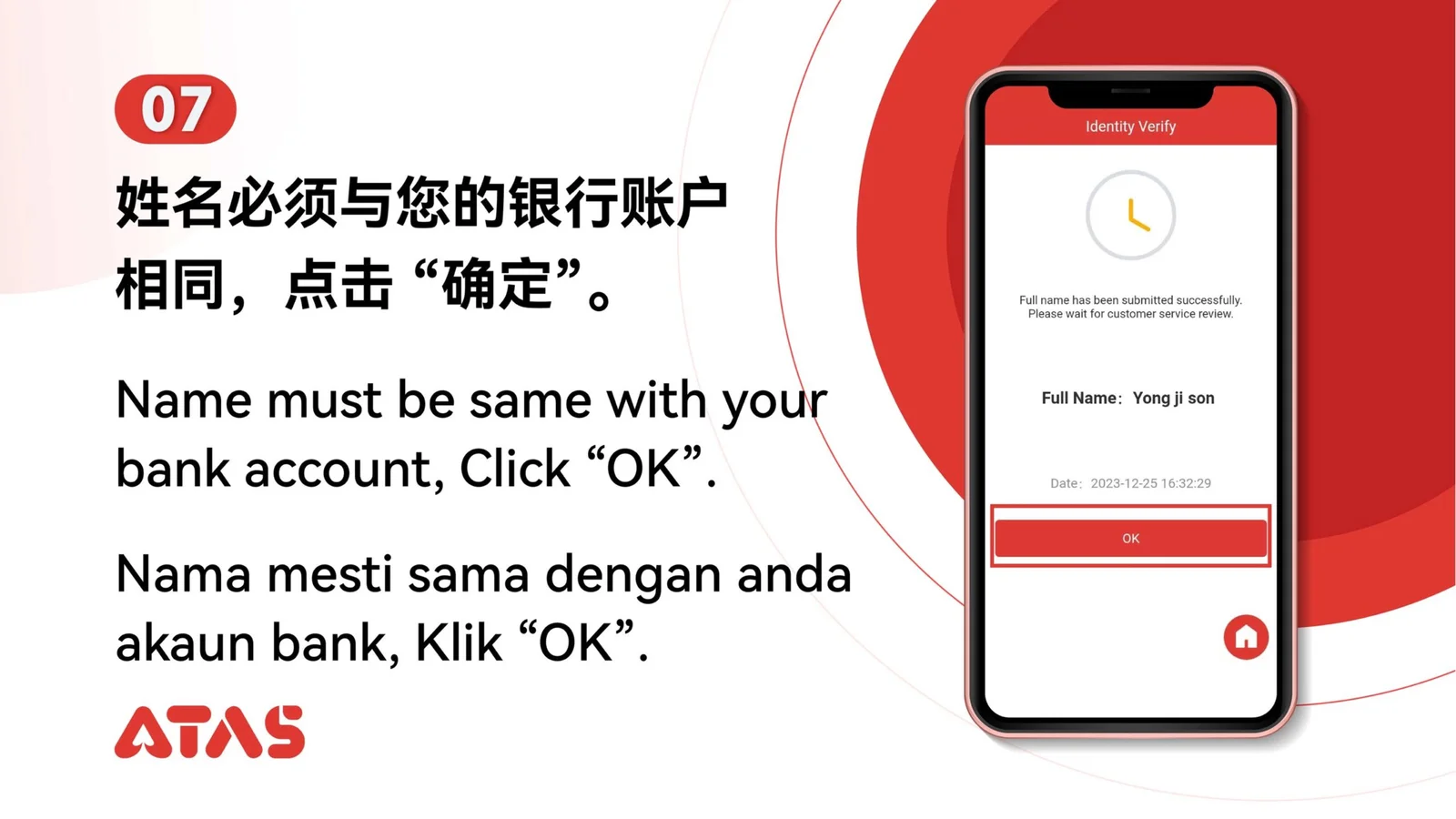
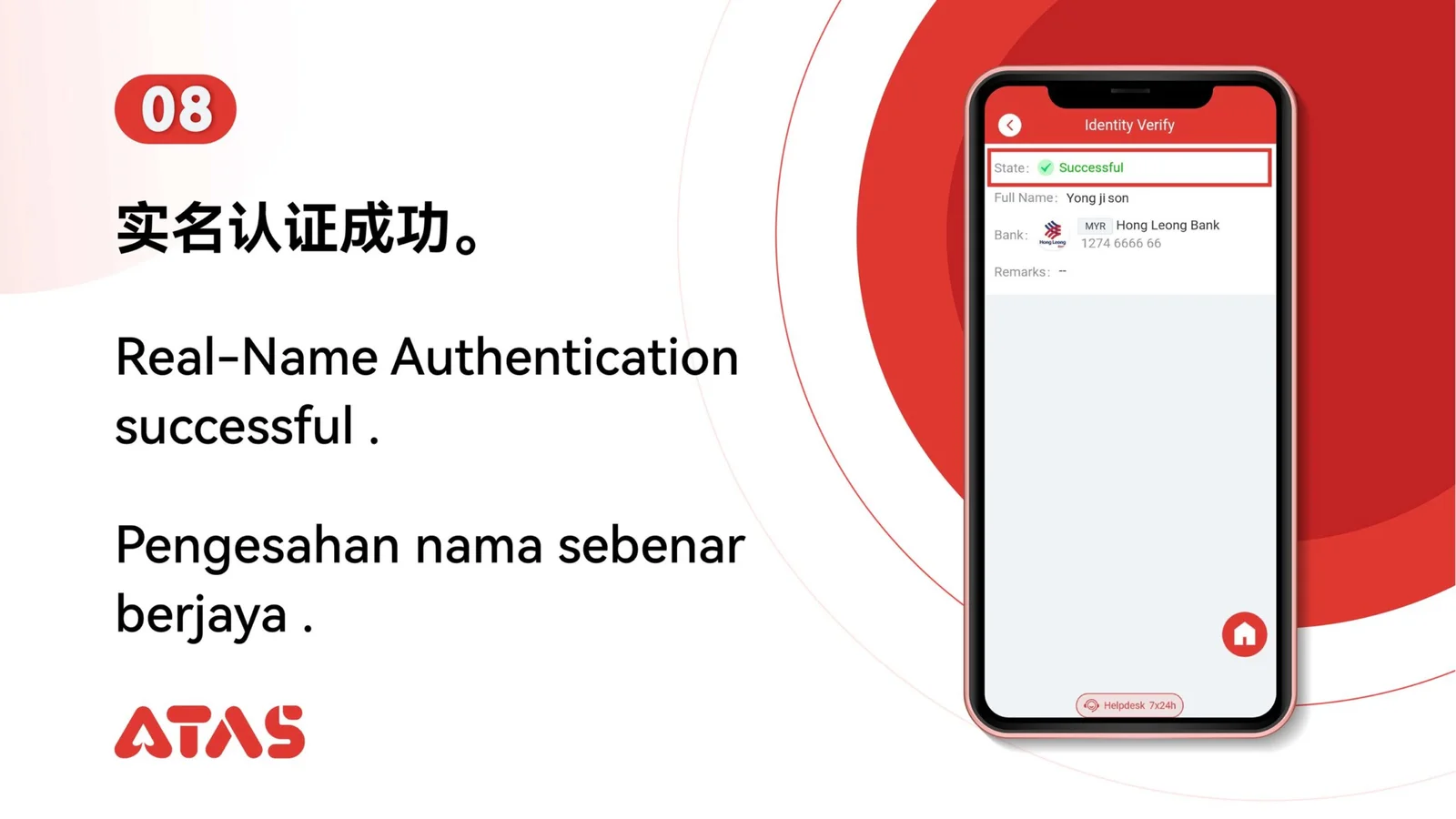
The screenshots show the order. These checkpoints explain what must match along the way. 10 illustrated steps
Follow the sequence
Review the submitted name, document fields and verification channel before confirmation.
 Step 01
Use identity and contact details that belong to you and match the account.
Review the submitted name, document fields and verification channel before confirmation.
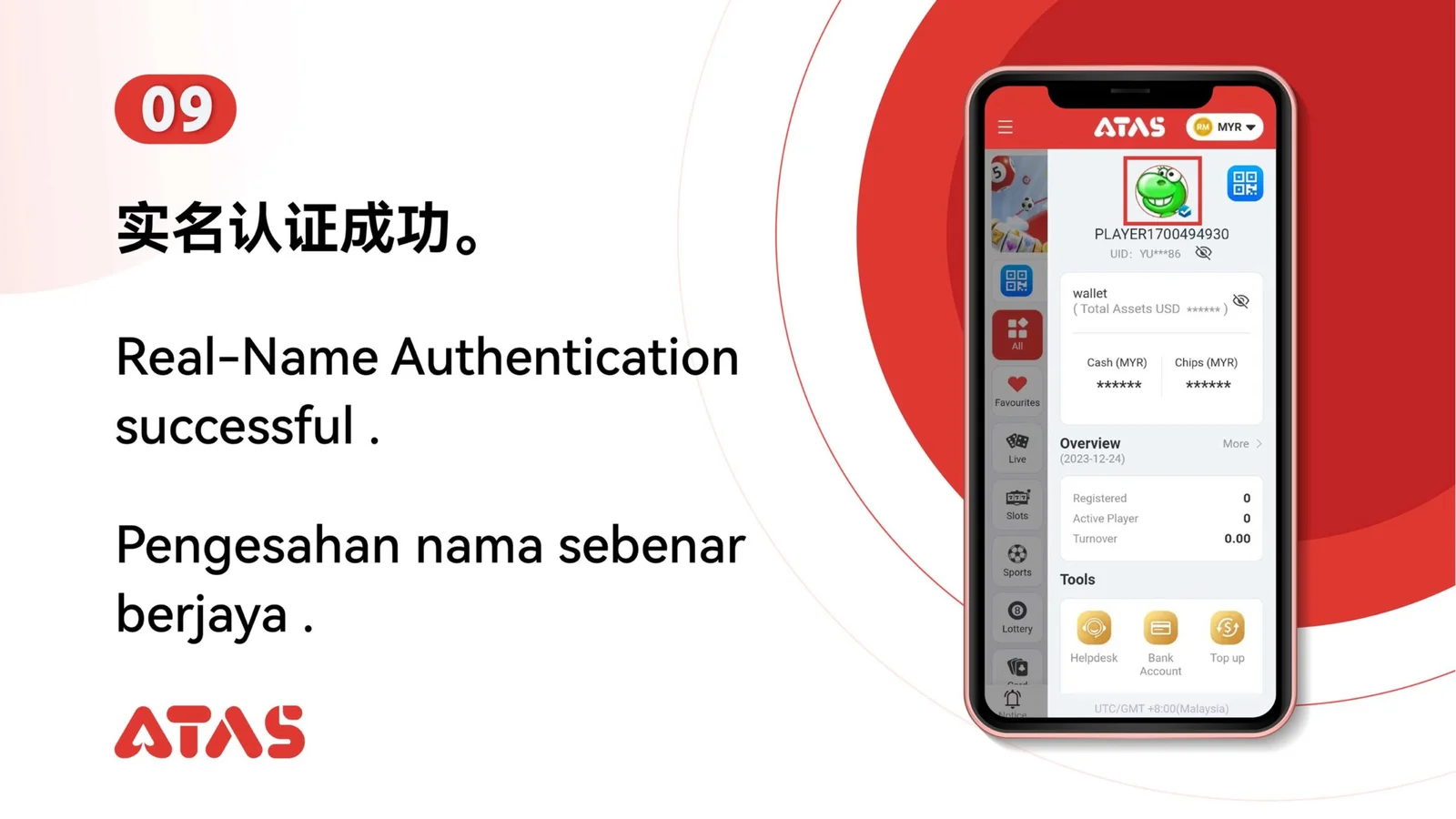
The account shows authentication as completed or approved.
Blurred documents, mismatched details or an expired OTP can delay verification.