



Prepare
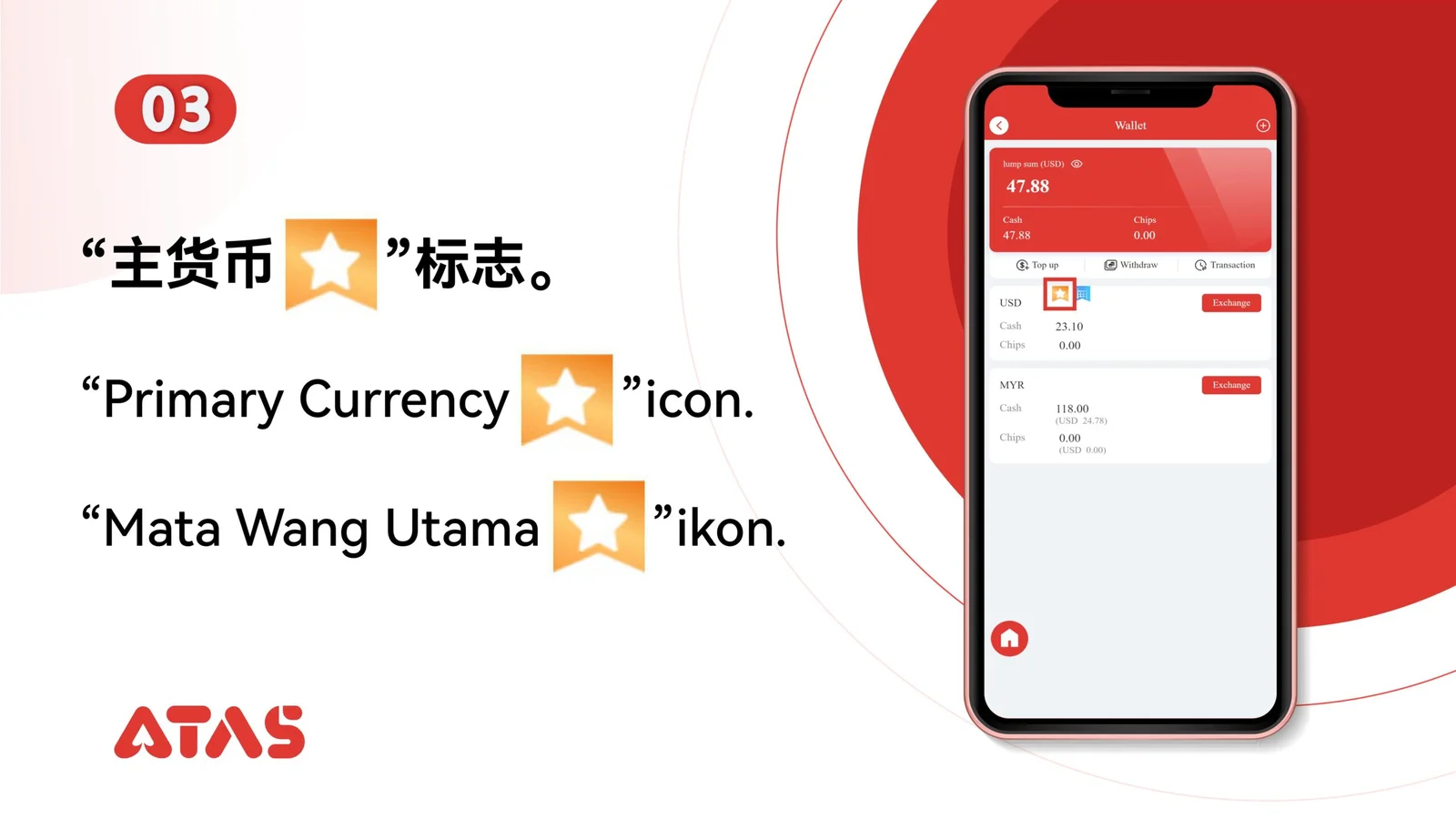
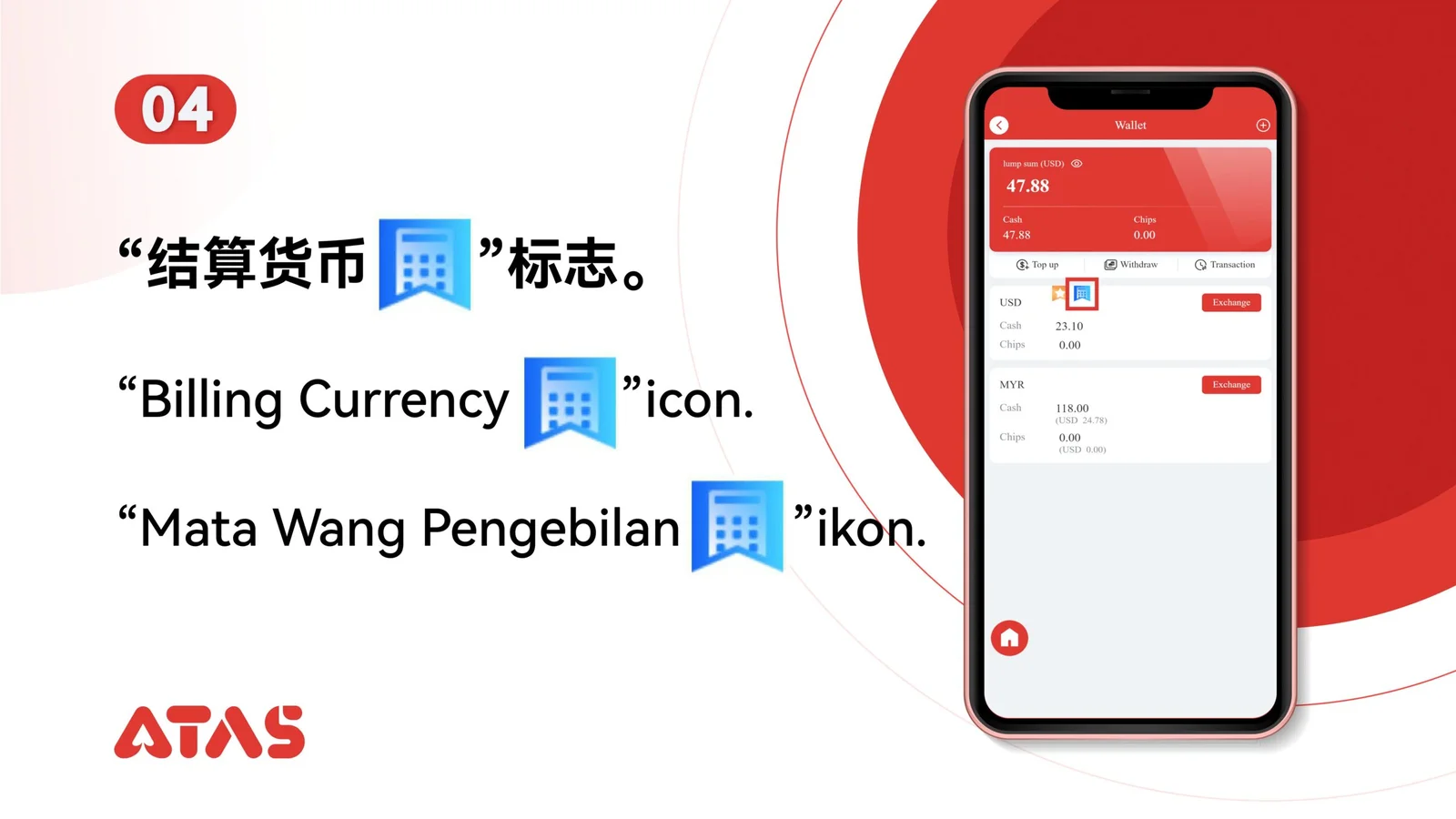
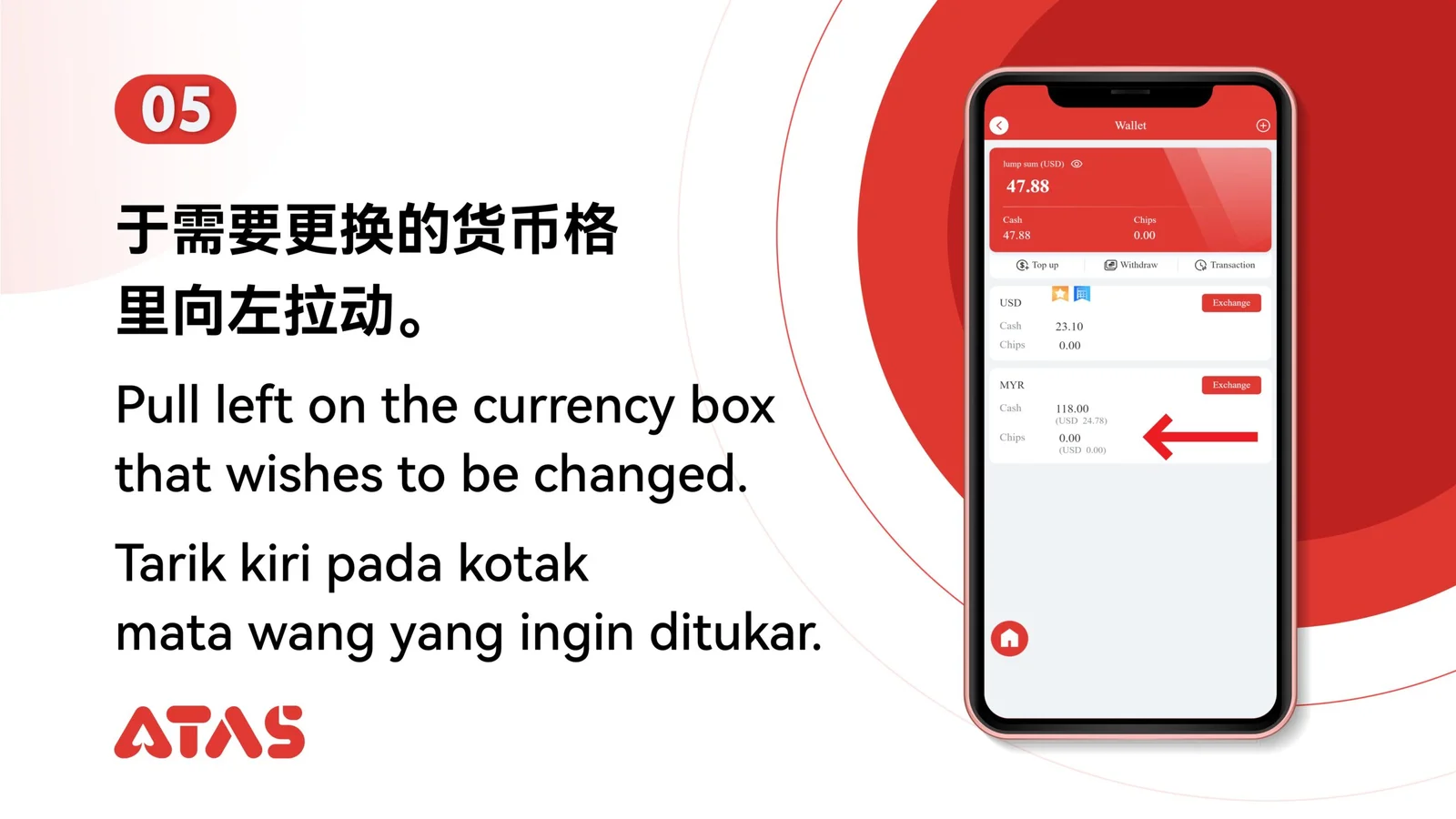
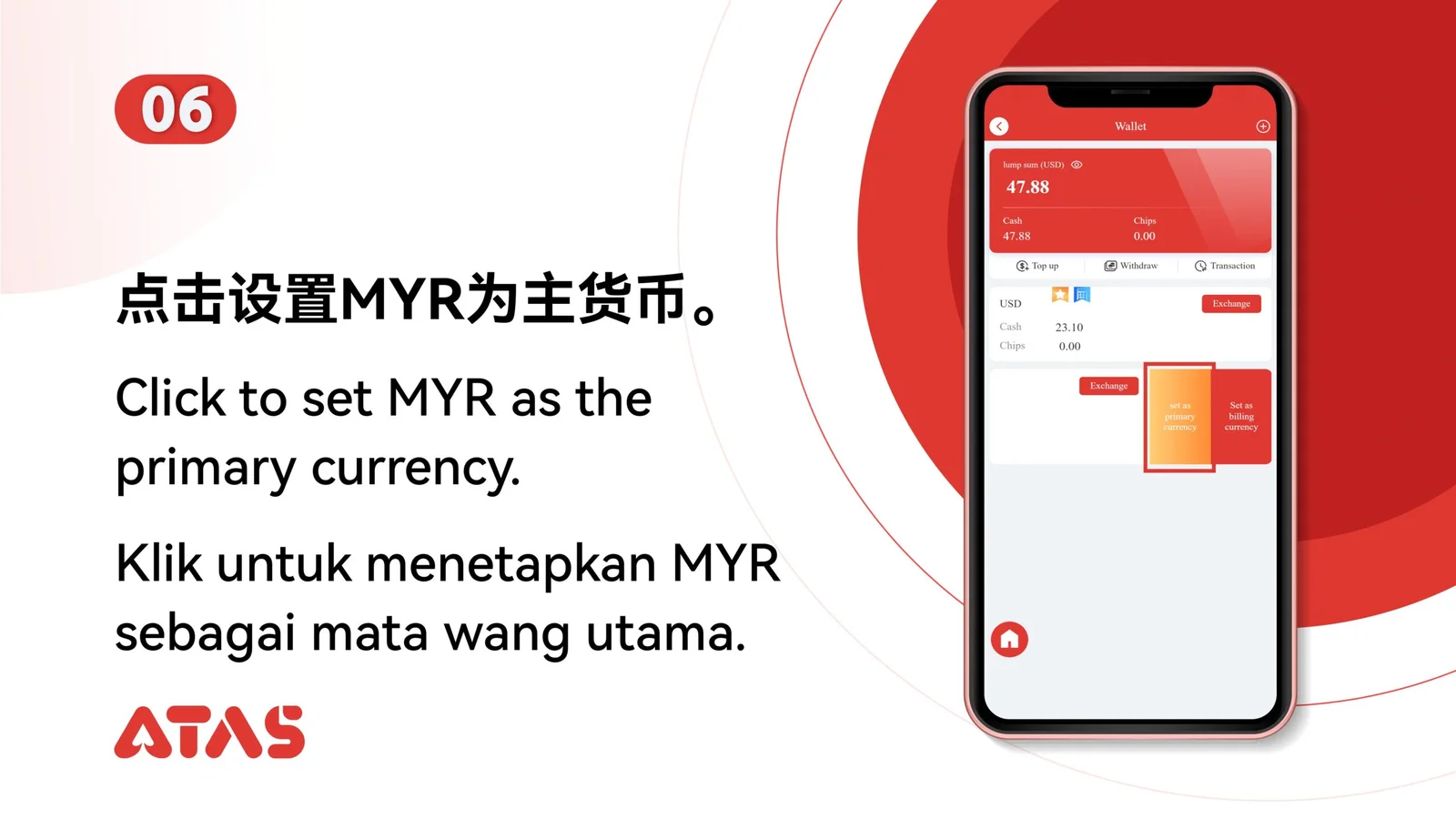
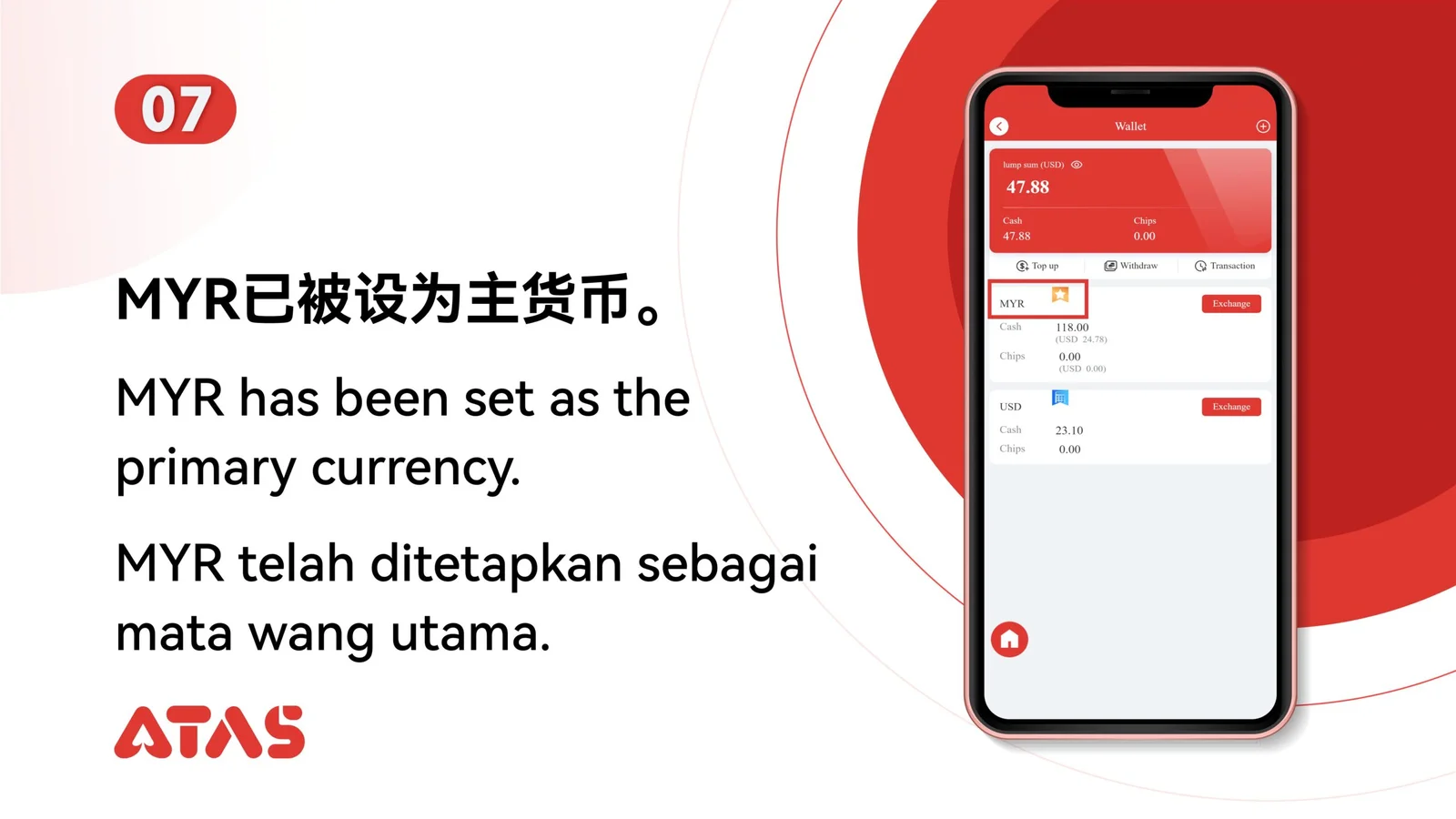
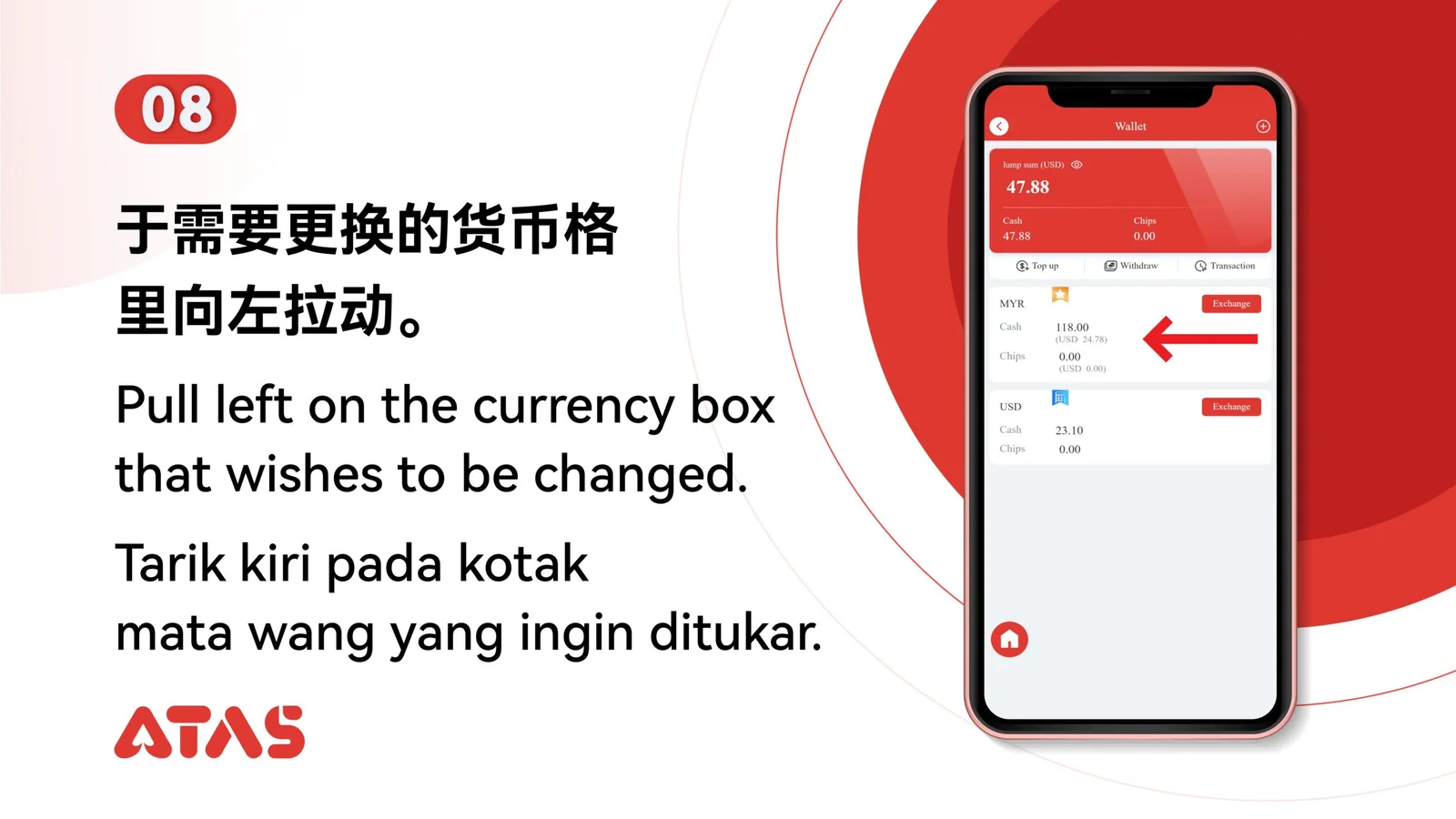
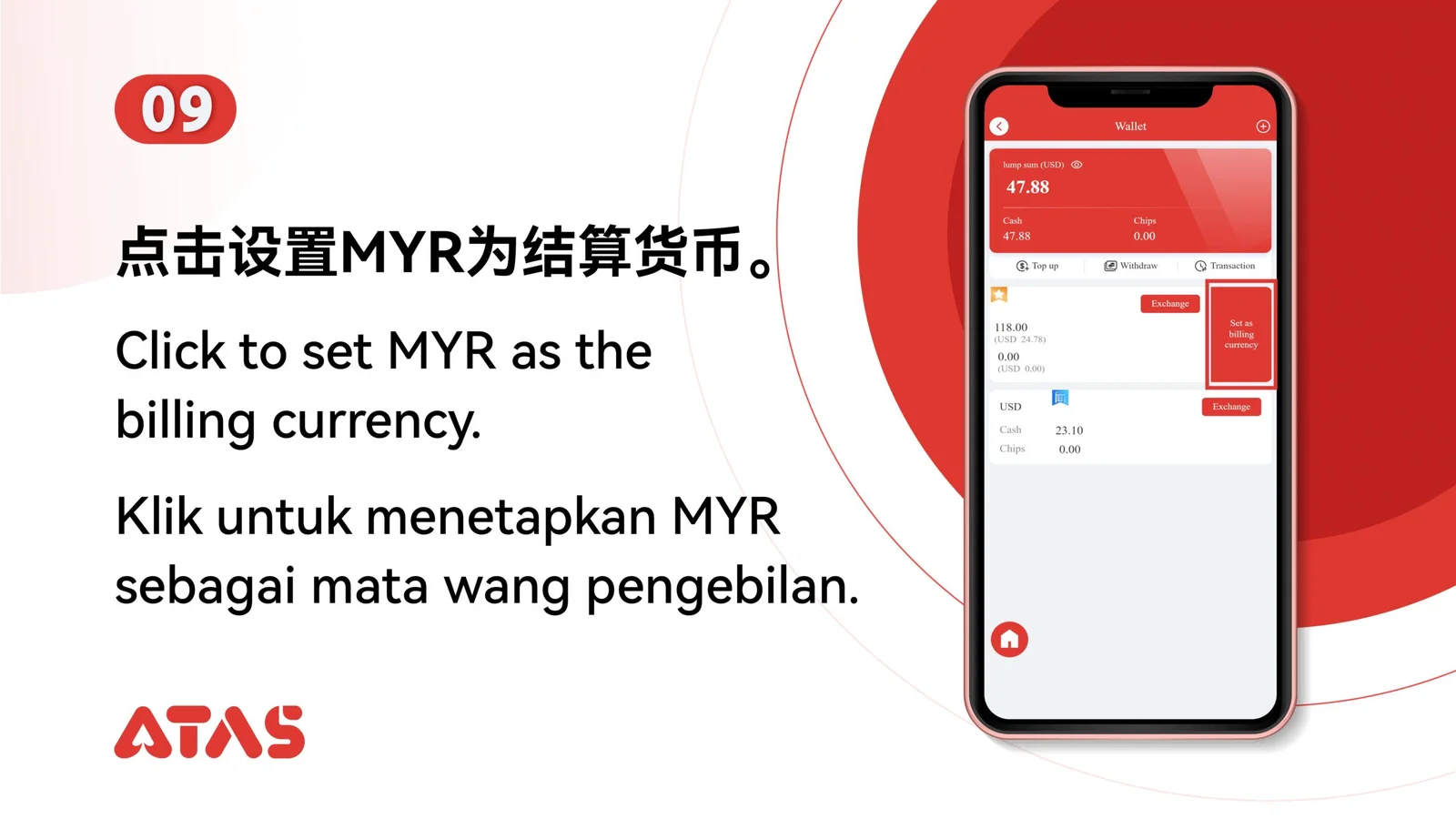
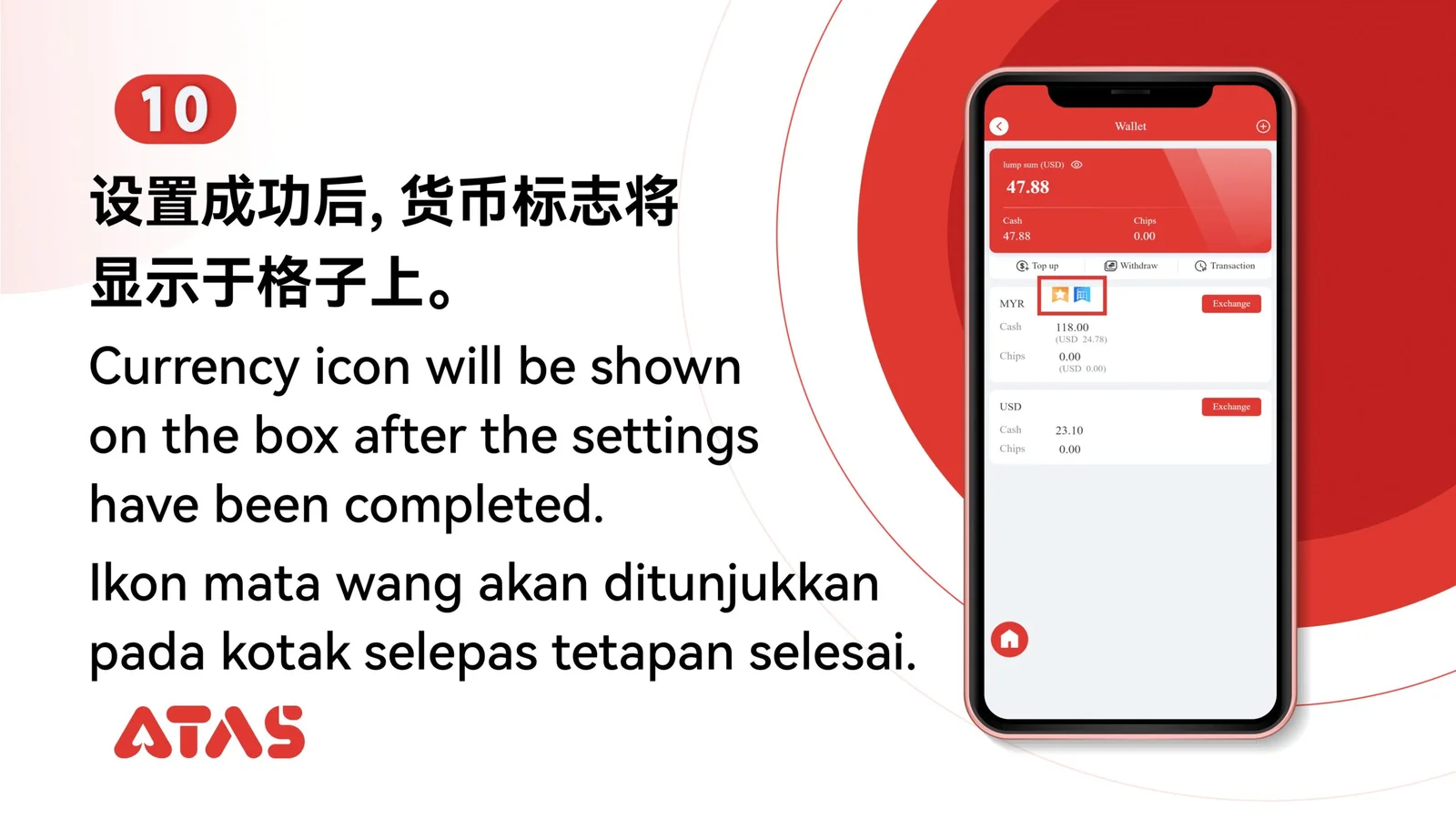
Identify which currency should be primary and which should be used for billing.
ATAS3 / All Tutorials
Complete Adjust Primary & Billing Currency in 11 illustrated steps, with task-specific preparation, confirmation checks and a clear completion signal.
ILLUSTRATED ATAS3 GUIDE
The screenshots show the order. These checkpoints explain what must match along the way. 11 illustrated steps
Follow the sequence
Read the current primary and billing labels before changing either setting.
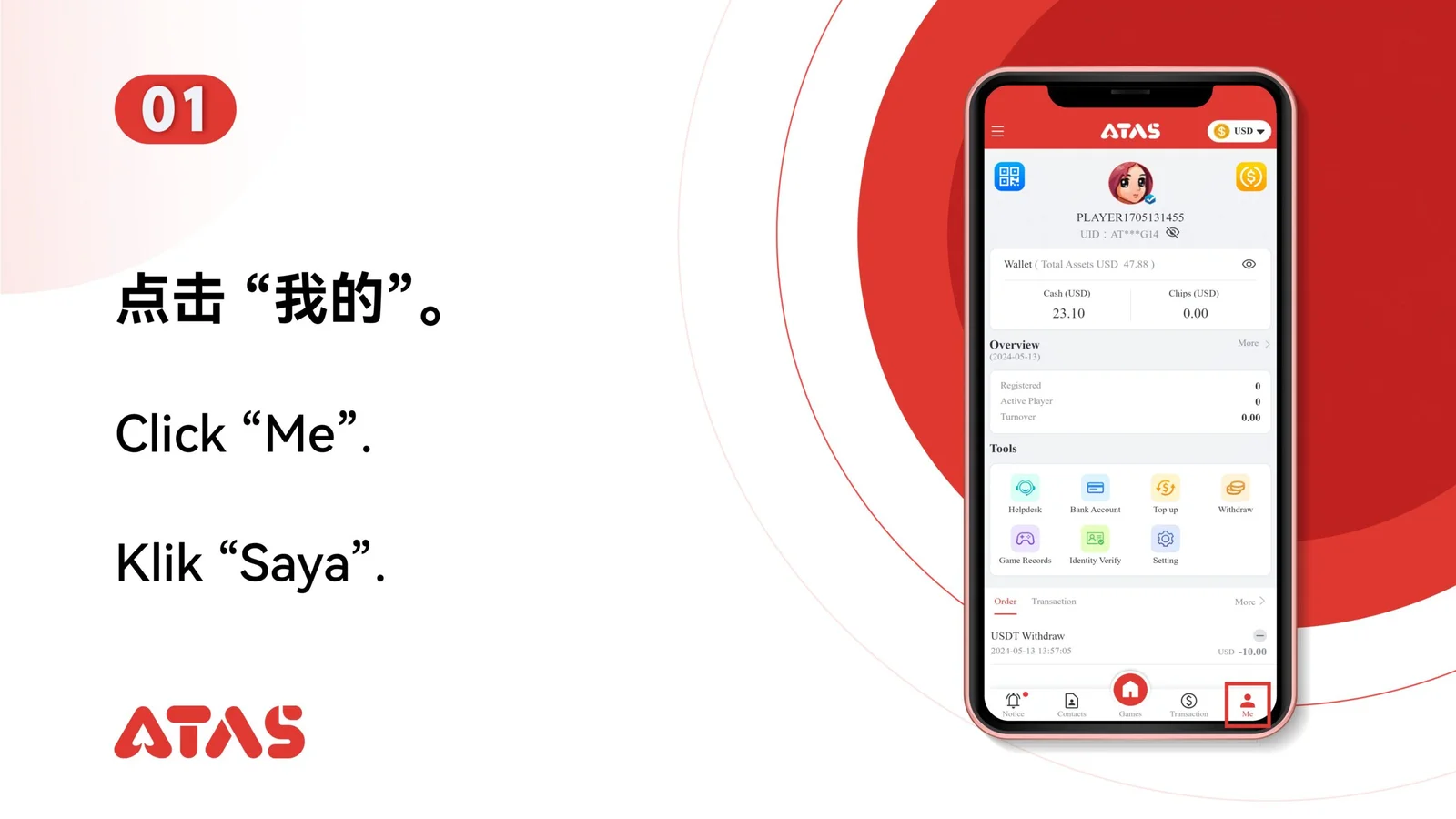
 Step 01
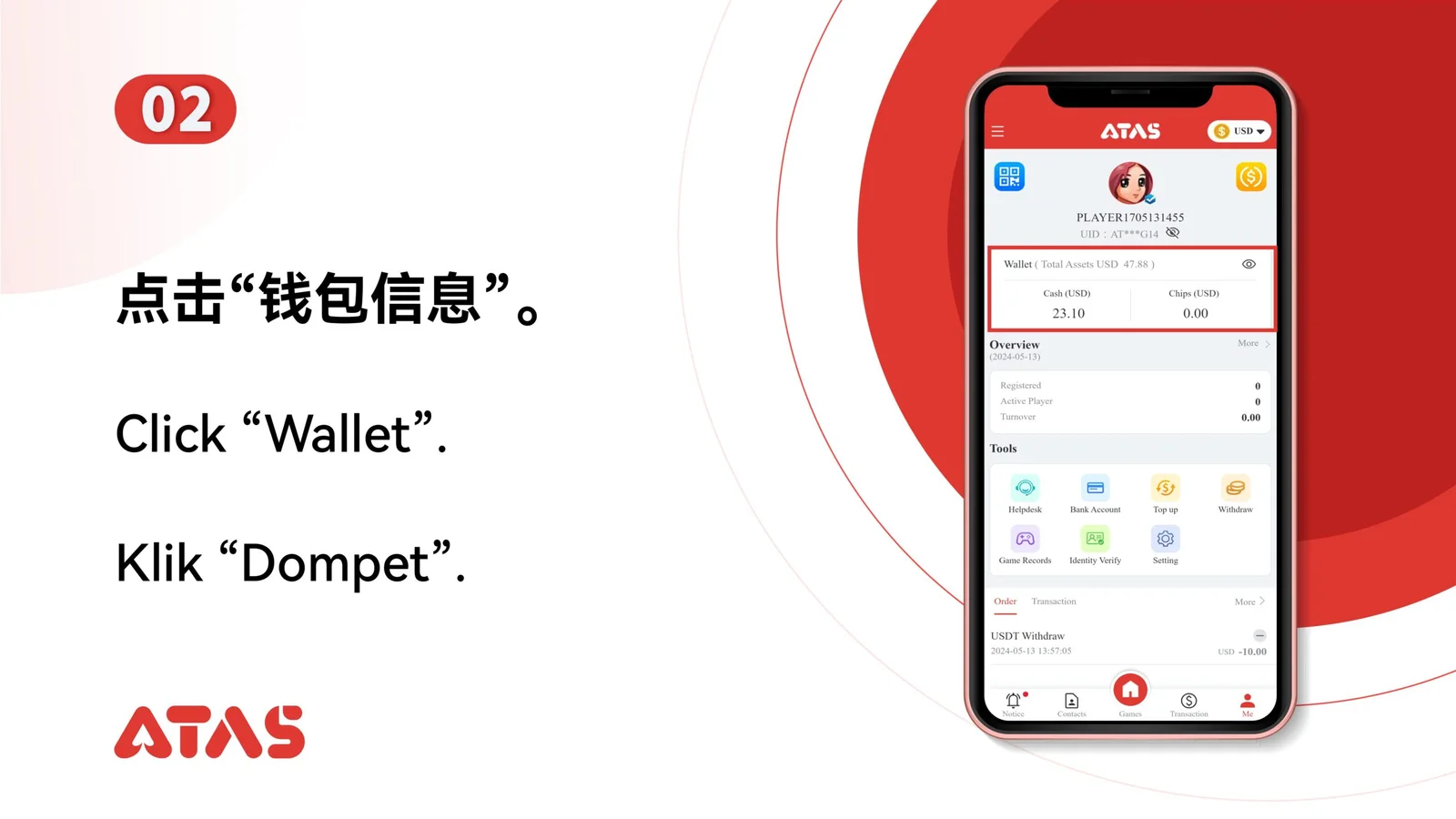
Identify which currency should be primary and which should be used for billing.
Read the current primary and billing labels before changing either setting.
The wallet screen displays the intended primary and billing currencies.
Changing the wrong setting can affect which balance is shown first or used for billing.