



Prepare
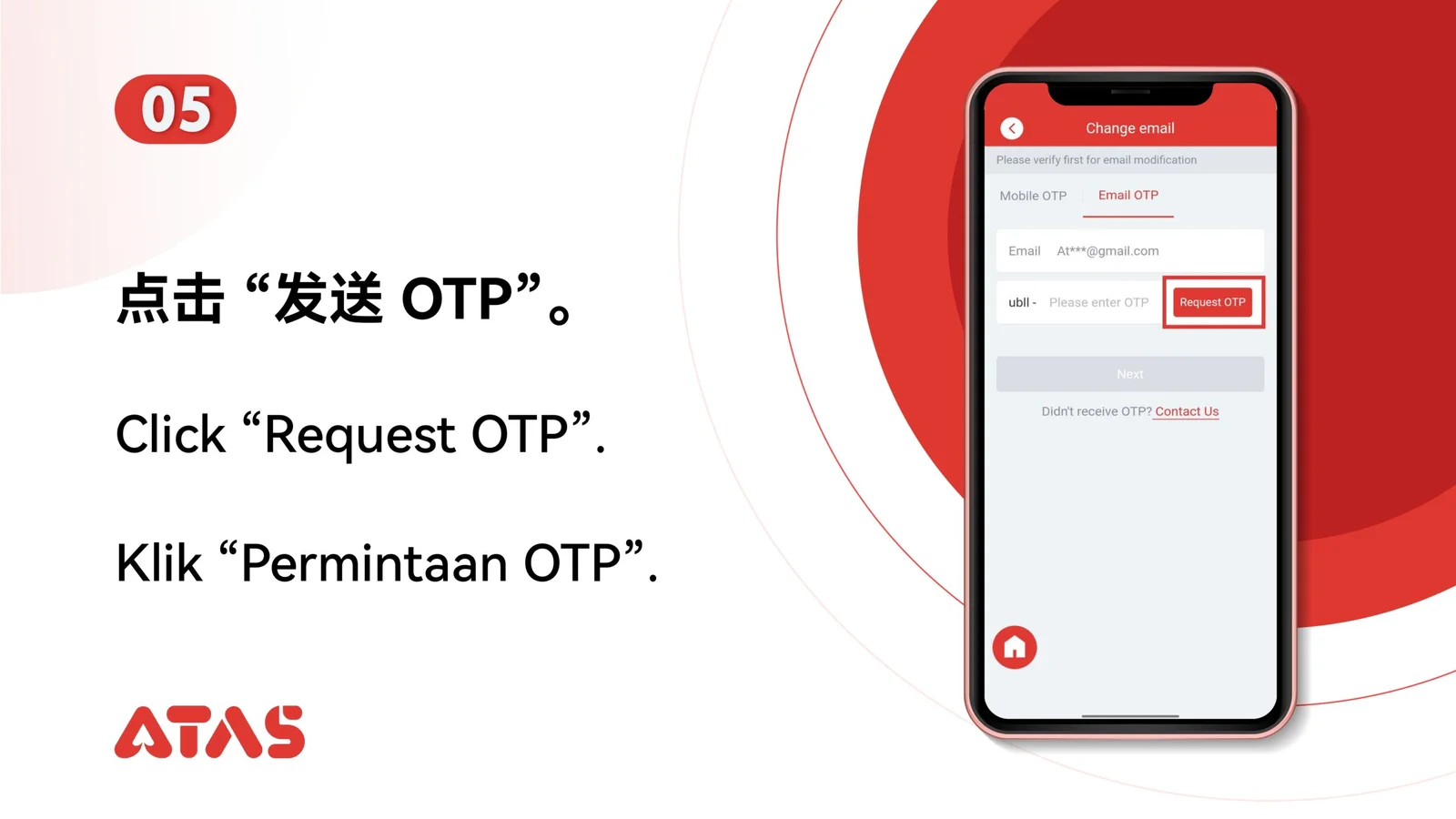
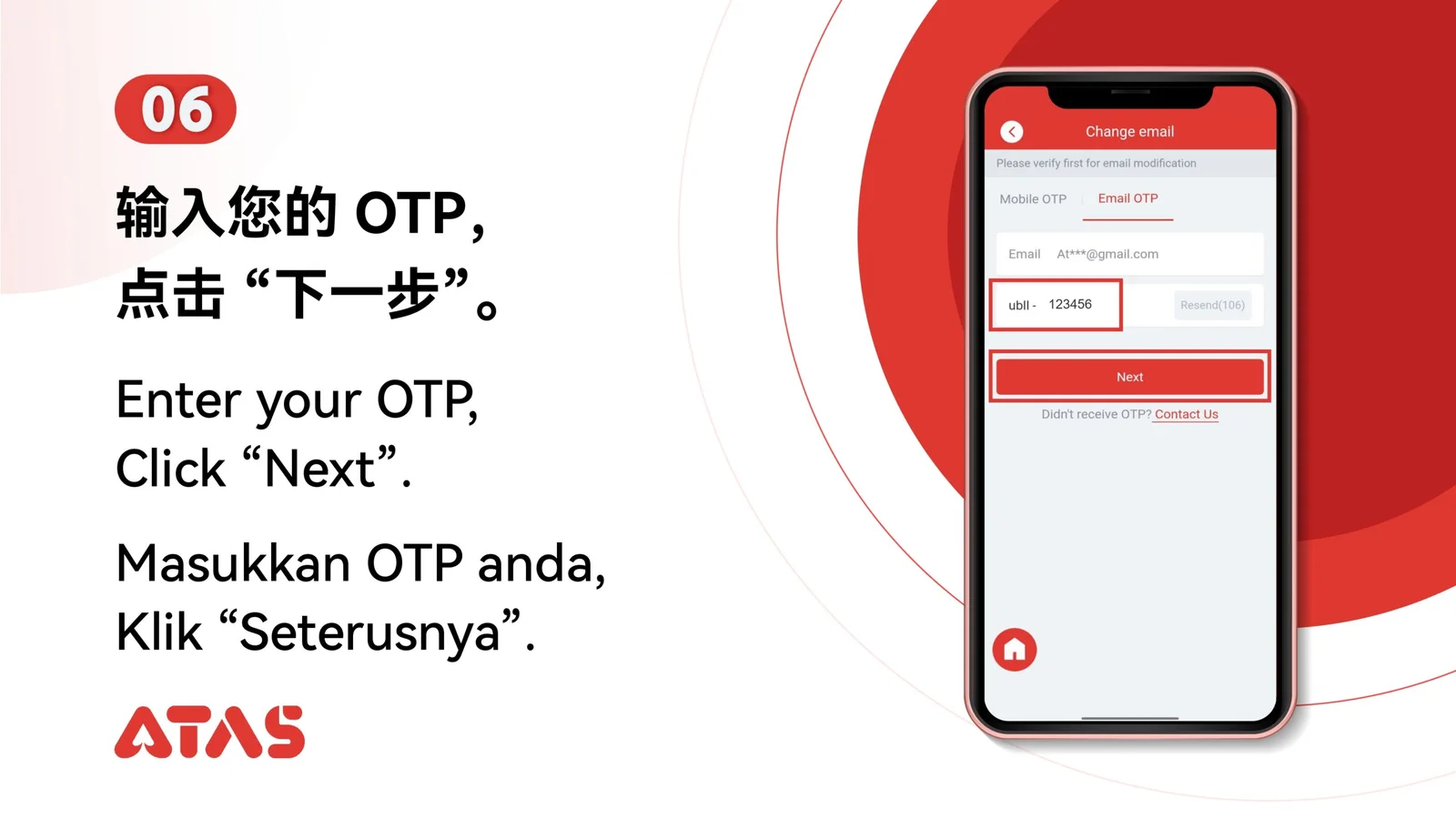
Keep access to the current verification method and the new email address.
ATAS3 / All Tutorials
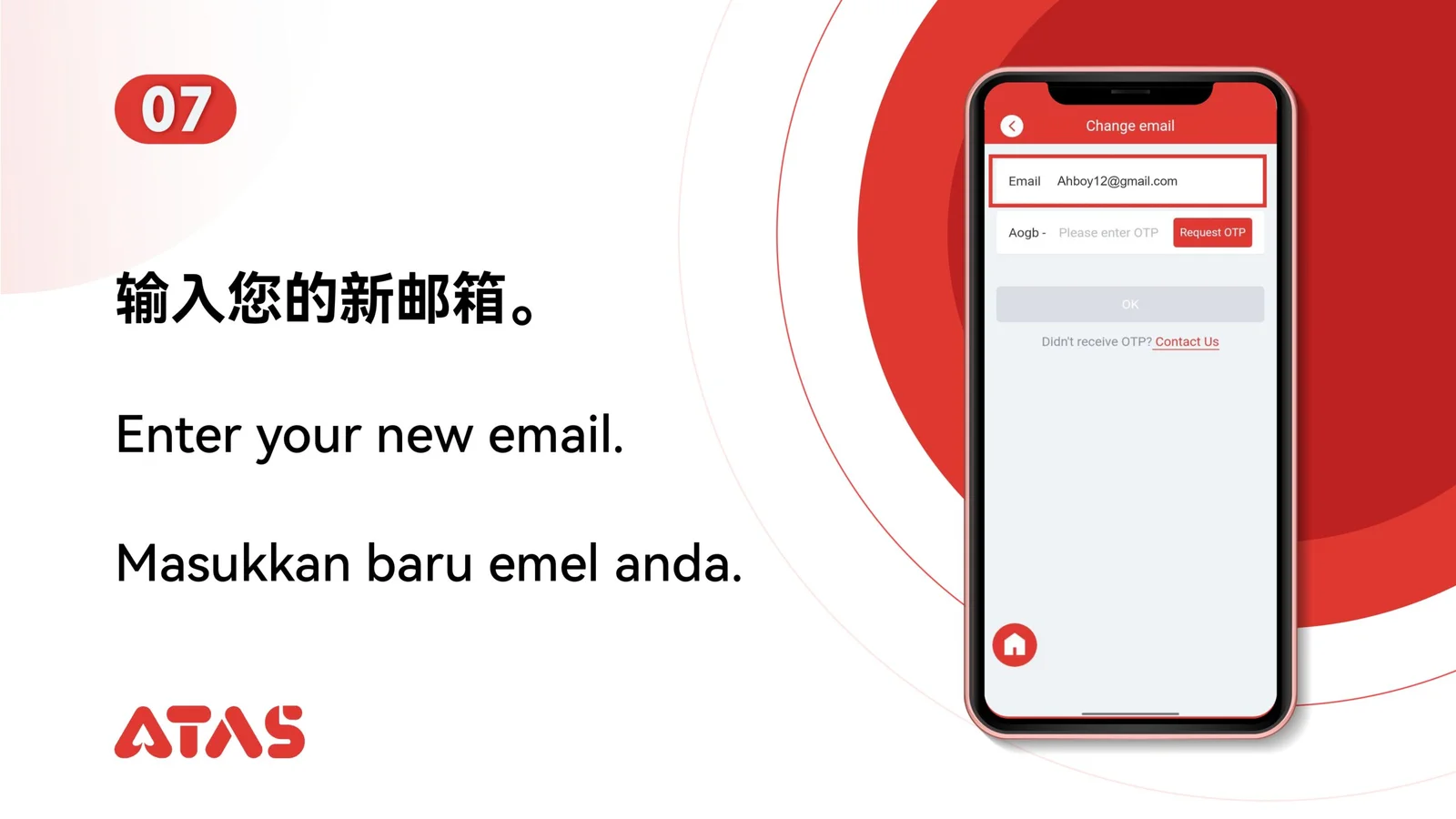
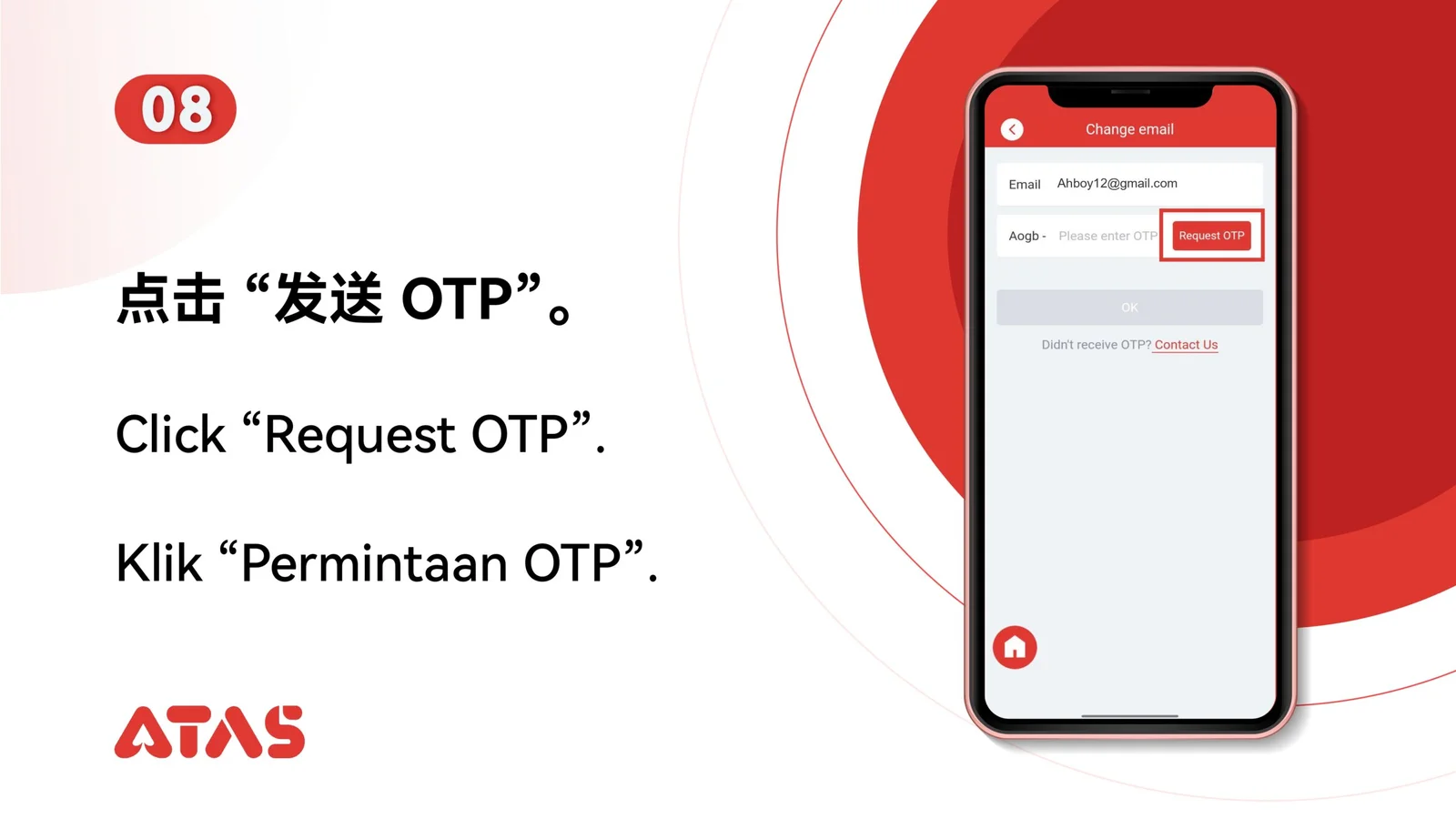
Complete Change UID Email in 11 illustrated steps, with task-specific preparation, confirmation checks and a clear completion signal.
ILLUSTRATED ATAS3 GUIDE
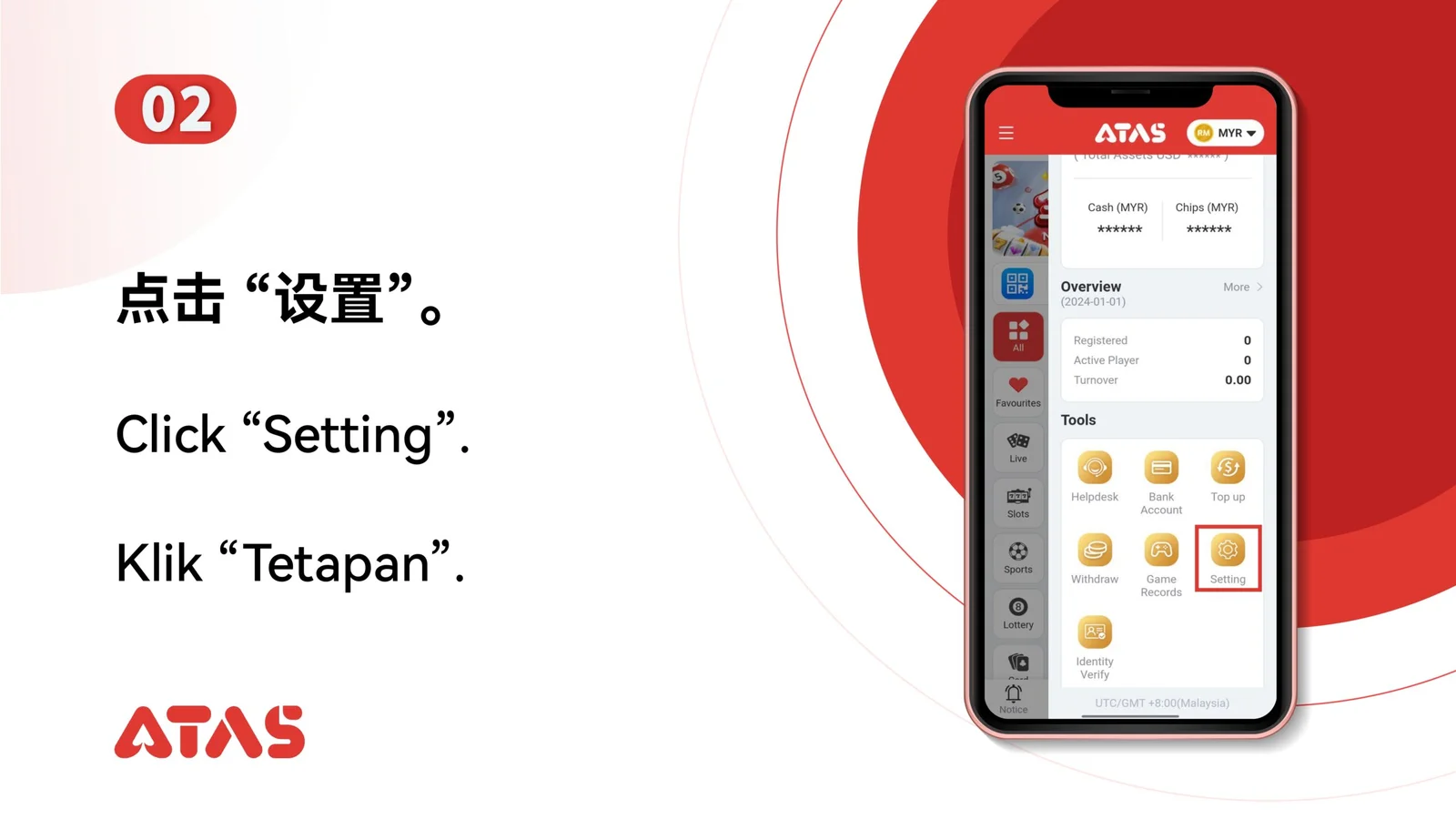
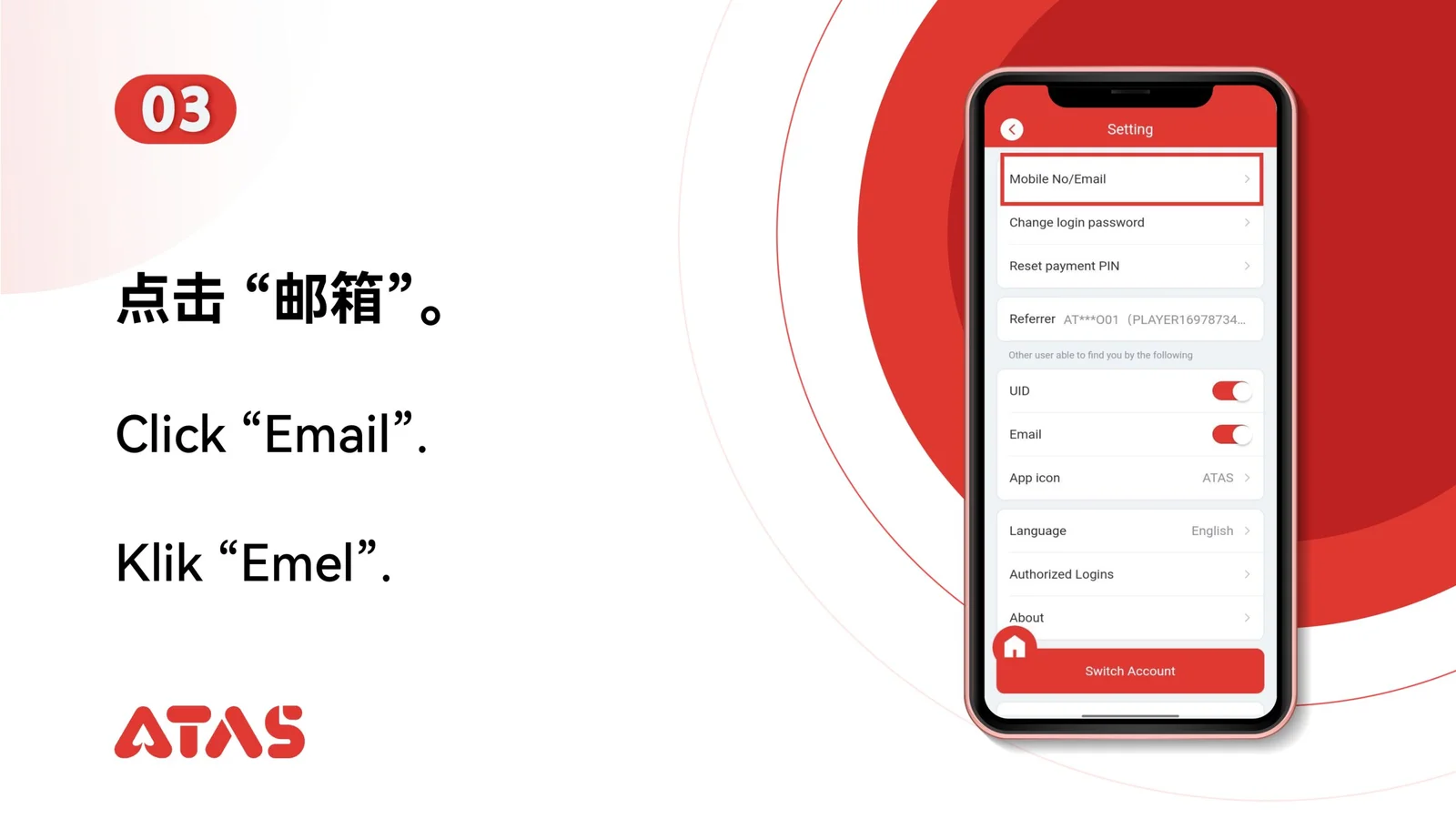
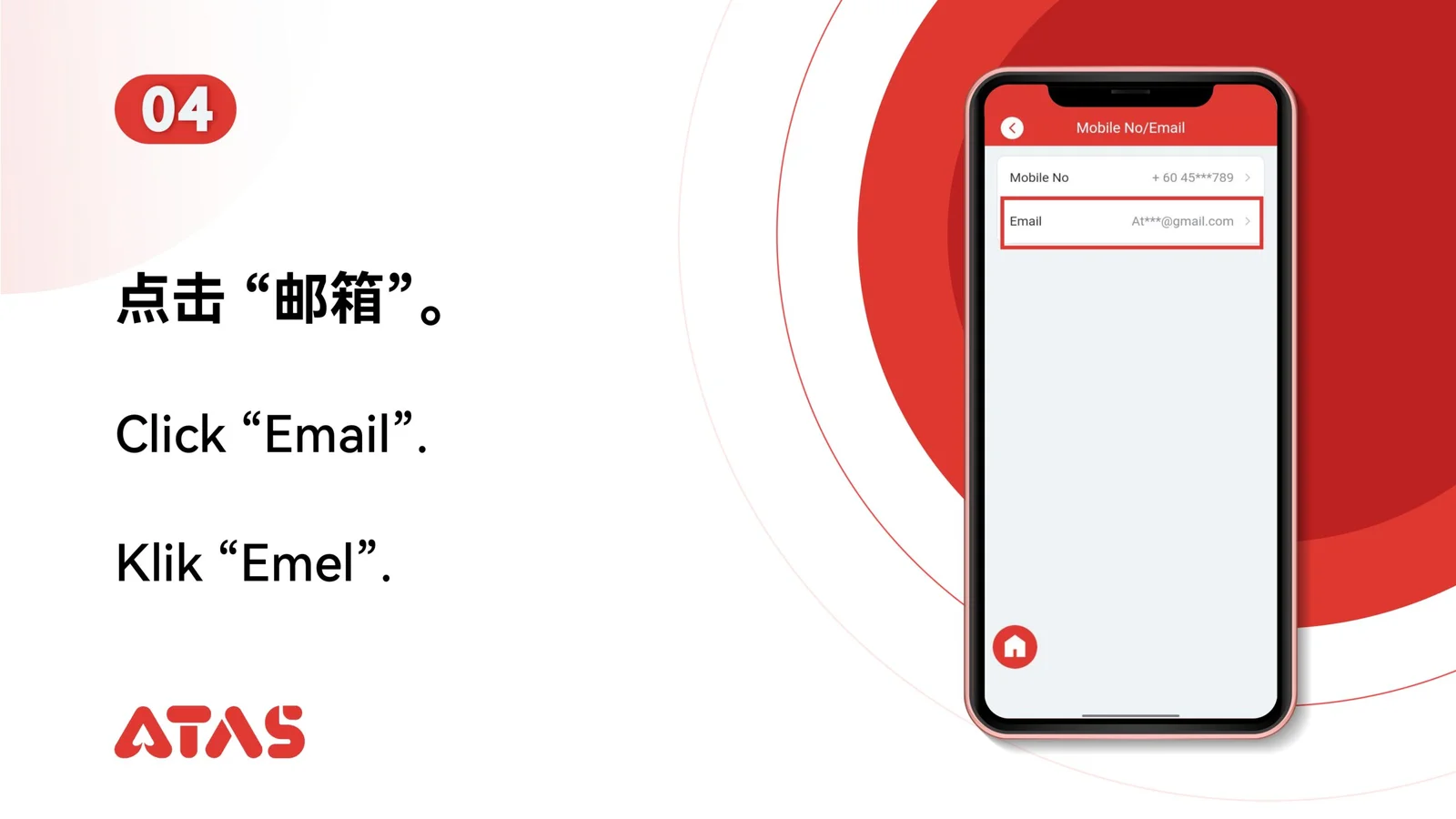
The screenshots show the order. These checkpoints explain what must match along the way. 11 illustrated steps
Follow the sequence
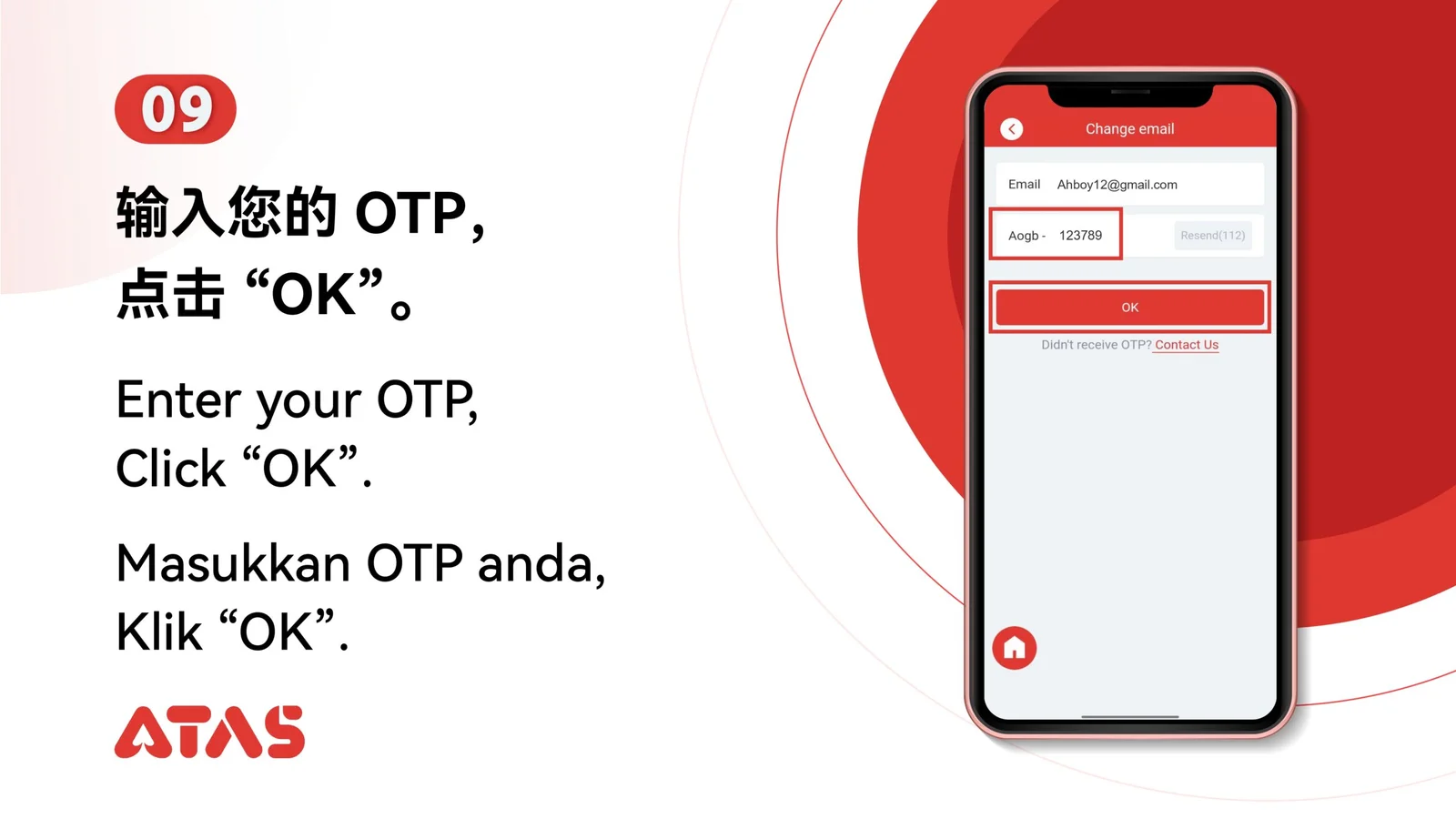
Check the new email spelling before requesting and entering its verification code.
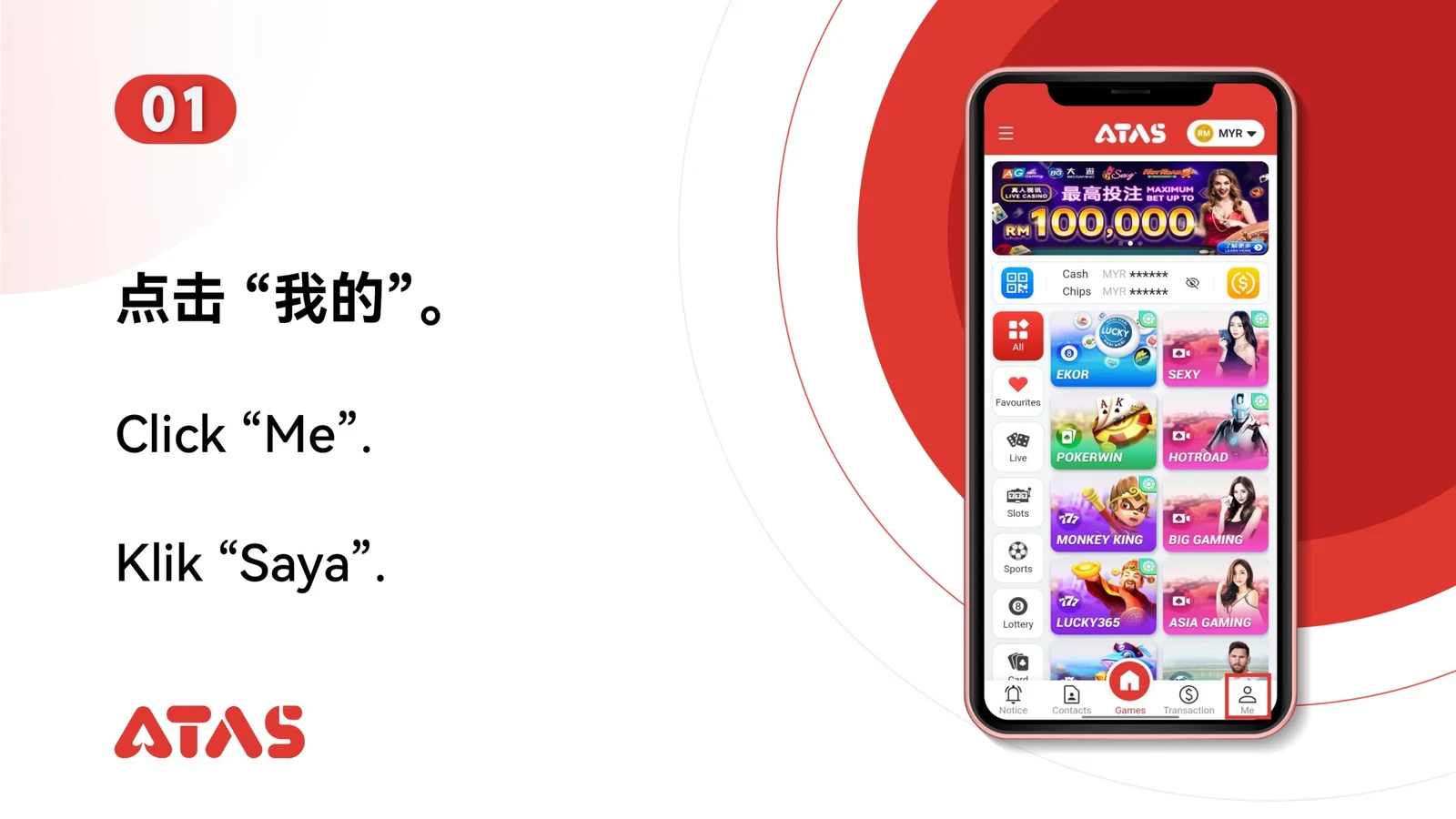
 Step 01
Keep access to the current verification method and the new email address.
Check the new email spelling before requesting and entering its verification code.
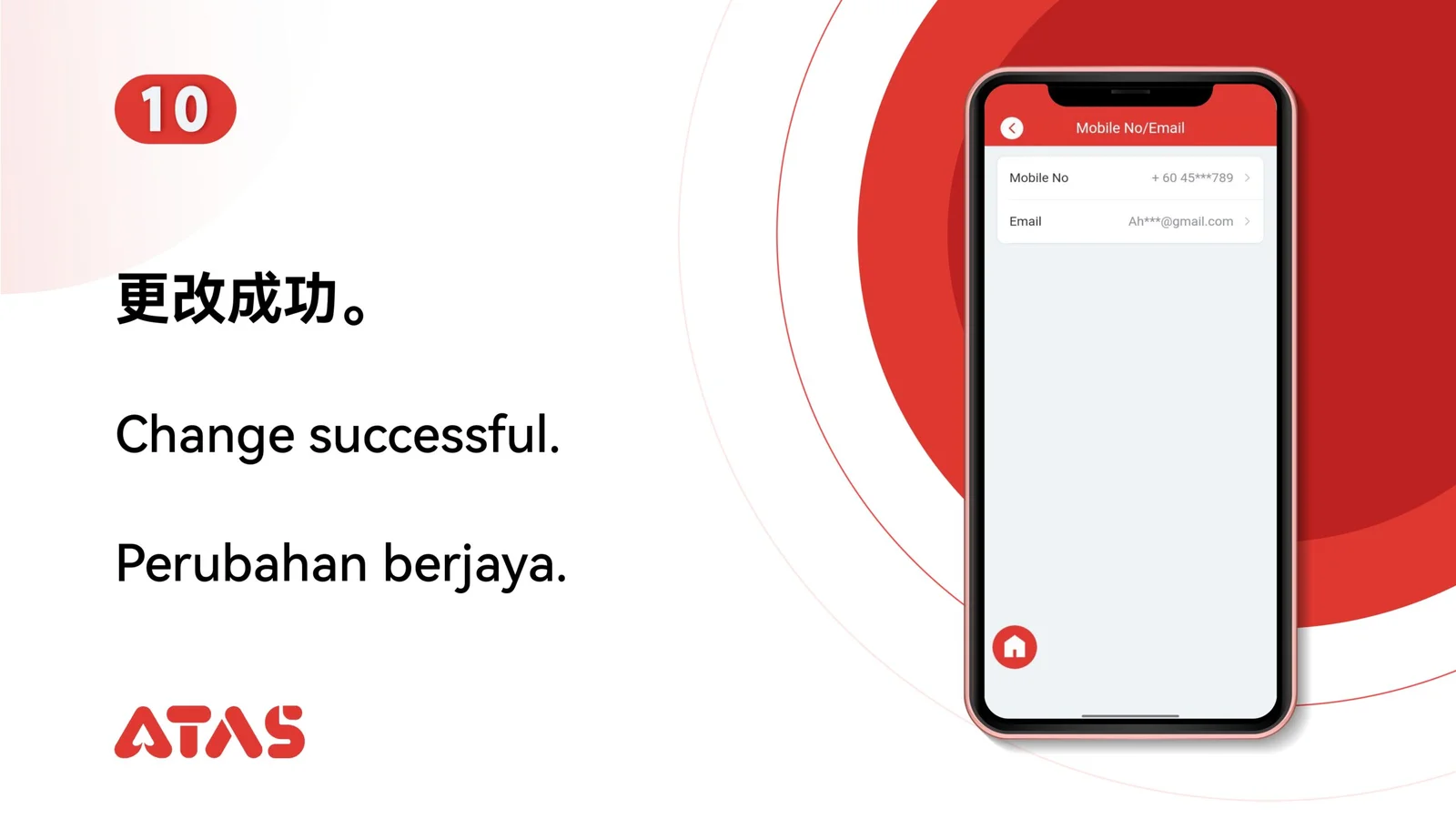
The account profile displays the new verified email address.
A typo or code sent to the wrong inbox can prevent the change from completing.