




Prepare
Know the approximate game time, provider and title or sports event you need to find.
ATAS3 / All Tutorials
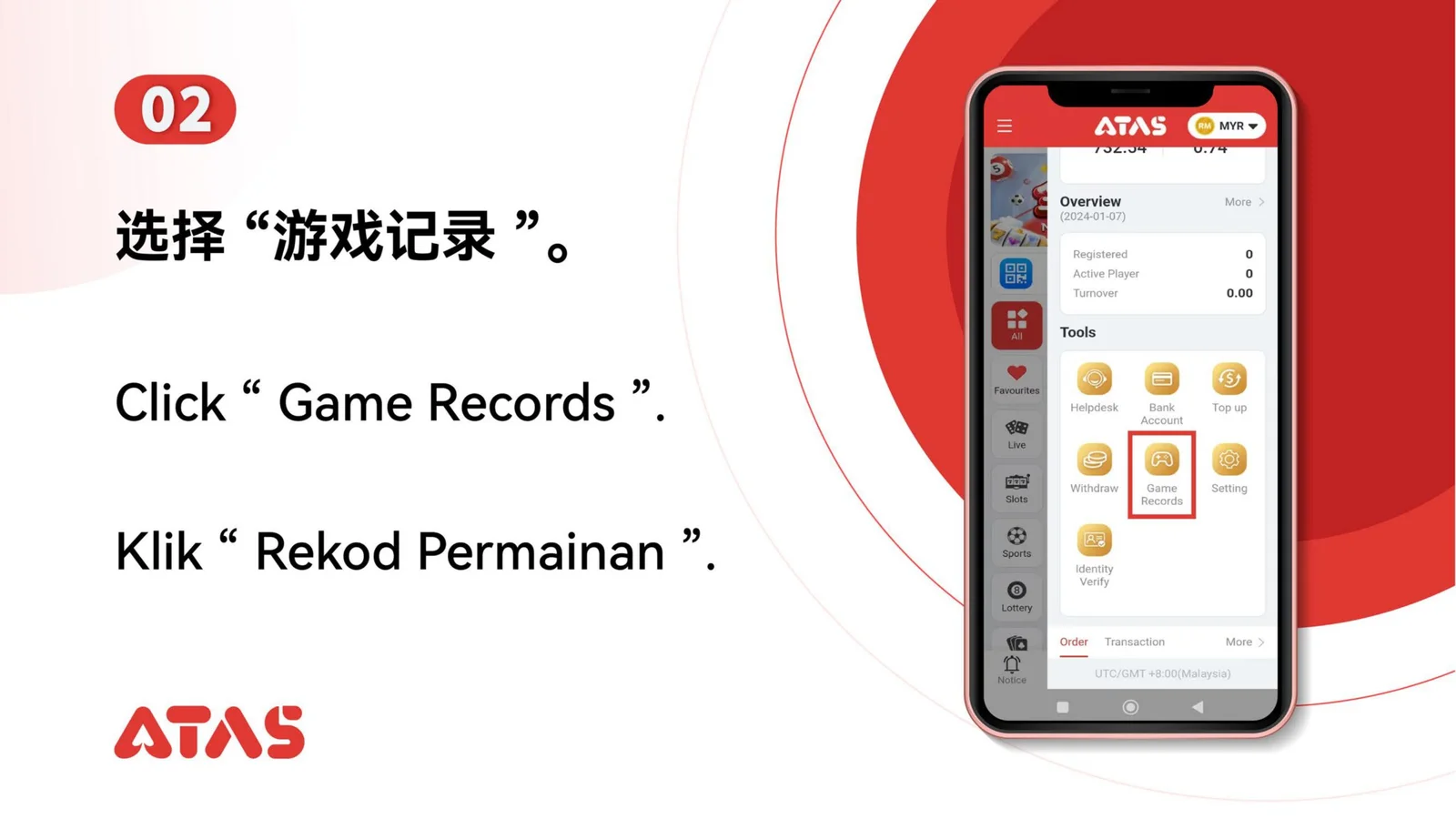
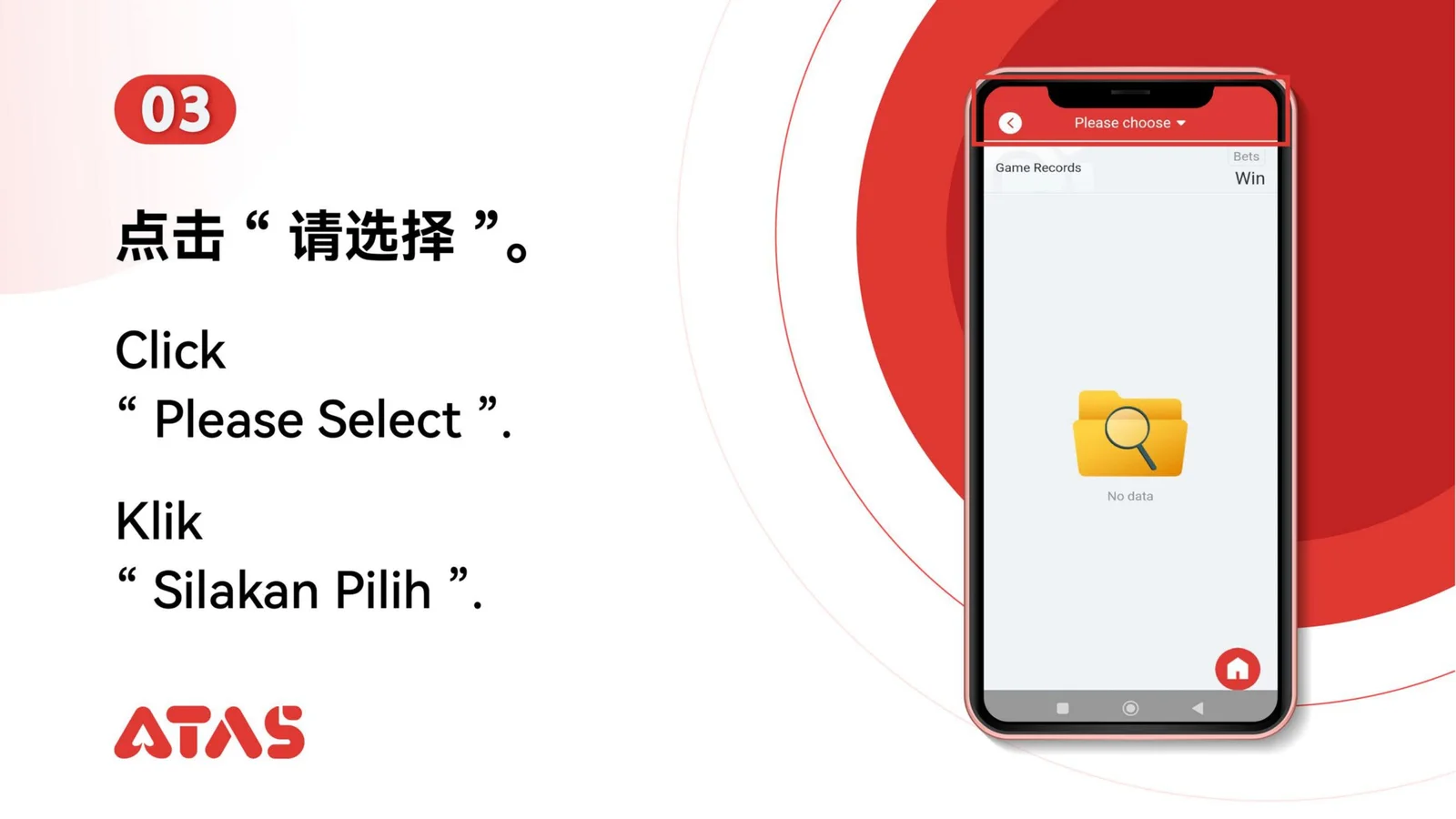
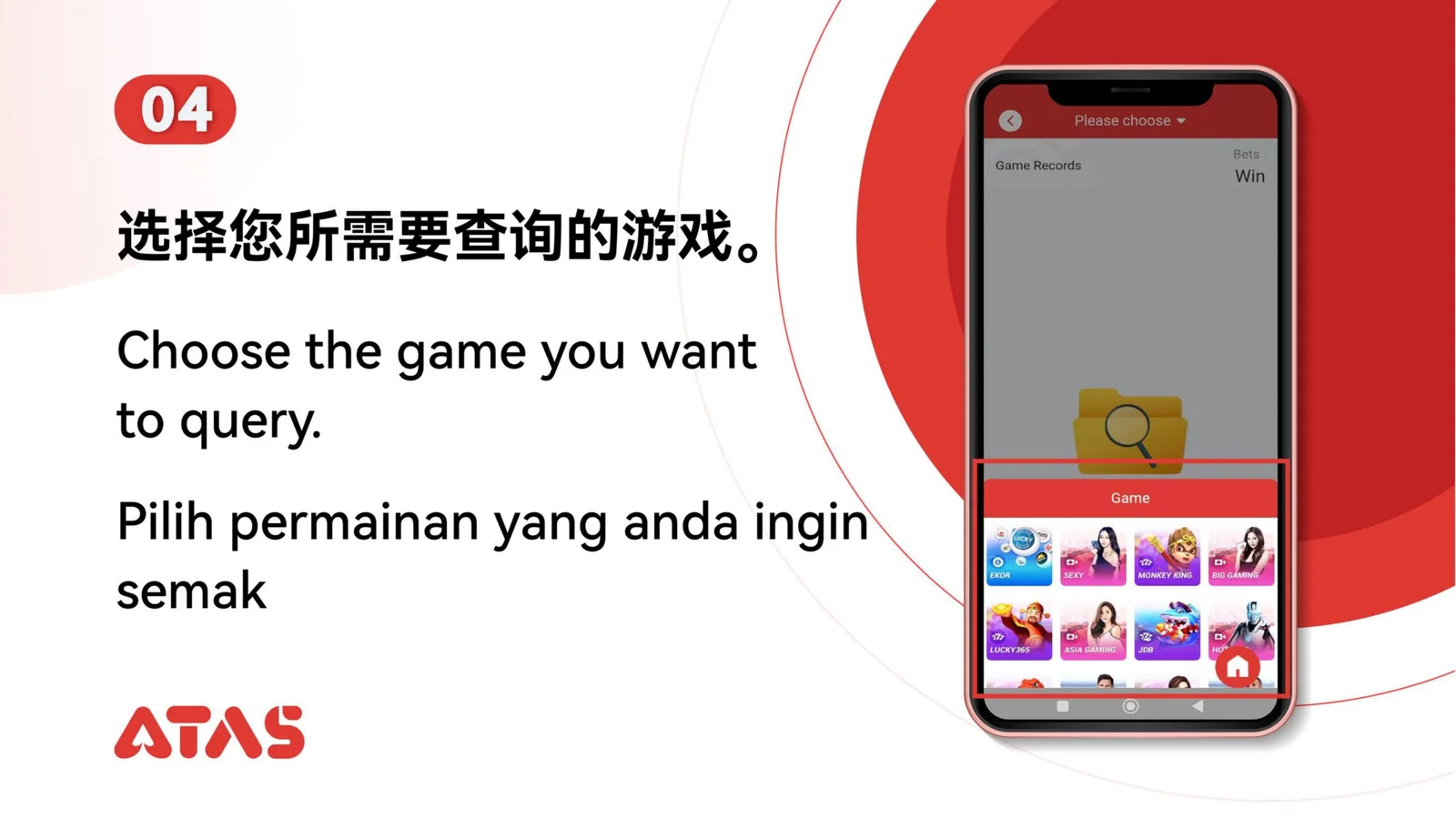
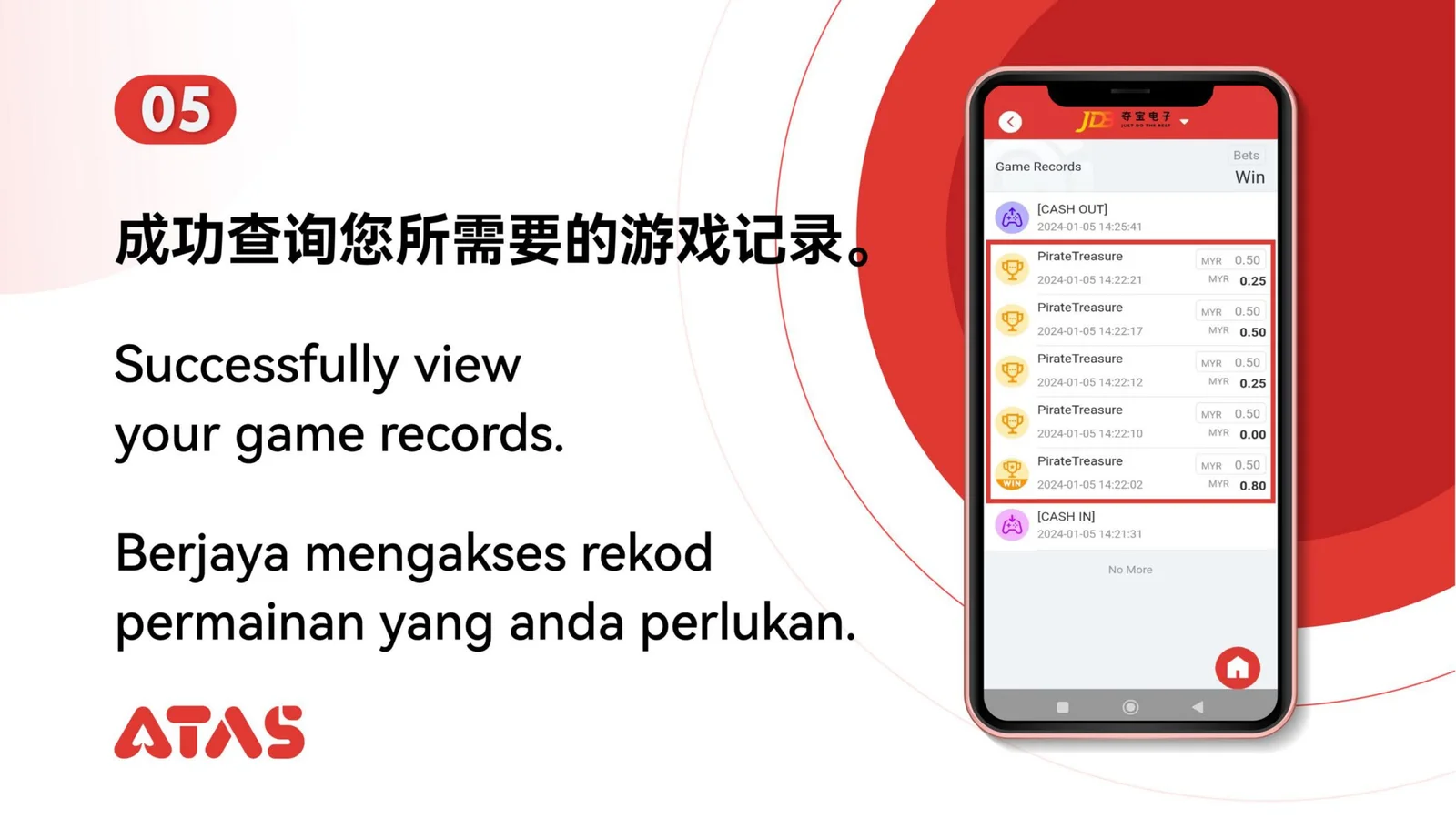
Complete View Game Record in 6 illustrated steps, with task-specific preparation, confirmation checks and a clear completion signal.
ILLUSTRATED ATAS3 GUIDE
The screenshots show the order. These checkpoints explain what must match along the way. 6 illustrated steps
Follow the sequence
Set a date range that includes the session and open the matching record details.
 Step 01
Know the approximate game time, provider and title or sports event you need to find.
Set a date range that includes the session and open the matching record details.
The correct game, time, amount and outcome appear in one record view.
An overly narrow date filter or the wrong wallet can hide the record.