





Prepare
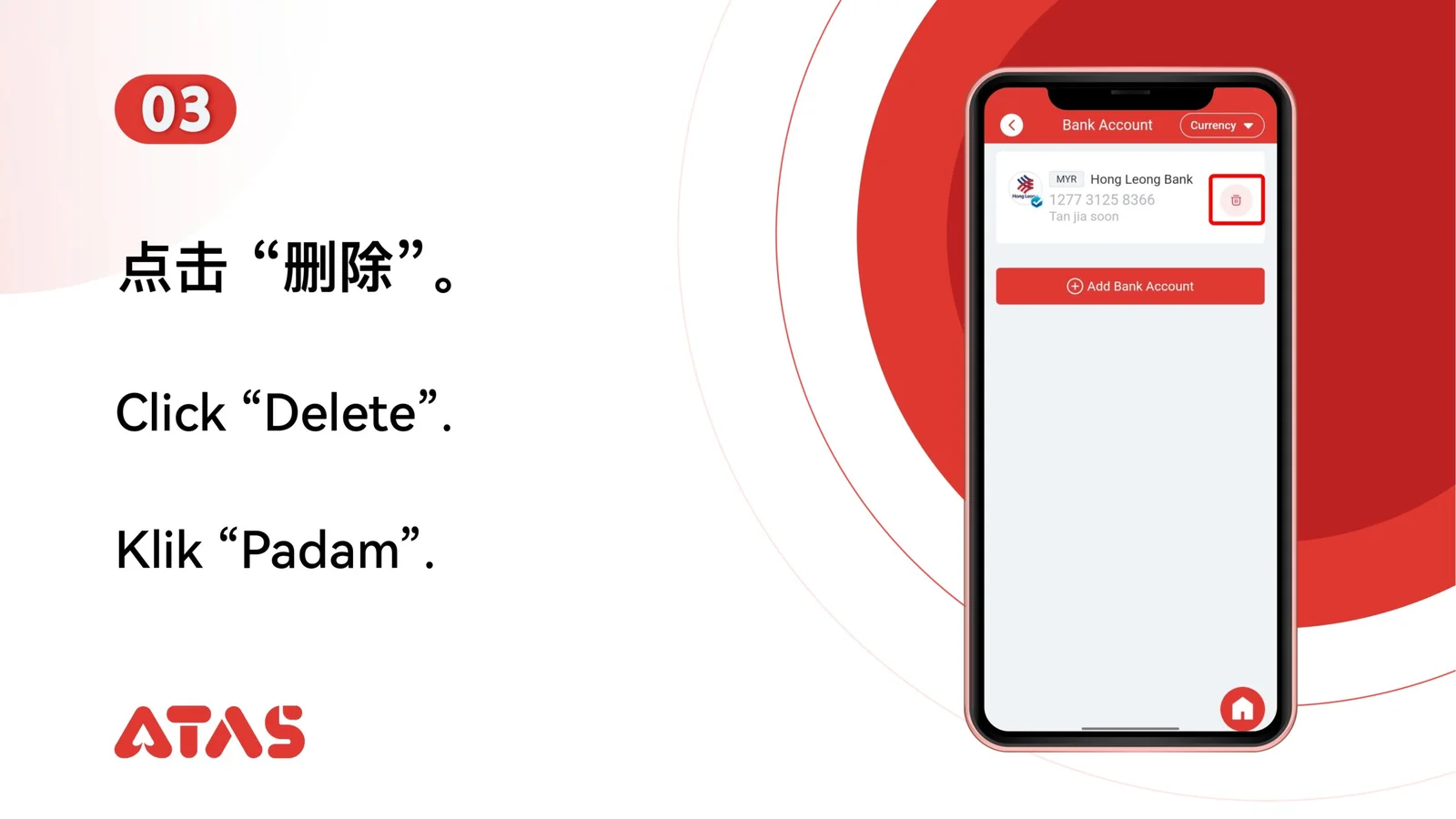
Confirm which saved bank account is no longer required before opening delete controls.
ATAS3 / All Tutorials
Complete Delete Bank Account in 6 illustrated steps, with task-specific preparation, confirmation checks and a clear completion signal.
ILLUSTRATED ATAS3 GUIDE
The screenshots show the order. These checkpoints explain what must match along the way. 6 illustrated steps
Follow the sequence
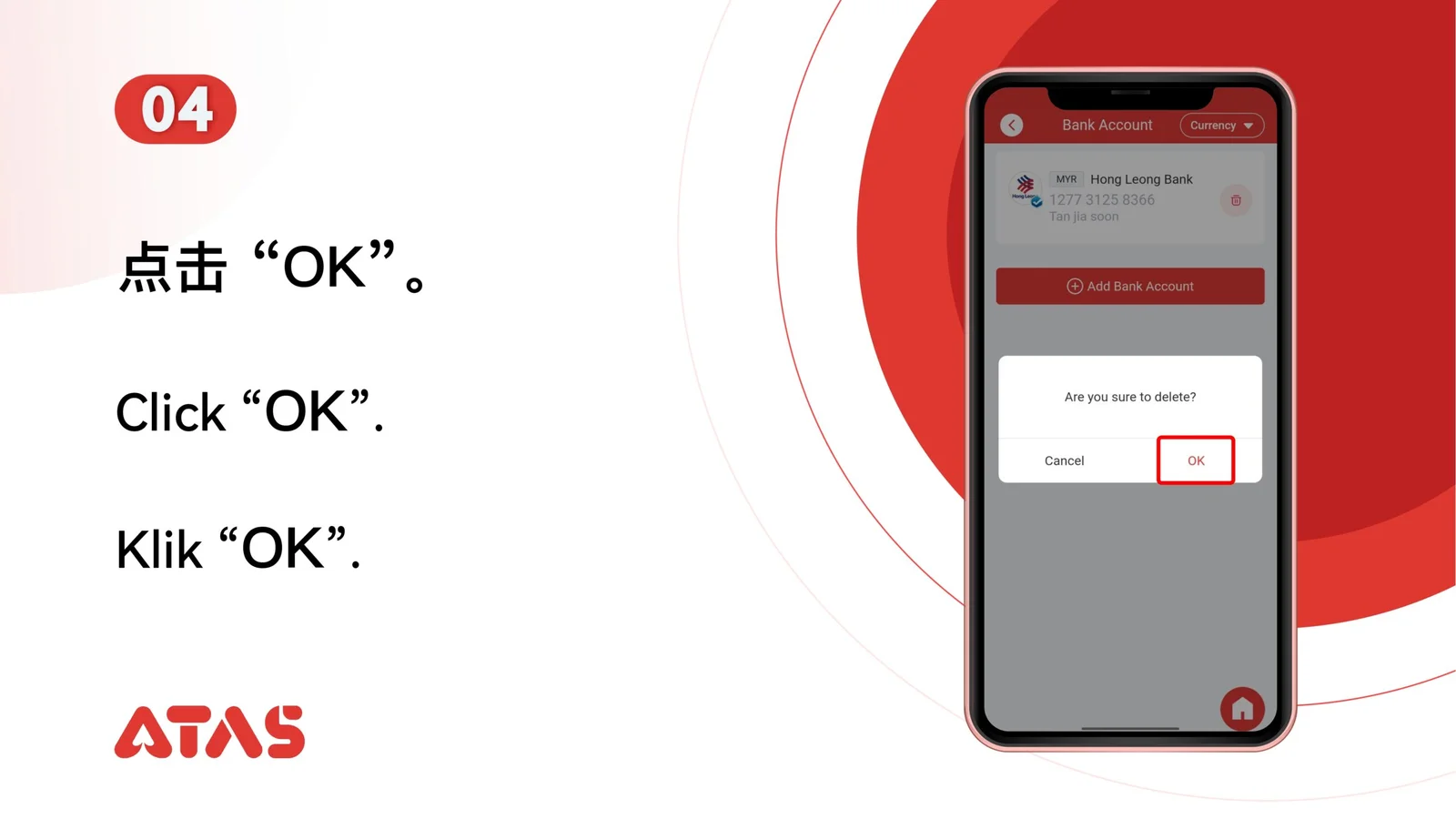
Match the bank name and final account digits before confirming deletion.
 Step 01
Confirm which saved bank account is no longer required before opening delete controls.
Match the bank name and final account digits before confirming deletion.
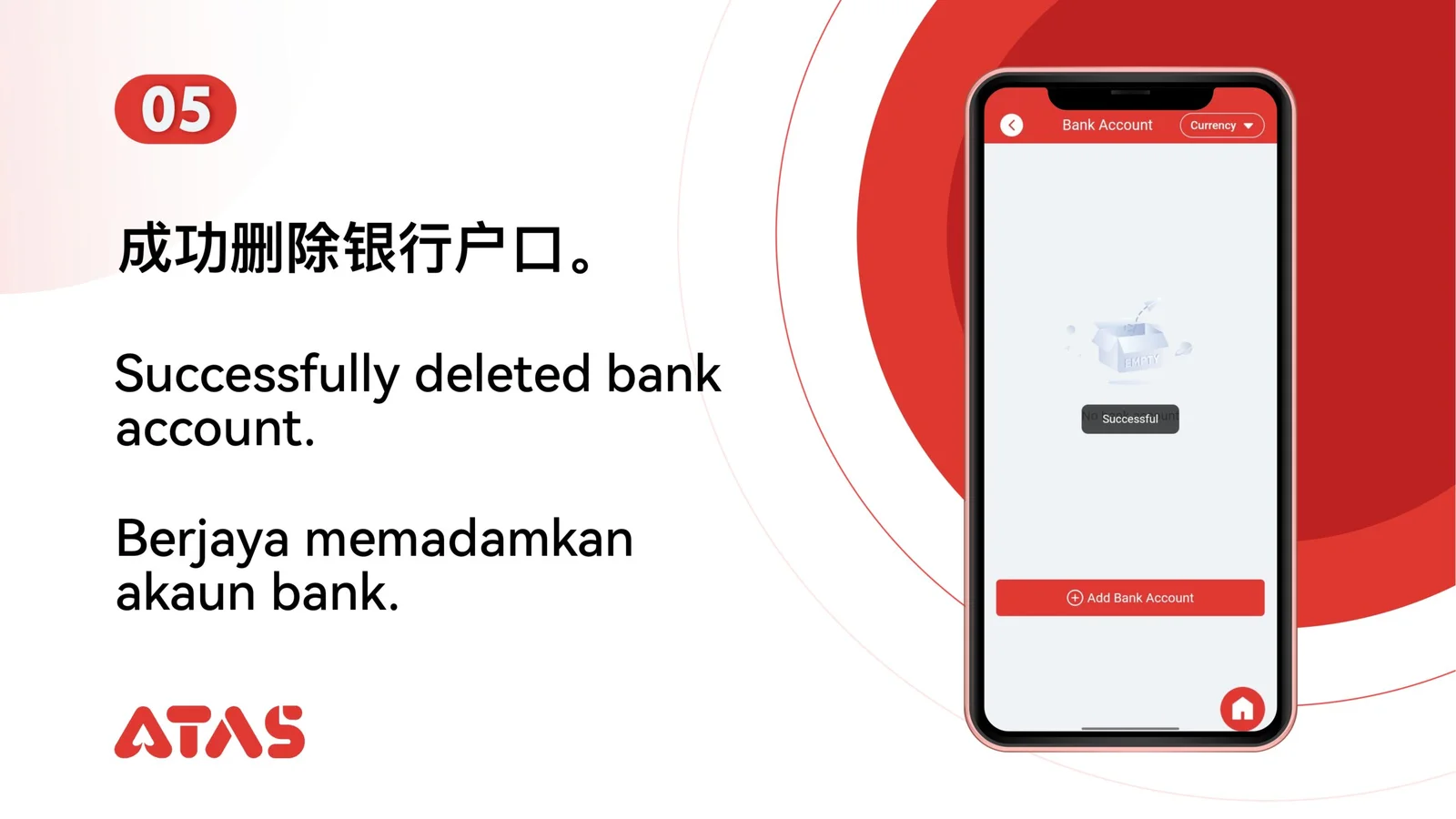
The selected bank account no longer appears in the saved account list.
Deleting the wrong account means it must be added and verified again.