



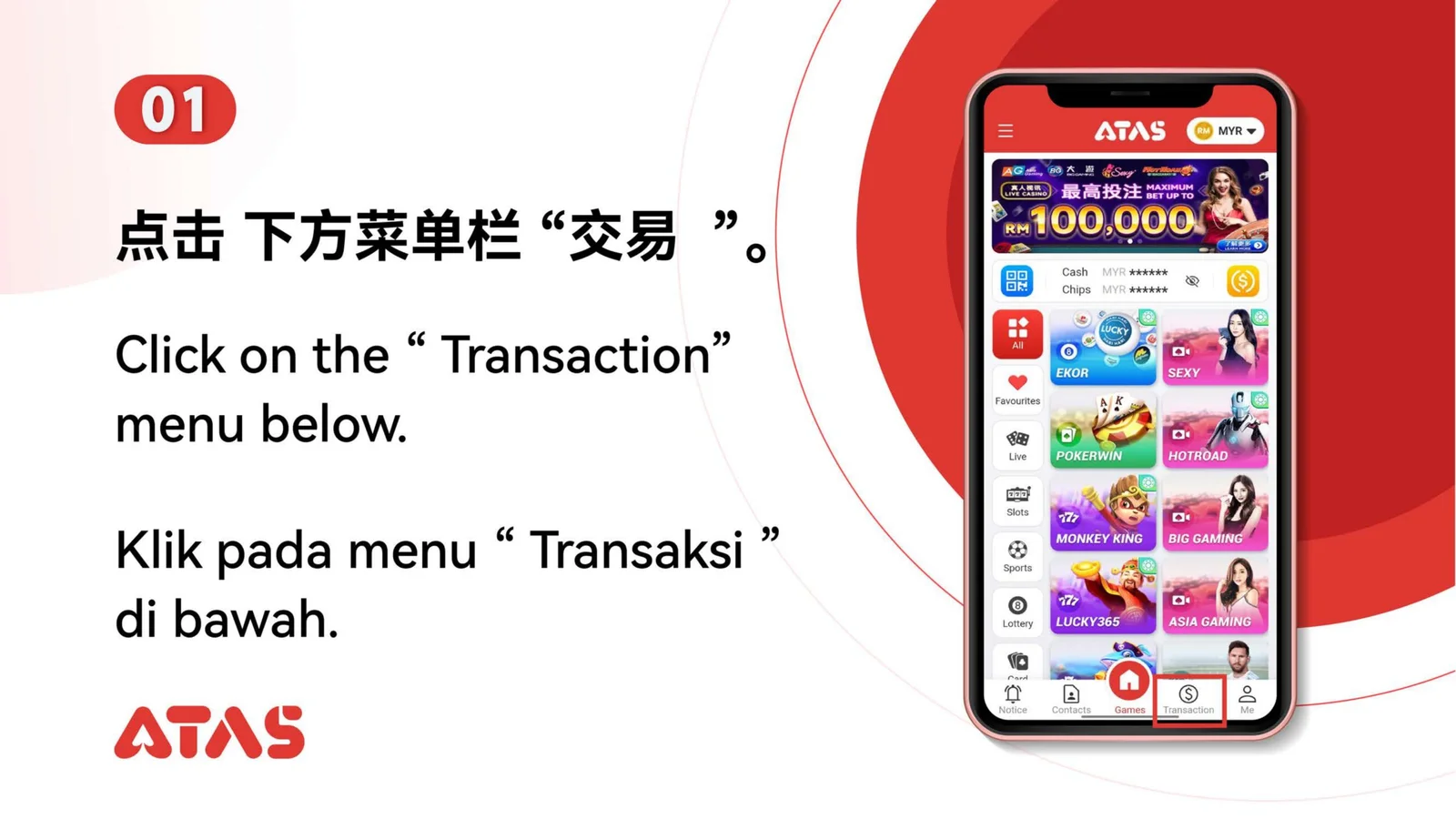
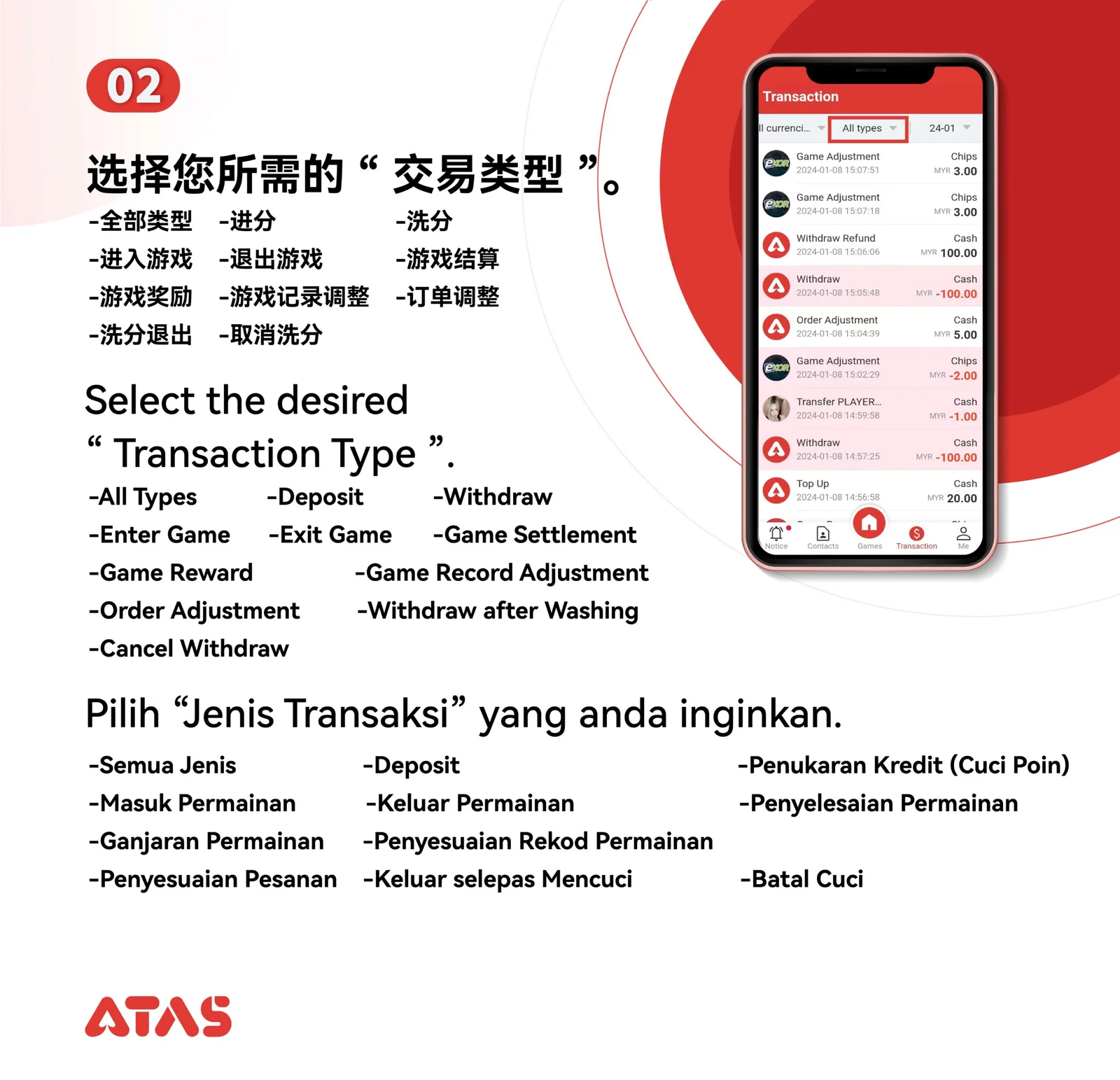
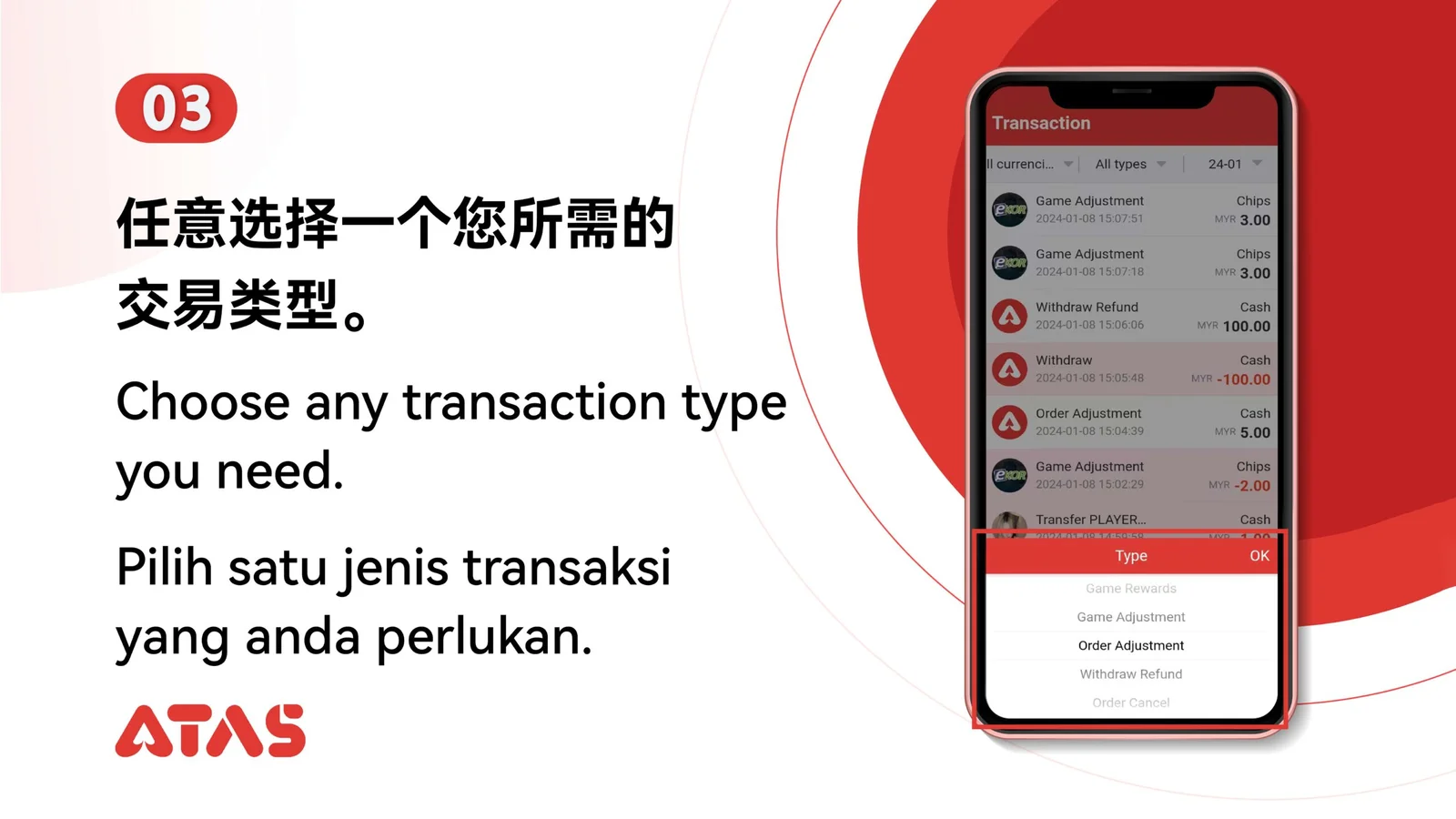
Prepare
Prepare the transaction type, approximate date, currency and amount you need to locate.
ATAS3 / All Tutorials
Complete View Transaction Record in 4 illustrated steps, with task-specific preparation, confirmation checks and a clear completion signal.
ILLUSTRATED ATAS3 GUIDE
The screenshots show the order. These checkpoints explain what must match along the way. 4 illustrated steps
Follow the sequence
Use the filters together, then open the item whose reference and amount match.
 Step 01
Prepare the transaction type, approximate date, currency and amount you need to locate.
Use the filters together, then open the item whose reference and amount match.
The record displays the correct status, time, amount and reference.
Pending, failed and completed are different states; do not treat them as interchangeable.