




Prepare
Make sure you can complete the account verification step used to reset the payment PIN.
ATAS3 / All Tutorials
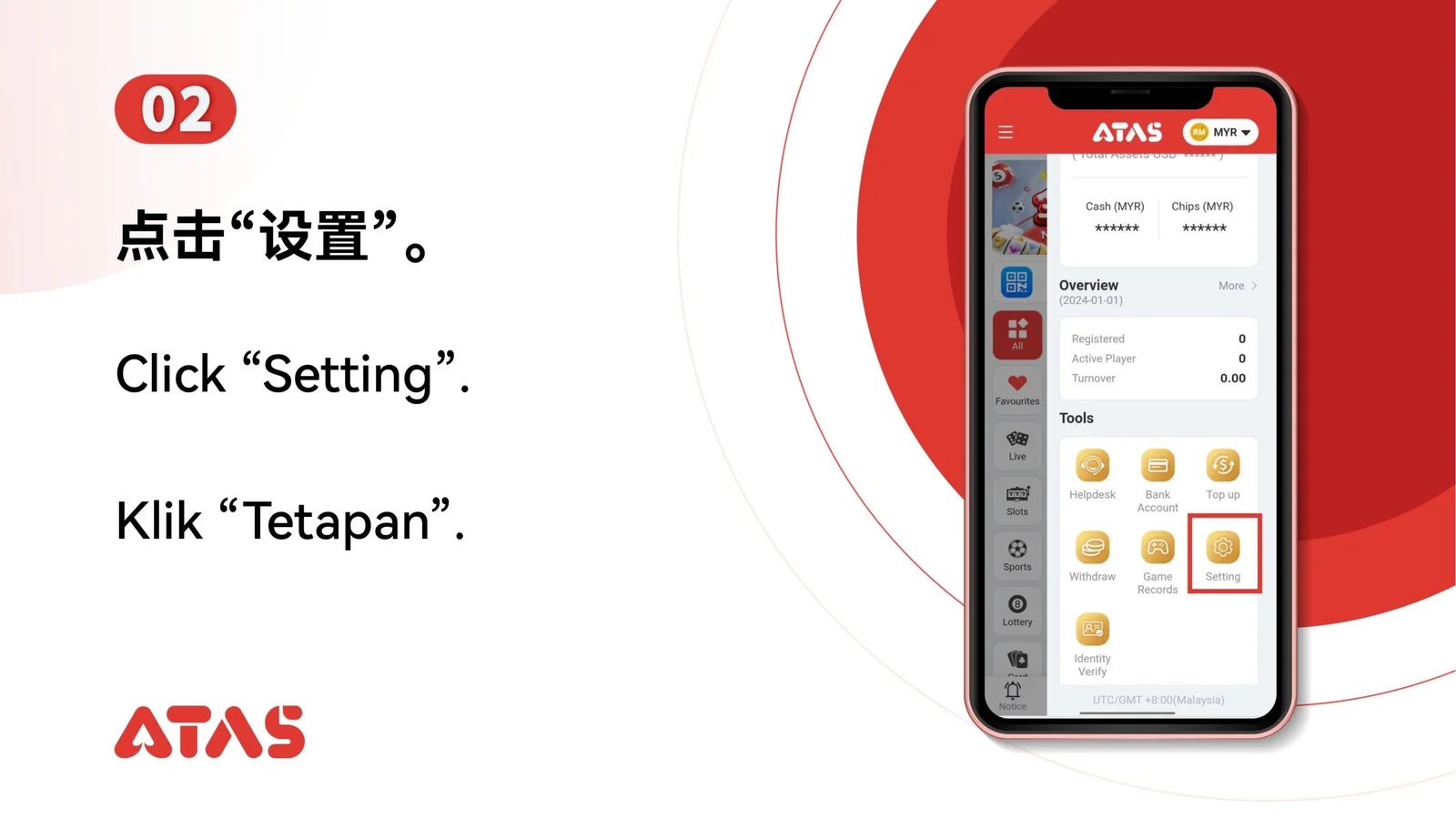
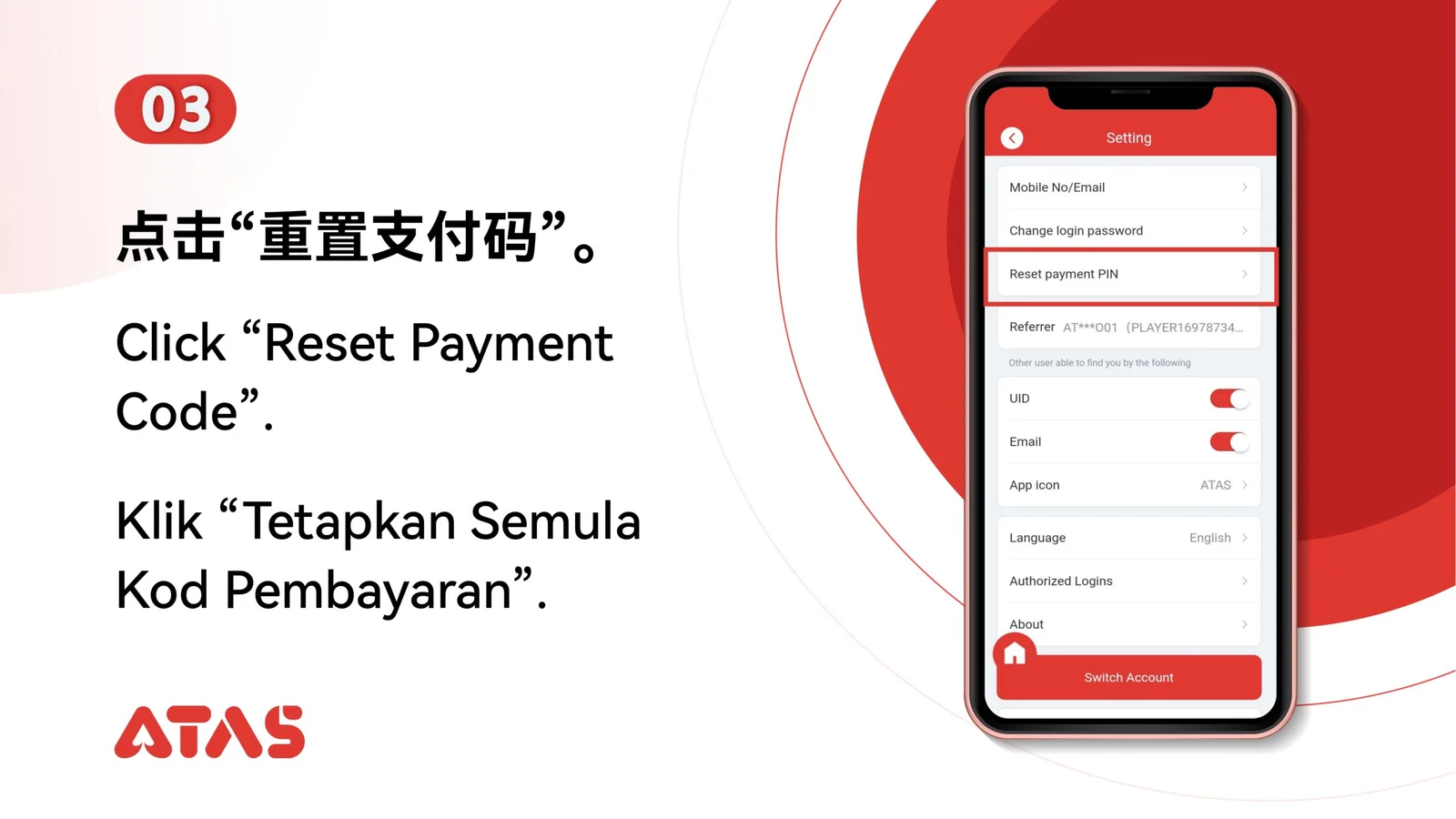
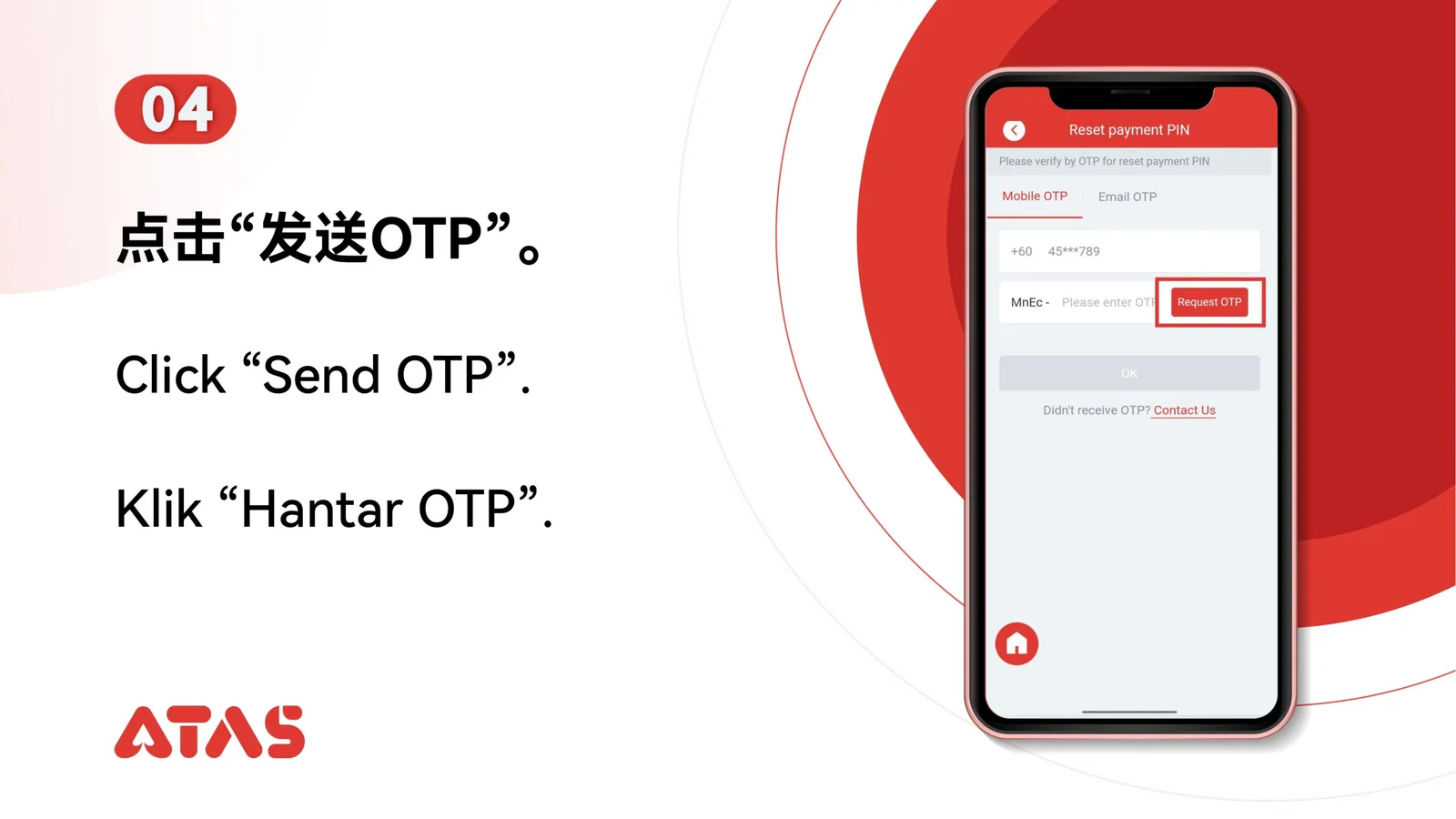
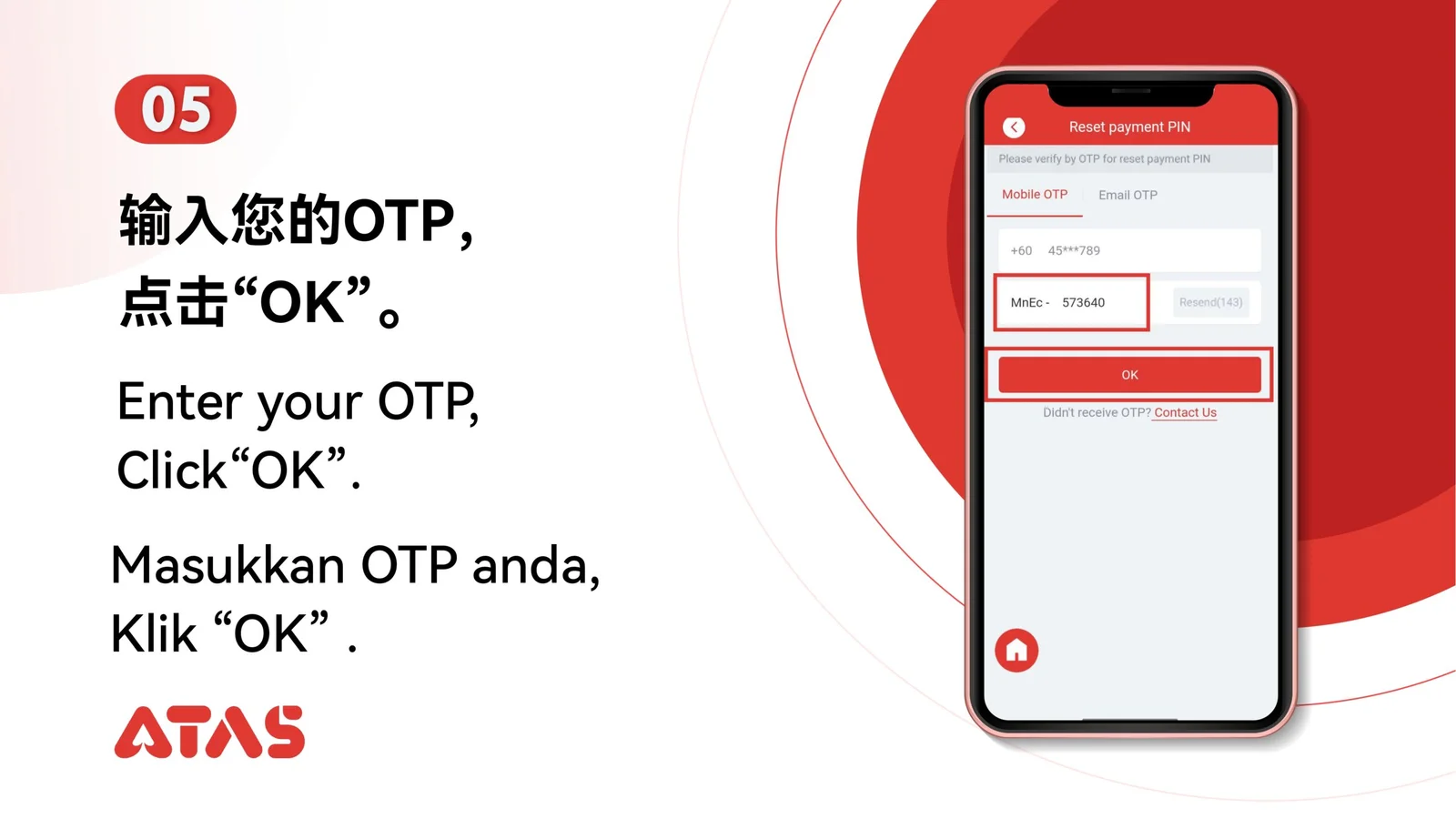
Complete Reset Payment PIN in 9 illustrated steps, with task-specific preparation, confirmation checks and a clear completion signal.
ILLUSTRATED ATAS3 GUIDE
The screenshots show the order. These checkpoints explain what must match along the way. 9 illustrated steps
Follow the sequence
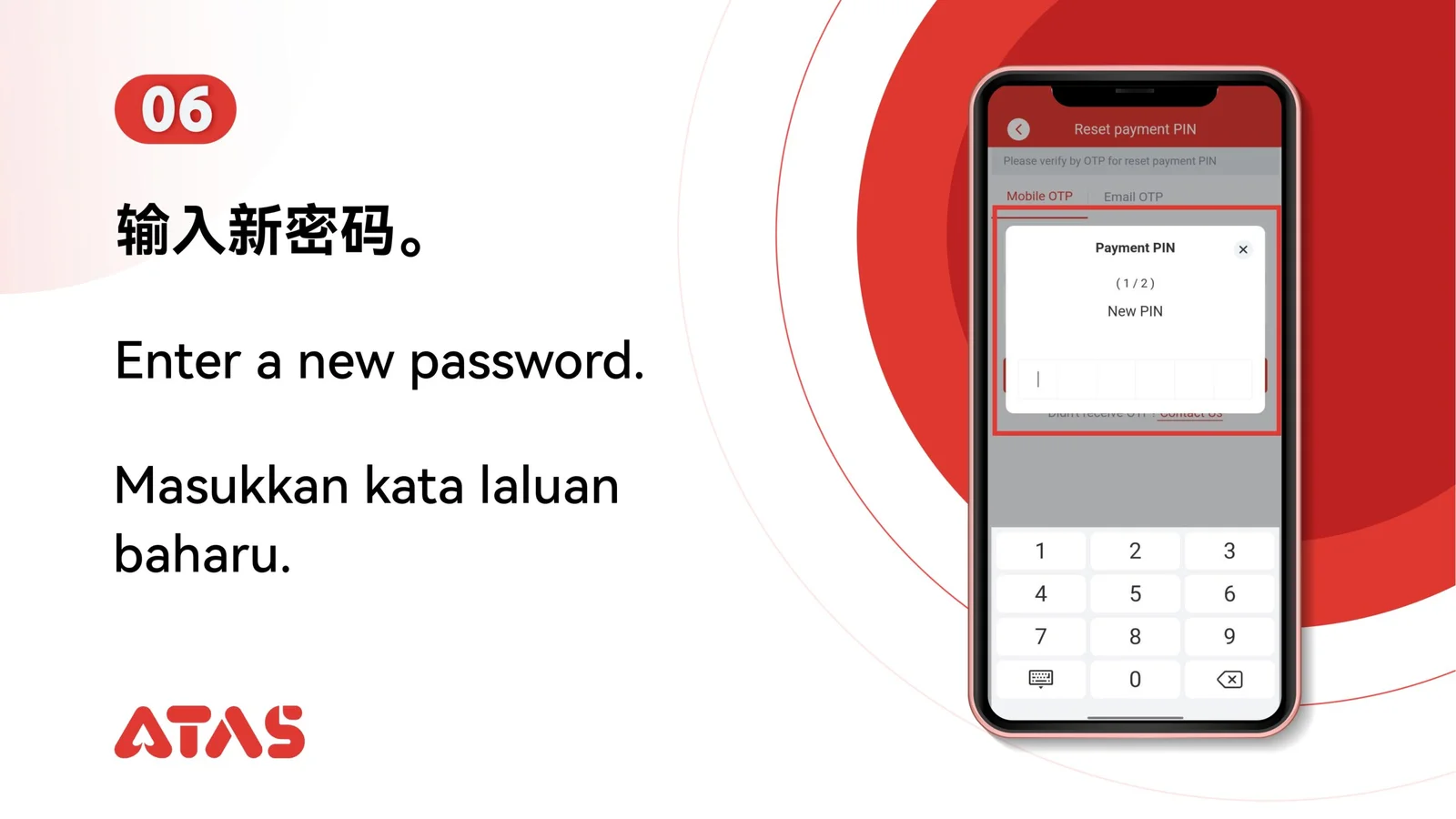
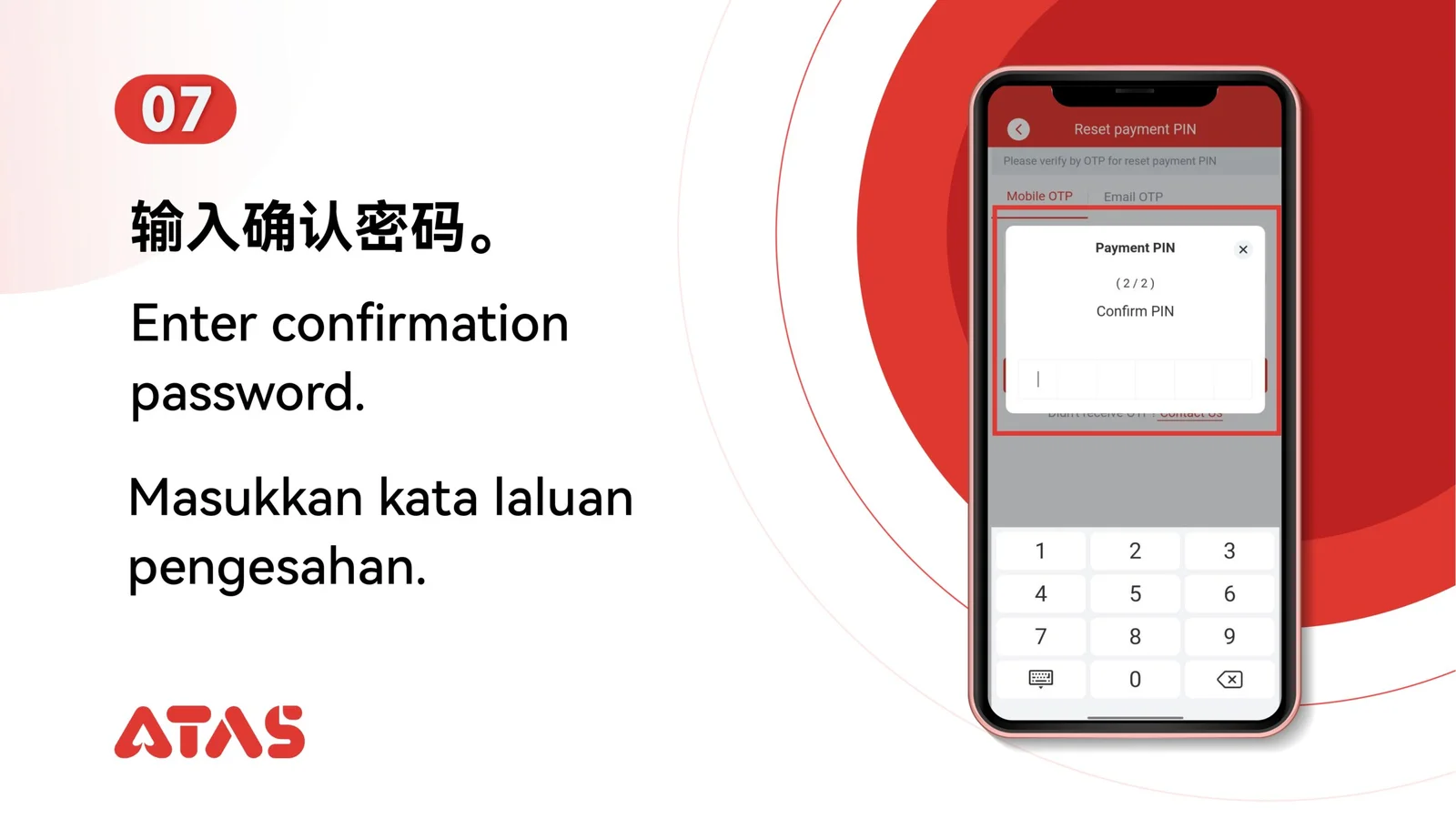
Use a new PIN you can remember but do not reuse a password or obvious number sequence.
 Step 01
Make sure you can complete the account verification step used to reset the payment PIN.
Use a new PIN you can remember but do not reuse a password or obvious number sequence.
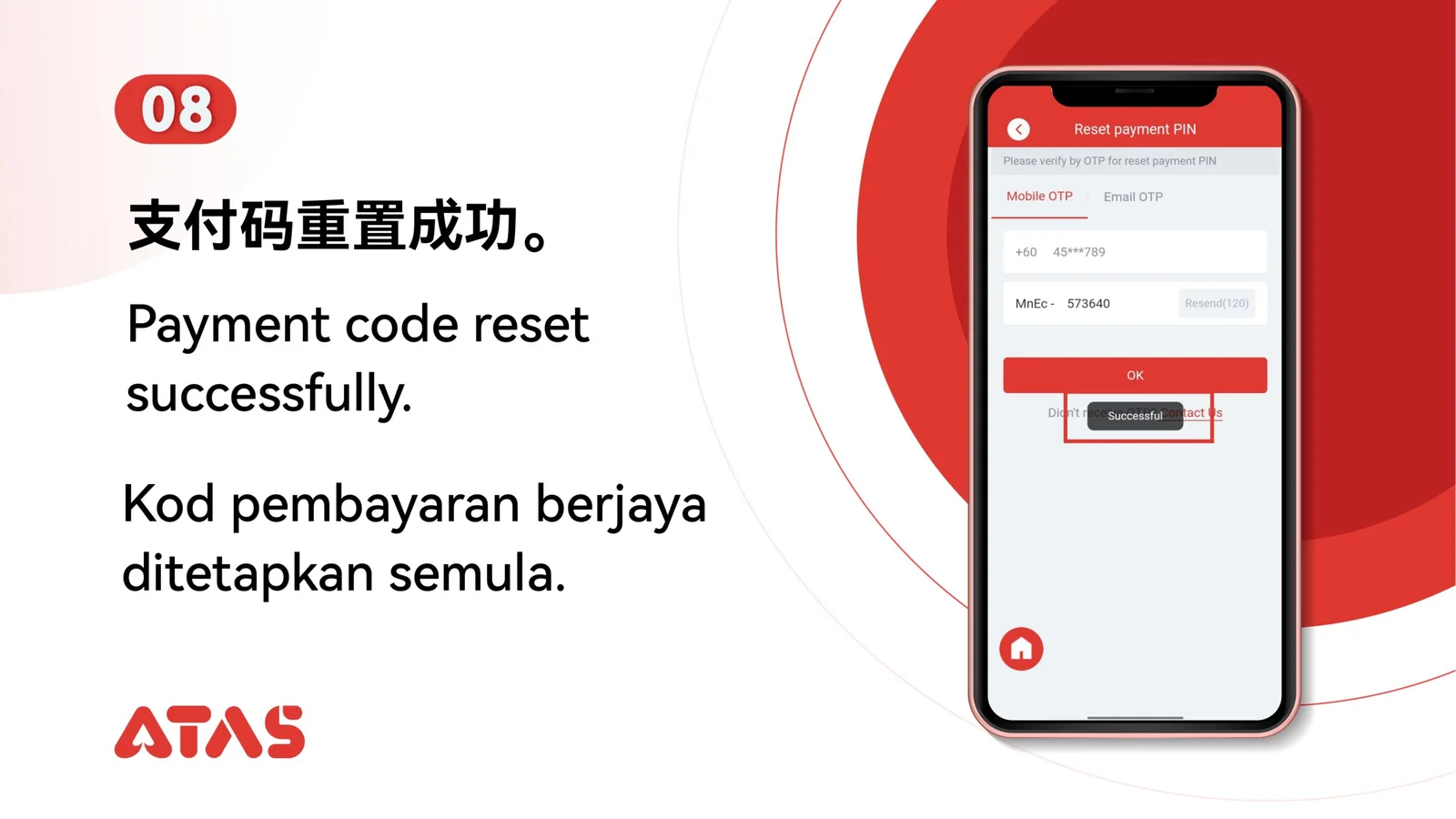
The platform confirms the new payment PIN and accepts it for the next authorised action.
Do not share the PIN with support or save it in an exposed screenshot.