



Prepare
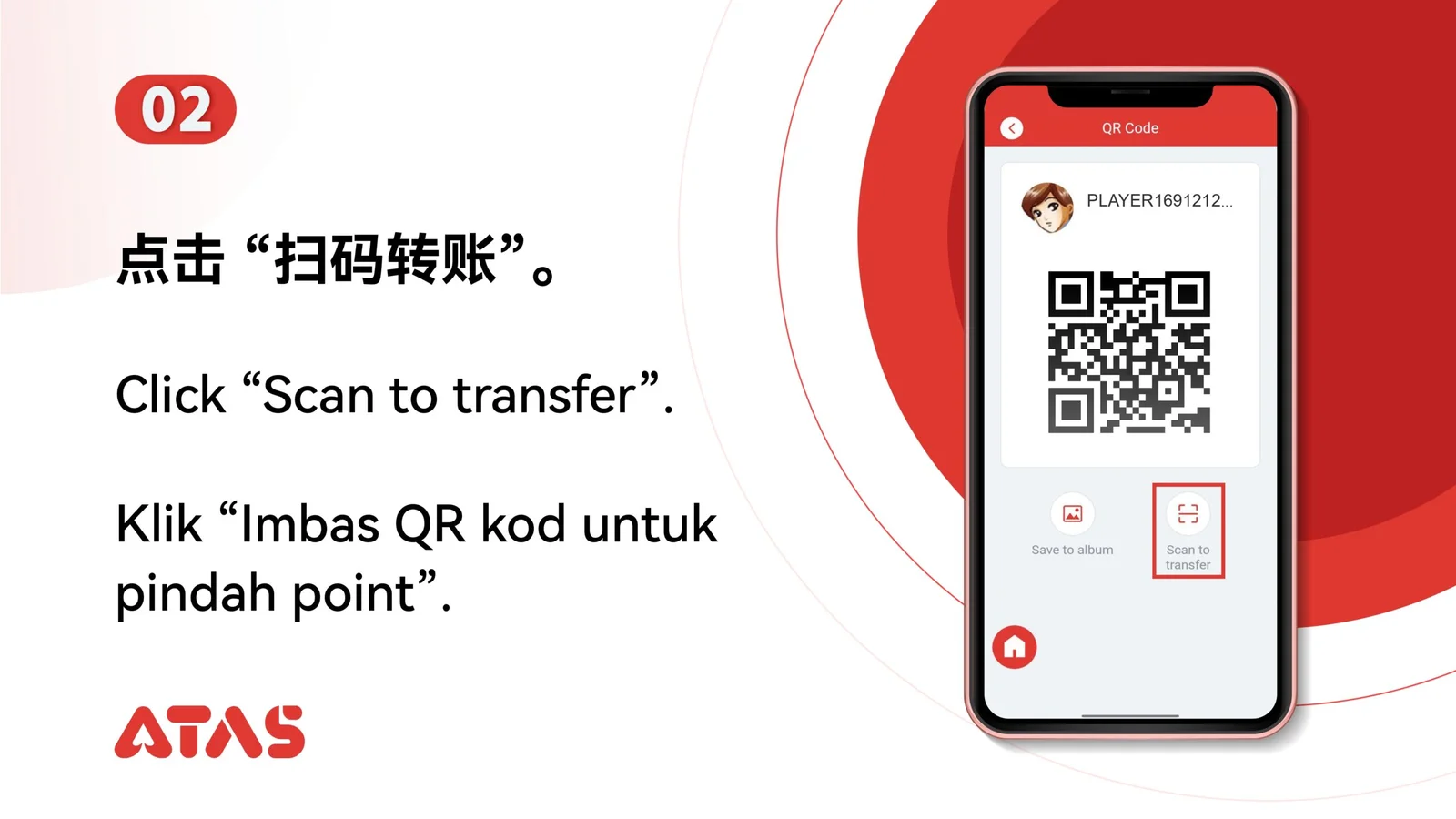
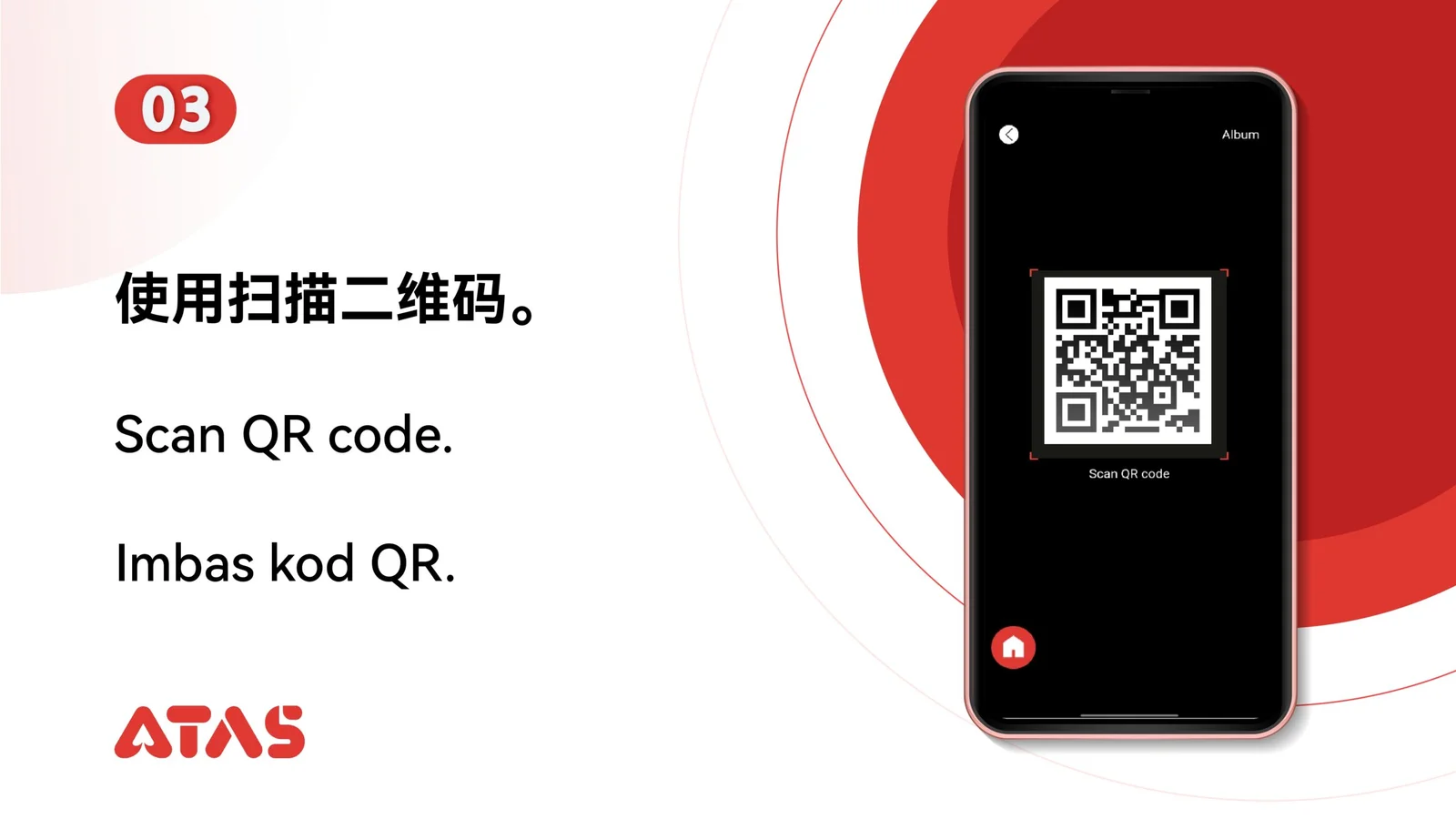
Use the current recipient QR code and confirm which currency it is intended to receive.
ATAS3 / All Tutorials
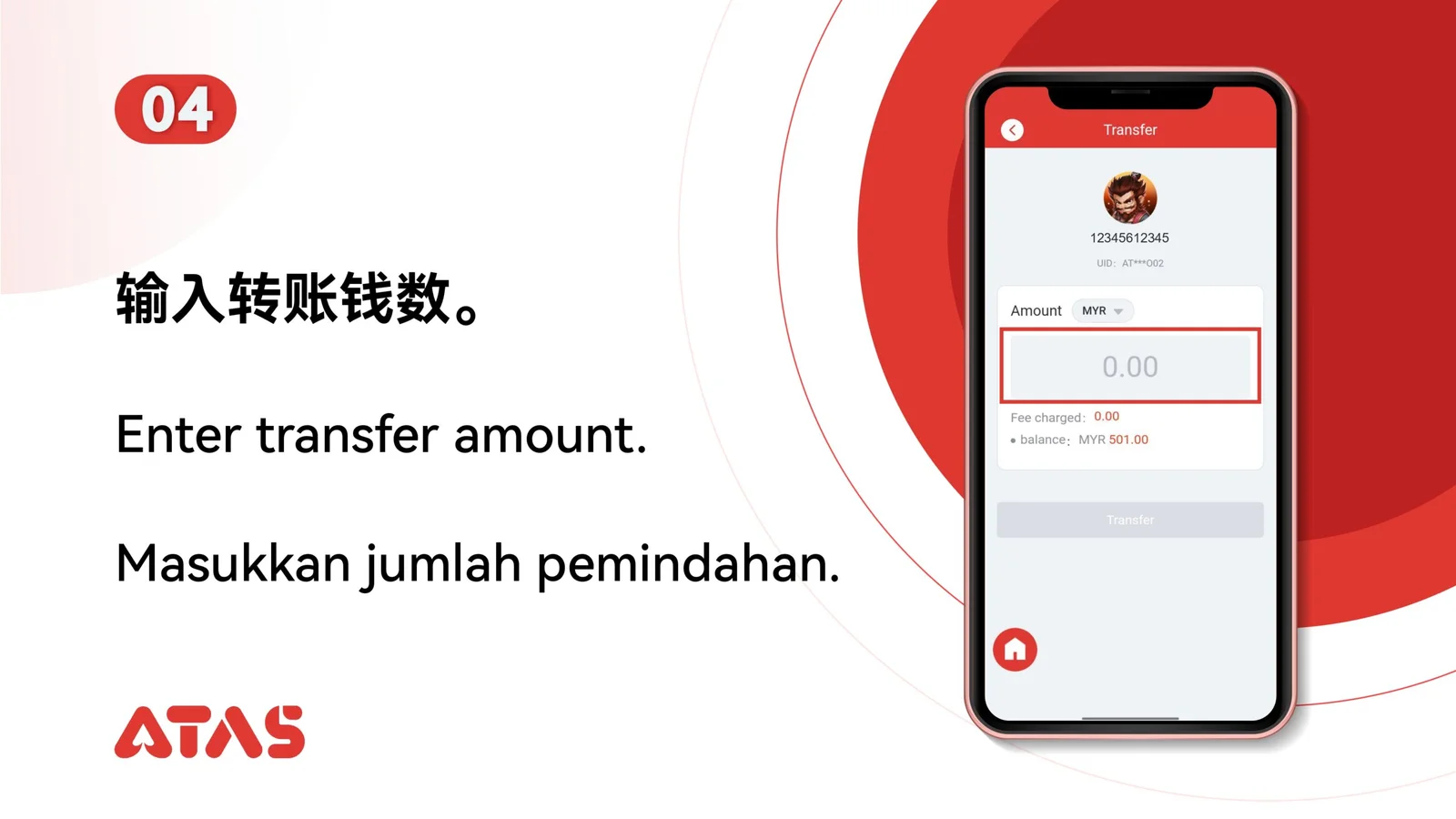
Complete Scan to Transfer in 8 illustrated steps, with task-specific preparation, confirmation checks and a clear completion signal.
ILLUSTRATED ATAS3 GUIDE
The screenshots show the order. These checkpoints explain what must match along the way. 8 illustrated steps
Follow the sequence
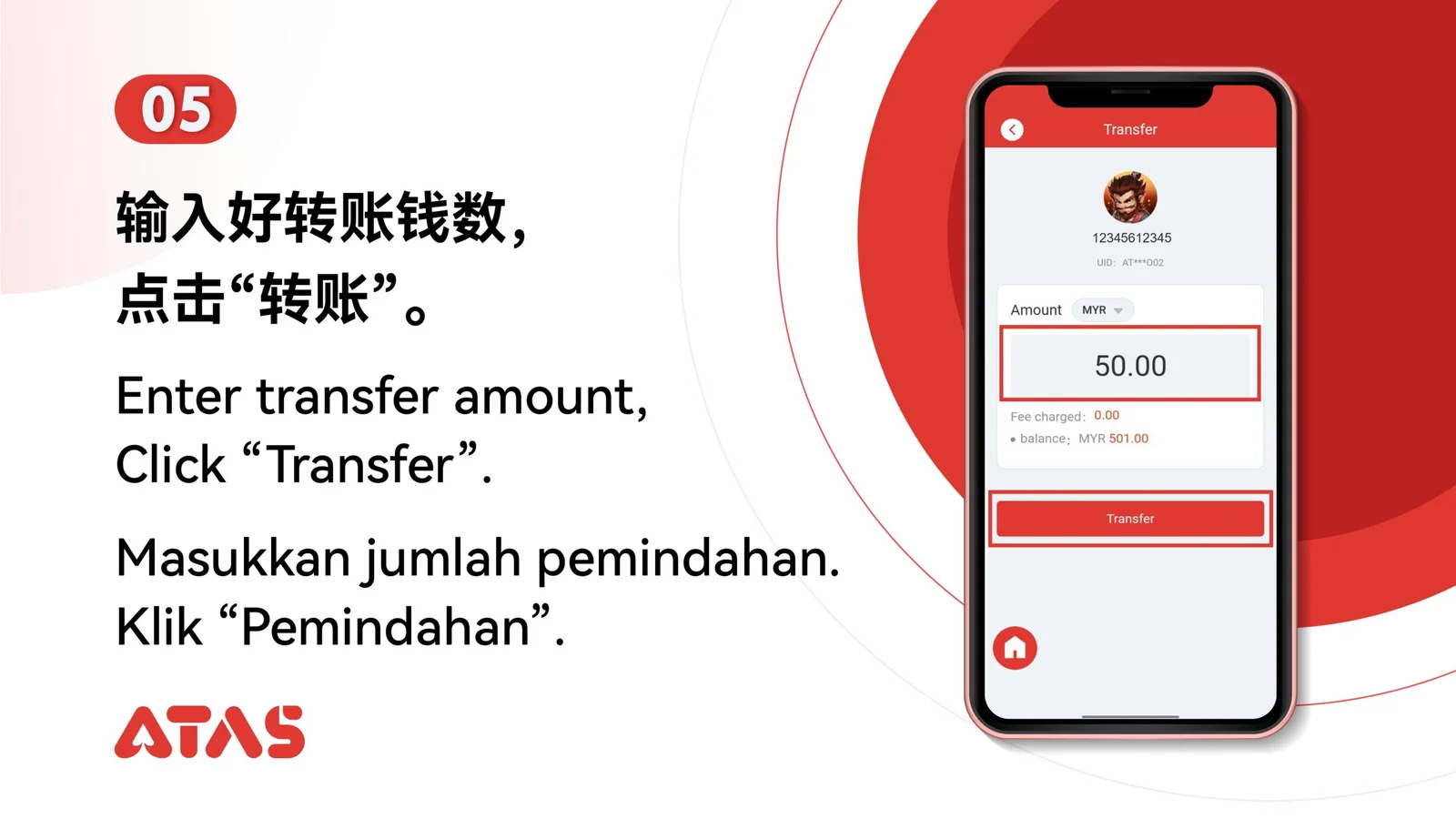
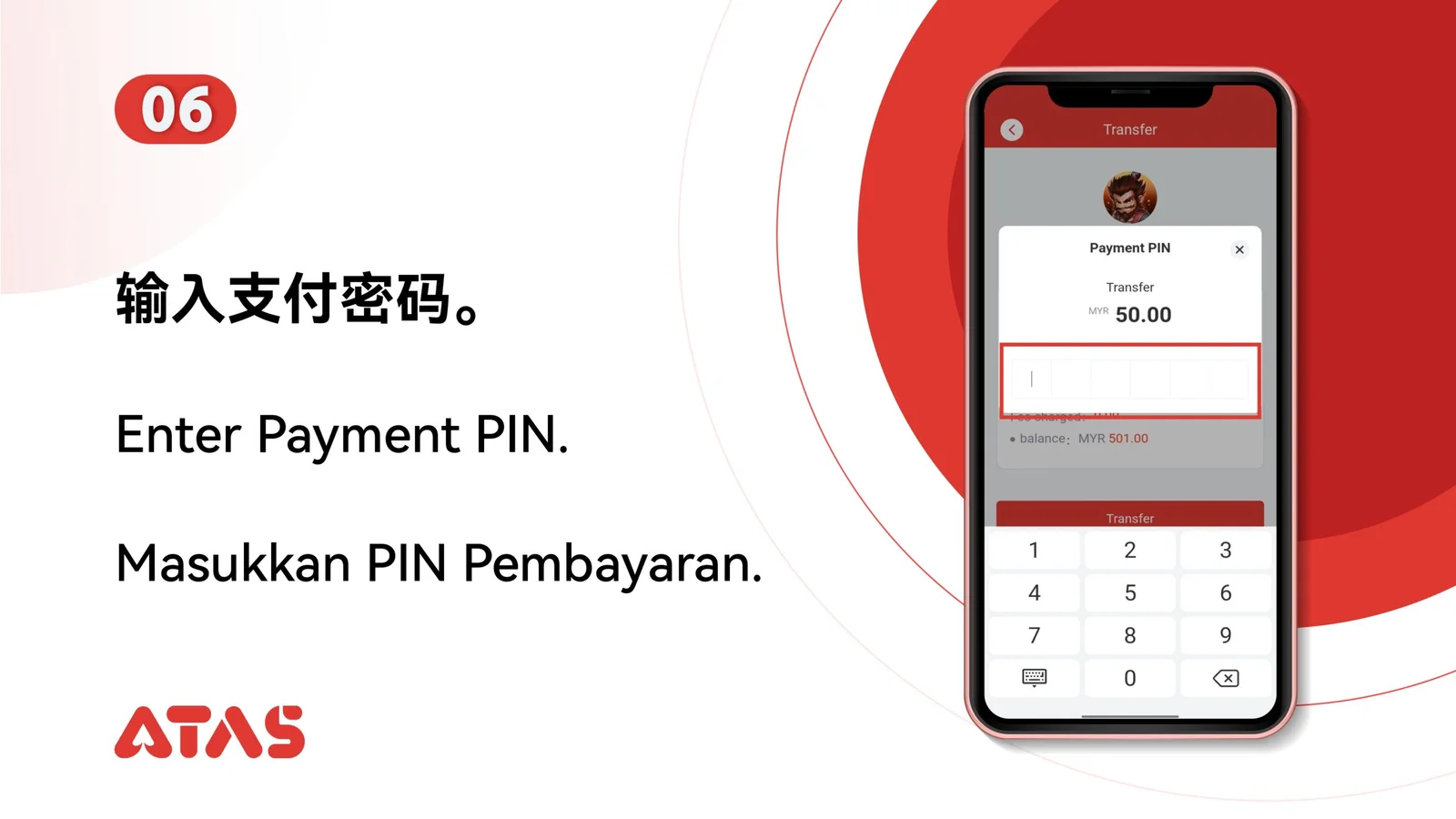
After scanning, verify the resolved UID, currency and amount before confirmation.
 Step 01
Use the current recipient QR code and confirm which currency it is intended to receive.
After scanning, verify the resolved UID, currency and amount before confirmation.
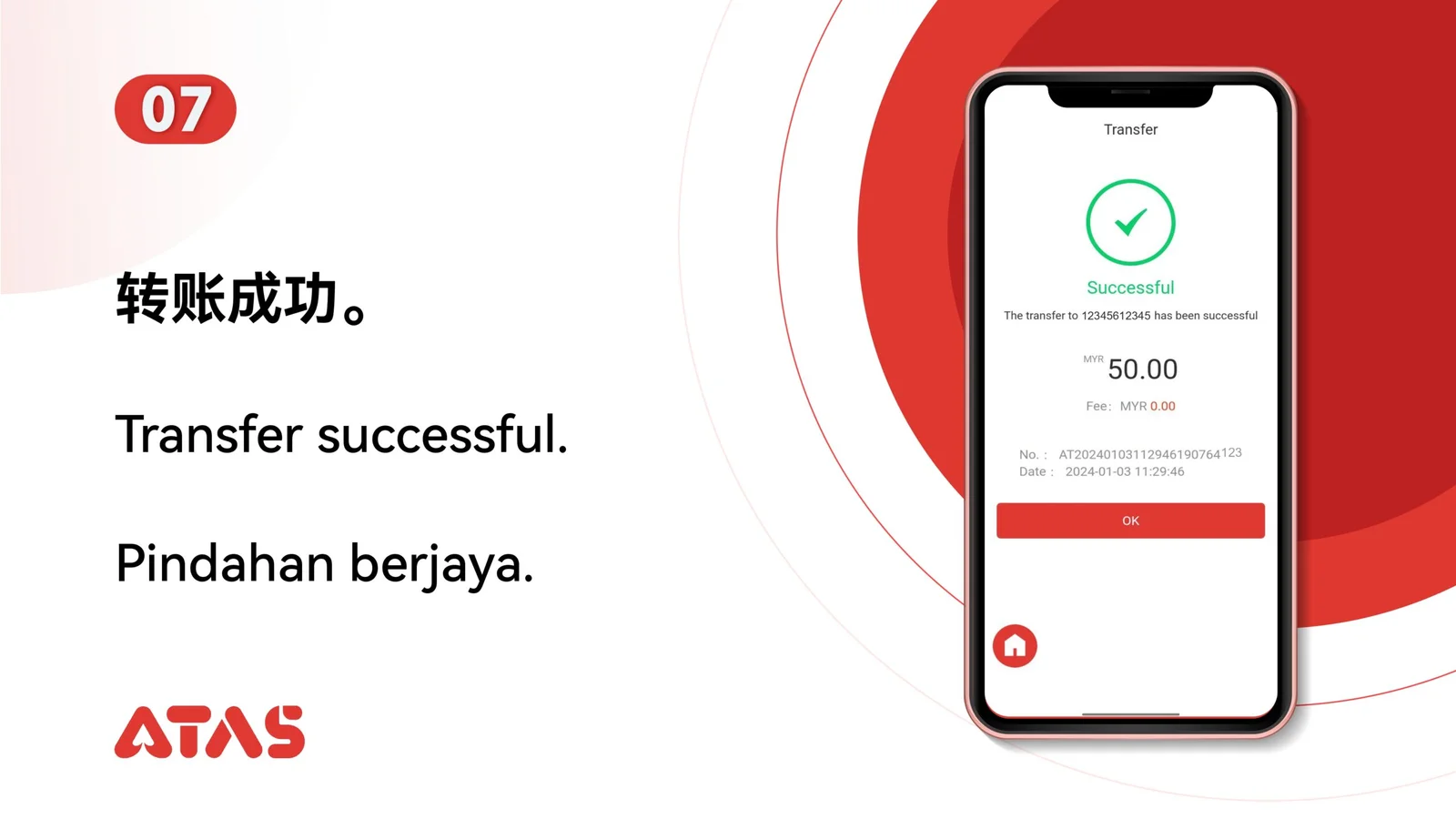
The transfer record shows the intended recipient and a completed status.
Never rely on a QR image from an unknown or outdated conversation.