




Prepare
Confirm S99 is currently available and prepare the exact top-up amount.
ATAS3 / All Tutorials
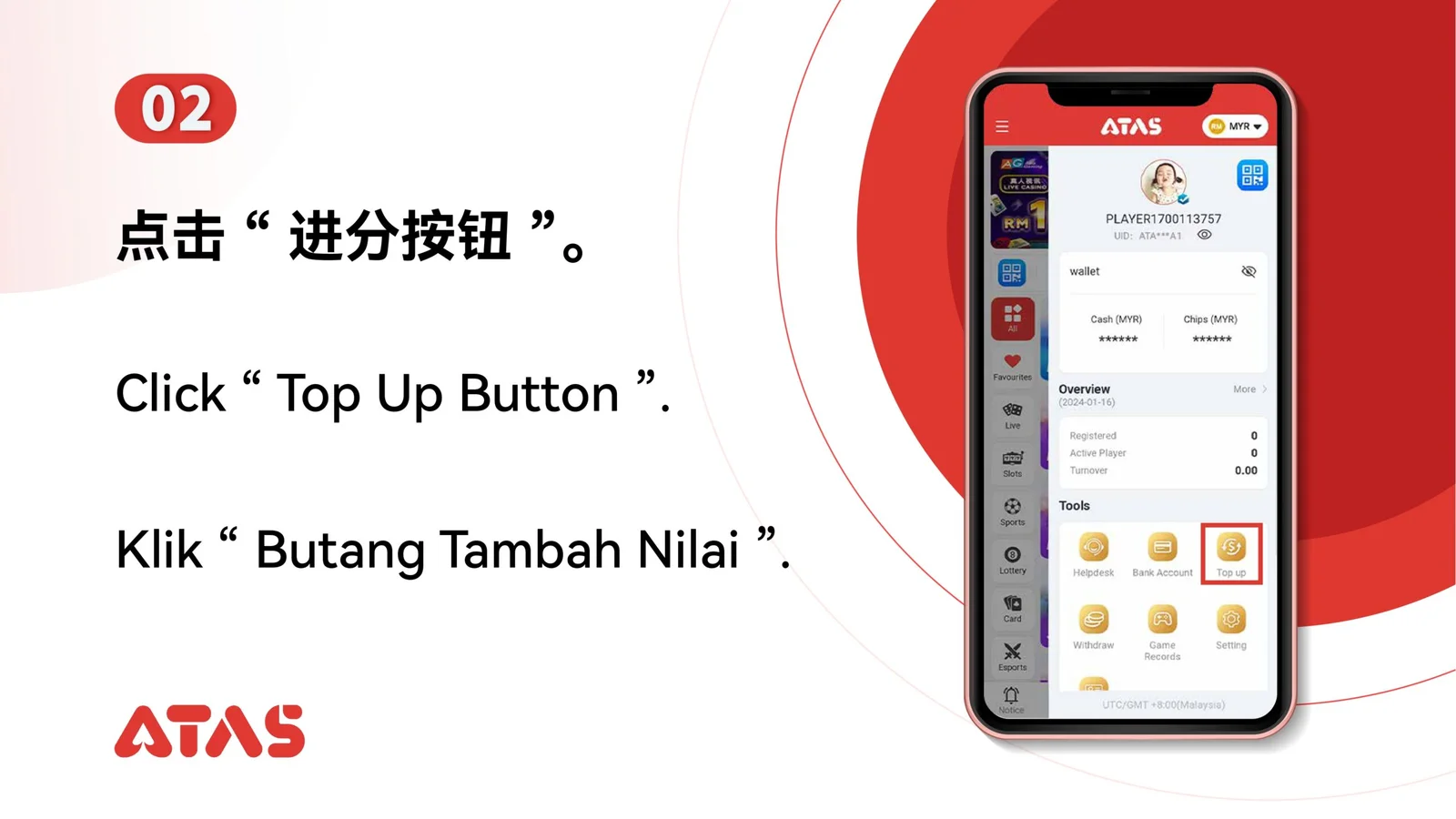
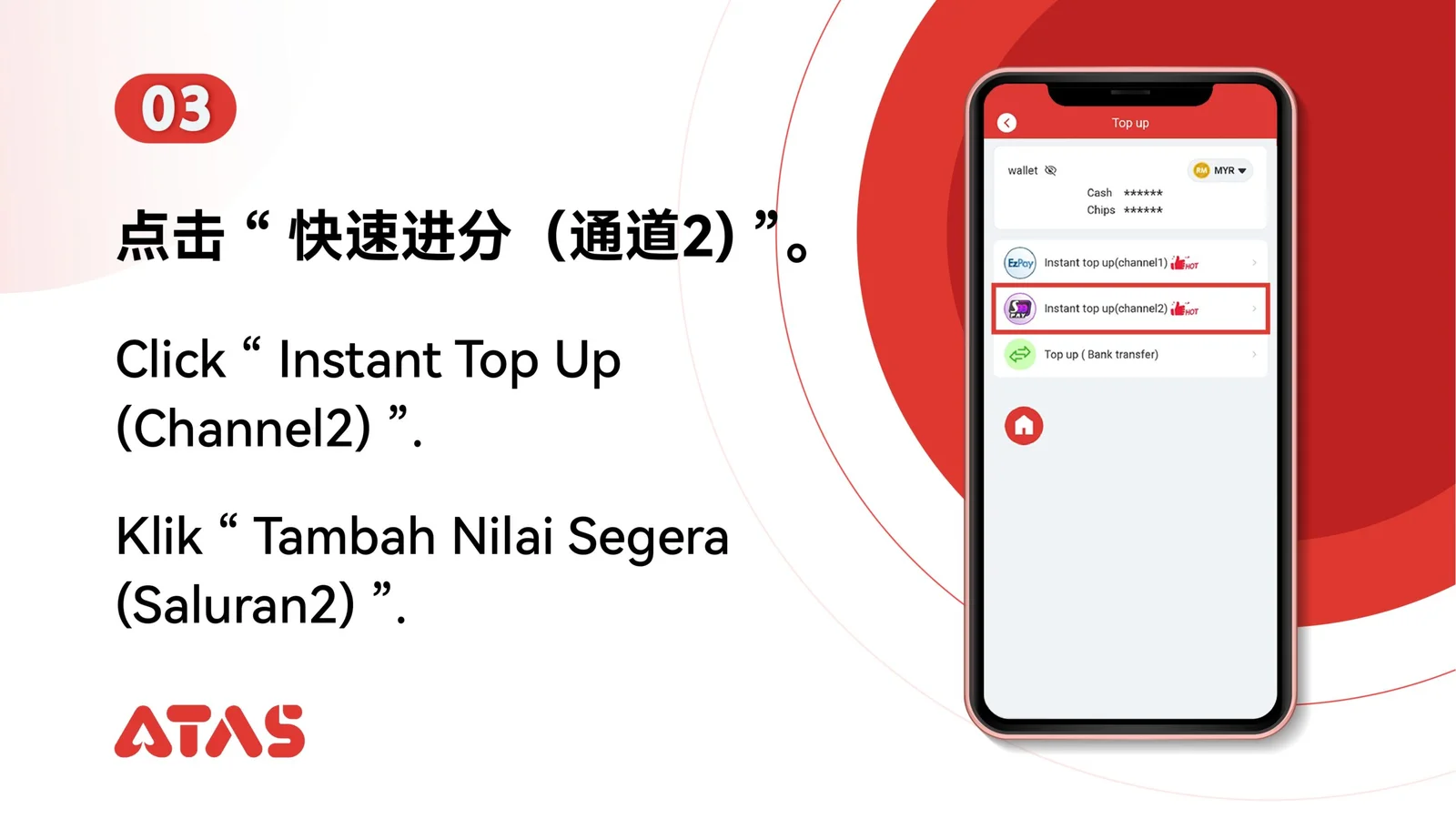
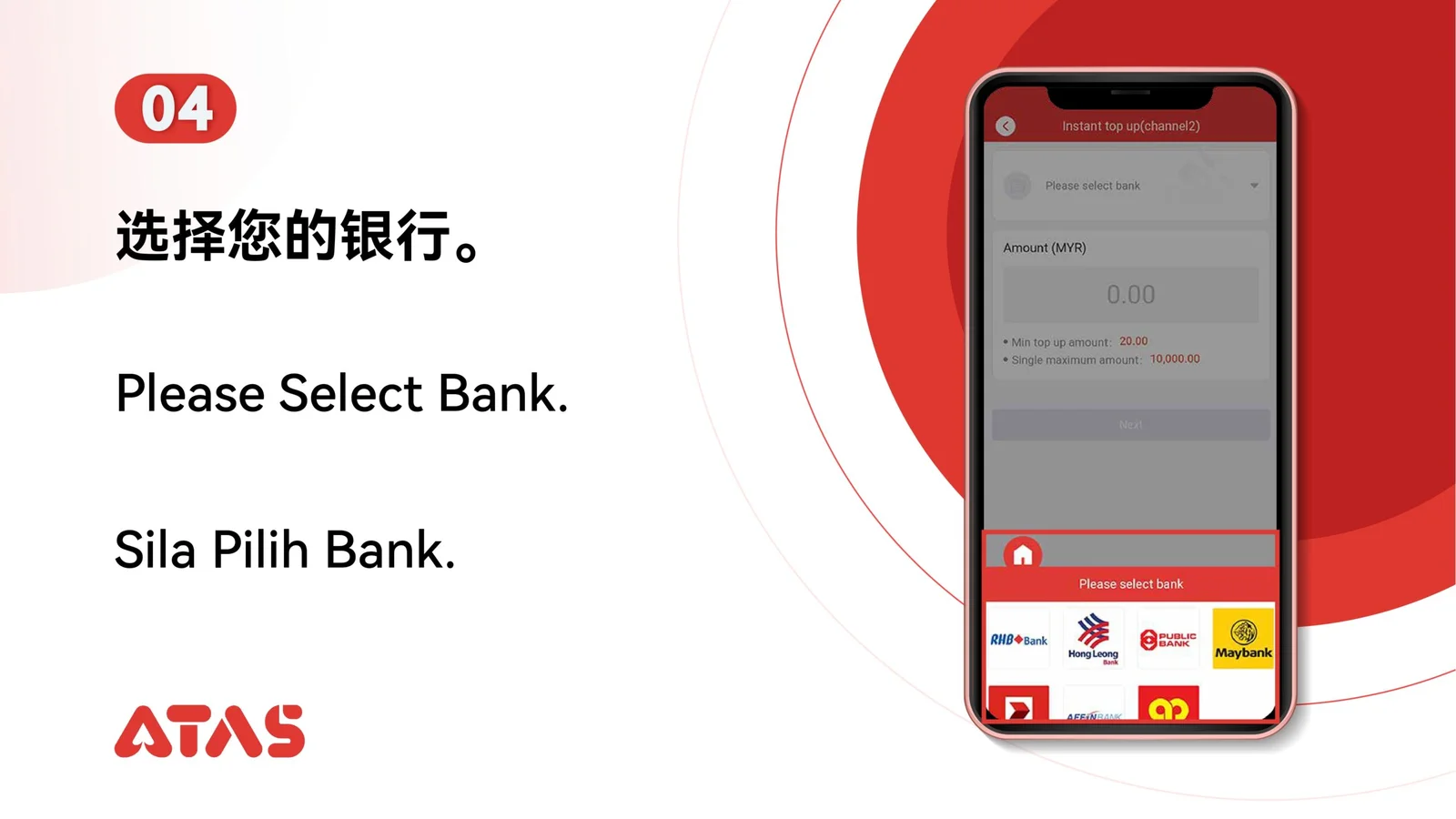
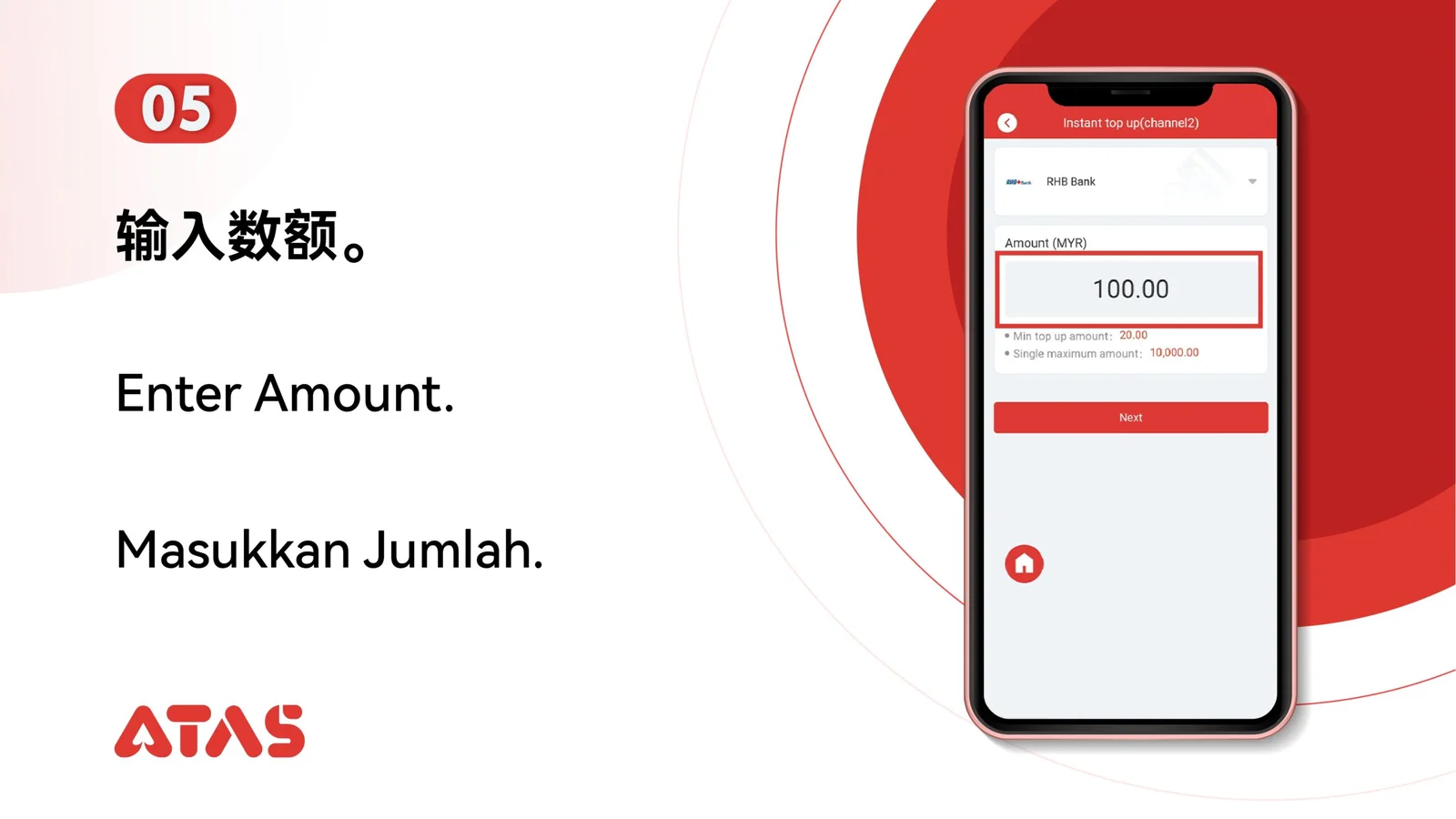
Complete S99 Top Up in 10 illustrated steps, with task-specific preparation, confirmation checks and a clear completion signal.
ILLUSTRATED ATAS3 GUIDE
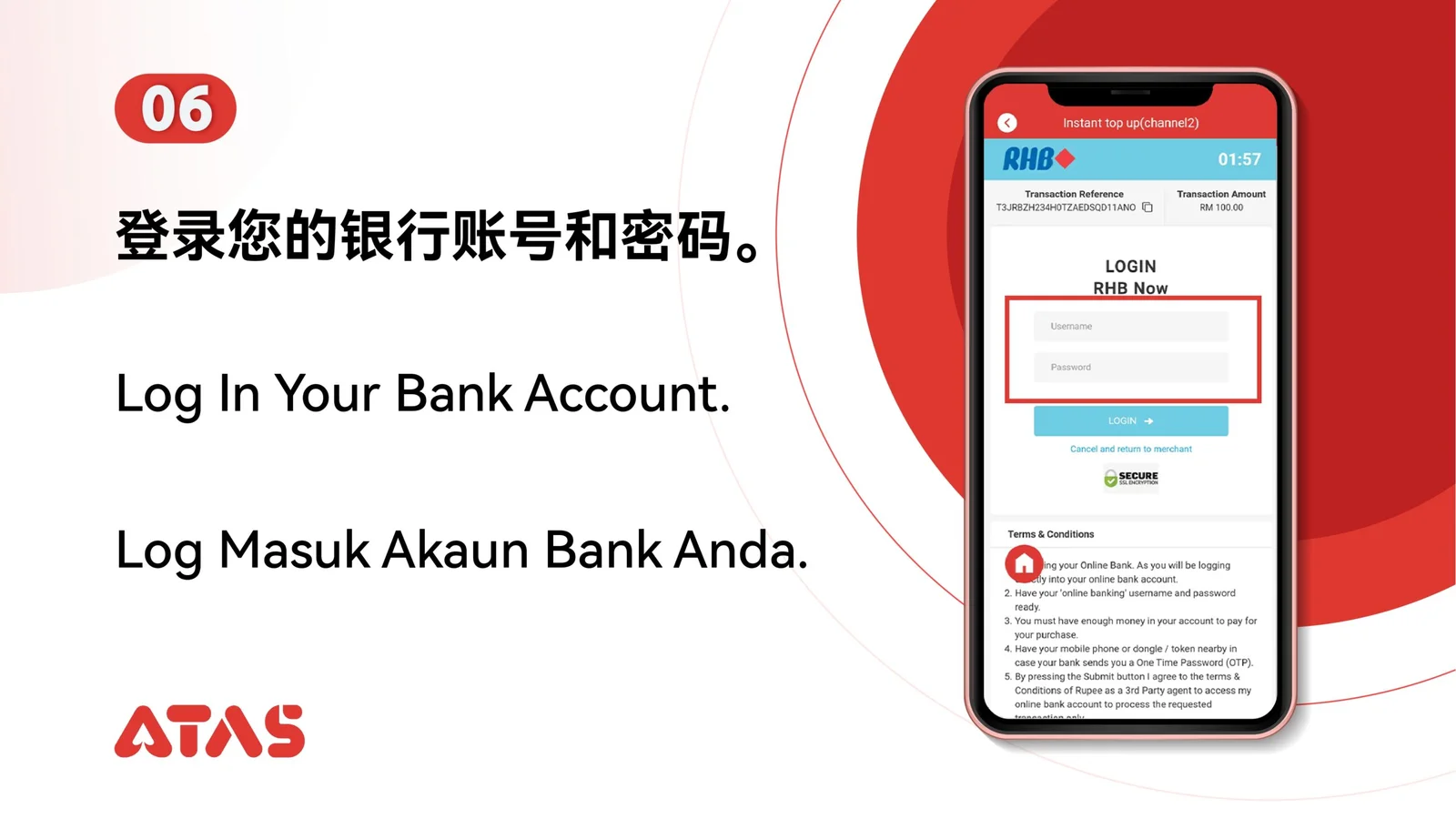
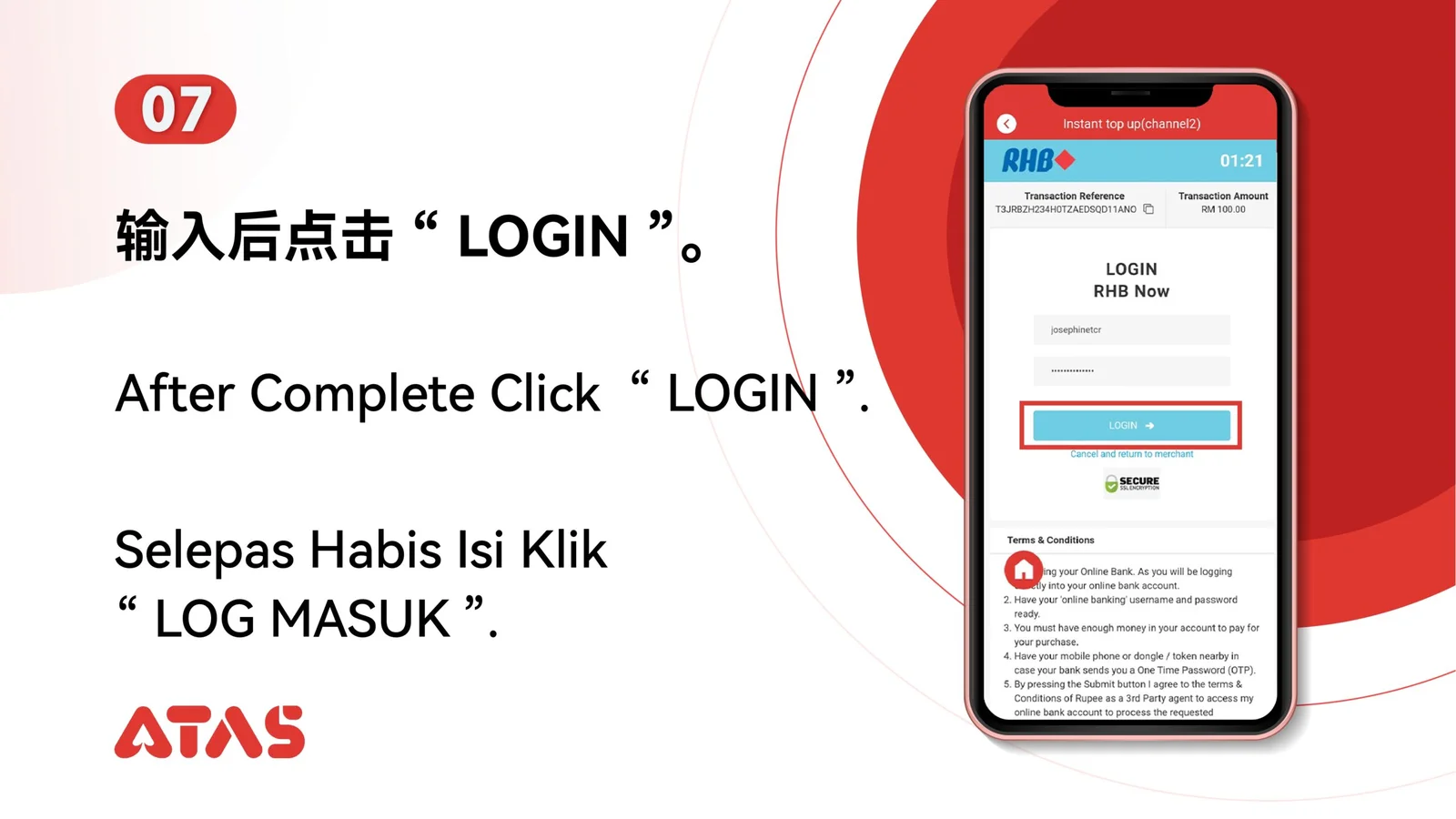
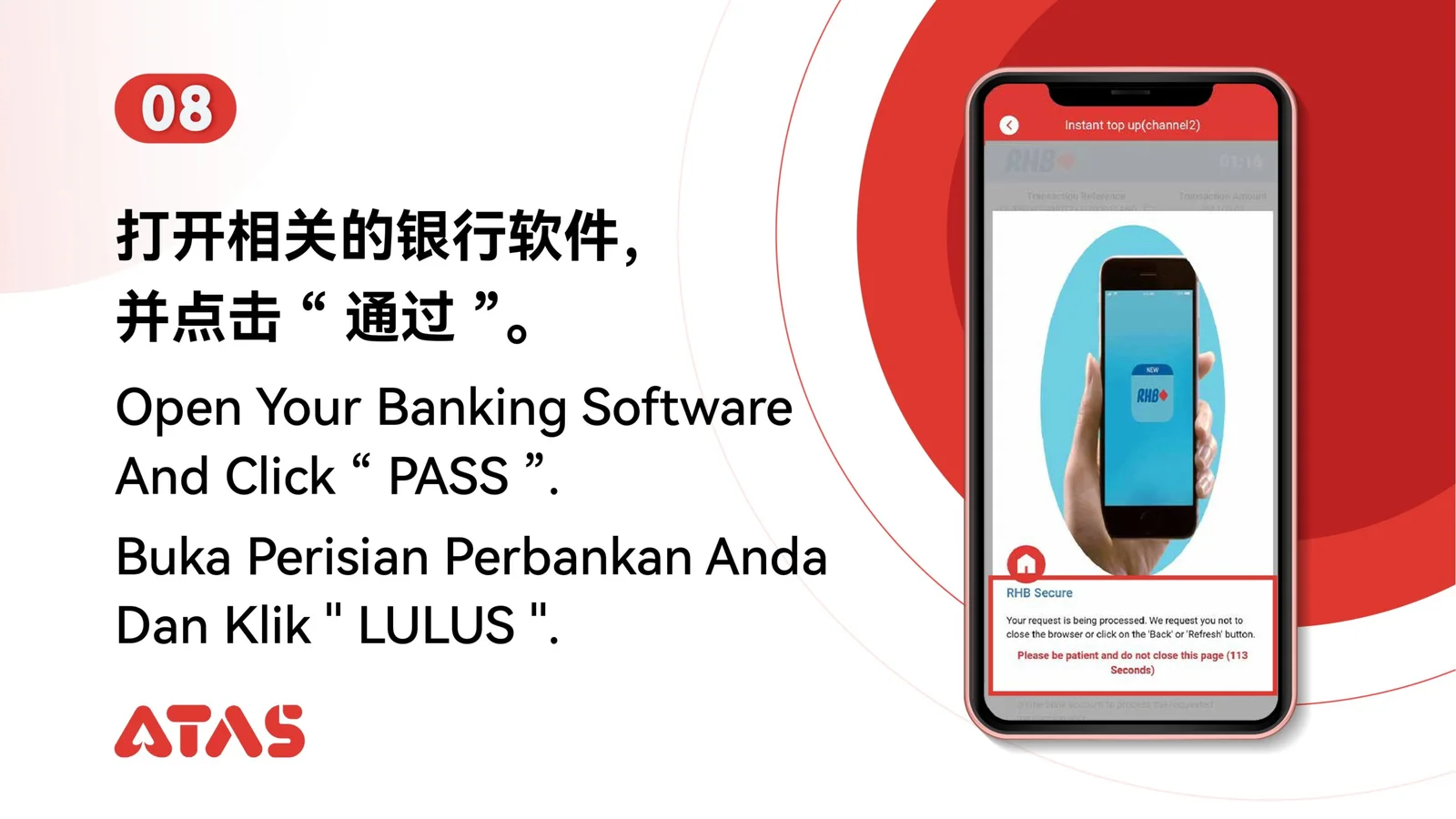
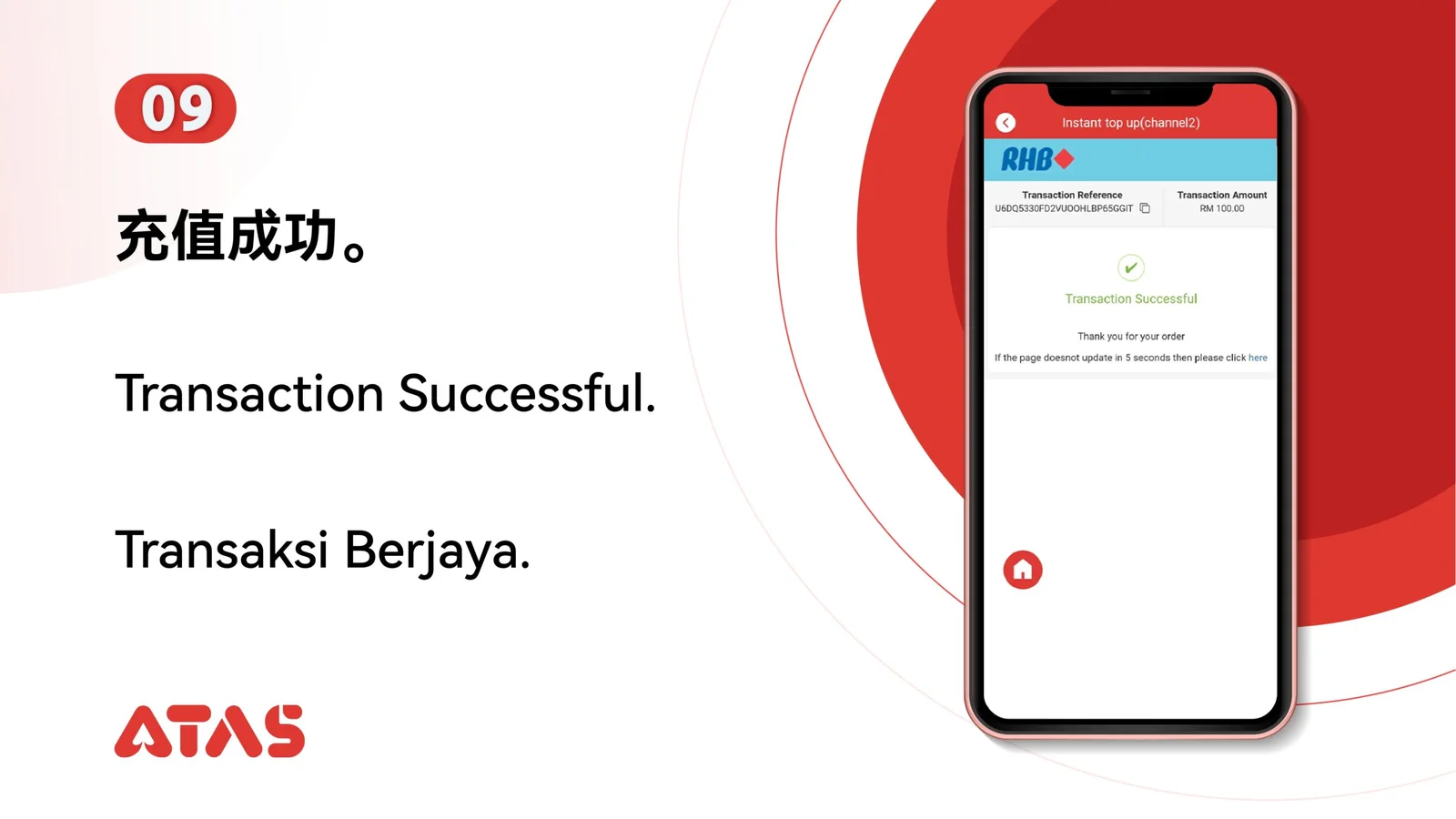
The screenshots show the order. These checkpoints explain what must match along the way. 10 illustrated steps
Follow the sequence
Keep the amount and payment reference consistent across every screen.
 Step 01
Confirm S99 is currently available and prepare the exact top-up amount.
Keep the amount and payment reference consistent across every screen.
The S99 top-up appears as completed in the transaction record.
A mismatched amount or abandoned payment page can leave the request pending.